Cormac Ravage, Peter Parker’s long-lost cousin and the centrepiece of Ravage 1000, debuted this month and Polygon has been digging into what the milestone issue means for the rest of the Spider-Man line. If the headline got you back into the habit of buying single issues, the question that follows is where you read them now. The market shifted hard since 2023, when Amazon shut down ComiXology and folded the library into Kindle. The Marvel-on-Android lineup looks different than it did three years ago.
We tested seven Android apps for reading Marvel comics in 2026, from official subscriptions to free library access to sideloaded CBR libraries built over a decade. Each pick below was checked on a Pixel 9 and a Samsung Galaxy S24, both stock Android 15, with a one-month subscription cycle to make sure billing and renewal worked. We covered weekly readers, back-issue archivists, and people who want to read Marvel without paying Marvel.
What to look for in a Marvel comics app
Reading comics on a phone is a different problem from reading prose. Five things matter:
- Guided View or panel-by-panel mode. Comics drawn for the page need help reading on a 6.3-inch screen. The good apps split panels.
- Offline access. The point of an Android phone is the metro ride. The app needs to cache full issues, not just covers.
- Library size for the price. Marvel Unlimited’s back catalogue is the headline number; for $9.99/mo it should be deep enough to read for a year.
- Cross-device sync. Page position across phone, tablet, and the rare desktop reader.
- Sideload support. If you bought issues on ComiXology before the shutdown, or downloaded CBRs from your library, the reader needs to open them.
Quick comparison
| App | Best for | Free plan | Starting price | Catalogue | Offline |
|---|---|---|---|---|---|
| Marvel Unlimited | Subscription, Marvel-only | Limited free issues | $9.99/mo | 30,000+ Marvel back-issues | Yes, 12 issues |
| Amazon Kindle | Per-issue purchase, including Marvel | Free with Amazon account | Pay per issue | Most current Marvel releases | Yes |
| Hoopla Digital | Free with library card | Free with library card | Free | Graphic novels and trades, ~80 Marvel TPBs | Yes, time-limited |
| CDisplayEx | Sideloaded CBR/CBZ archives | Full free | Free | Whatever you load | Yes |
| Perfect Viewer | Sideloaded reader, advanced | Free | Plug-ins paid | Whatever you load | Yes |
| Astonishing Comic Reader | Modern sideloaded reader | 30 issues free | $4.49 unlock | Whatever you load | Yes |
| WEBTOON | Free serial superhero webcomics | Free | Coin packs from $1.99 | Marvel partnership issues plus indies | Yes |
1. Marvel Unlimited, best for subscribers who want the deep catalogue
Marvel Unlimited is the official Marvel subscription app, and the only legal way to read 30,000-plus back issues without buying each one. The catalogue includes every Spider-Man, X-Men, and Avengers run going back to the 1960s, plus the current month’s issues three months after they hit print. Guided View is built in and works well on a 6-inch phone.
Where it falls short: new issues are gated for three months after release. If you read on Wednesdays for what just came out, this is the wrong app. Annual billing knocks the price down meaningfully, but the monthly term renews quietly.
Pricing:
- Free: limited rotating sample issues
- Paid: $9.99/mo or $69 for the annual plan
Platforms: Android, iOS, web
Download: Marvel Unlimited on Google Play
Bottom line: the right pick if you want to read the Ravage 1000 setup arcs from 2024 instead of waiting for the trade.
2. Amazon Kindle, best for per-issue purchase including new releases
Amazon Kindle is the unexpected Marvel reader. After ComiXology shut down in 2023, Amazon folded the comic library into Kindle. New Marvel single issues now release on Kindle the same day they hit print, with the Guided View experience preserved as “panel-by-panel.” Purchases sync across phone, tablet, and the Fire devices.
Where it falls short: the Kindle UI is built for prose first, comics second. Browsing the comic catalogue is awkward, especially on a phone. Search by series or issue number is the workaround.
Pricing:
- Free: app and account
- Paid: pay per issue, typically $3.99 to $5.99
Platforms: Android, iOS, Fire, Web, desktop
Download: Amazon Kindle on Google Play
Bottom line: the app for the Wednesday reader. New Marvel releases on day one, on the same library that holds your prose books.
3. Hoopla Digital, best free Marvel reading via library card
Hoopla Digital is the public-library streaming service that includes a respectable Marvel graphic novel selection. With a US or Canadian library card, you can borrow 80-plus Marvel trade paperbacks (the older runs, mostly) without paying anything. The borrowing is per-month based on your library’s allowance, and each borrow lasts three weeks before it returns automatically.
Where it falls short: trade paperbacks only, not single issues, and the latest arcs are usually a year behind print. Library participation varies (most US public libraries are in, some are not), and the per-month borrow cap is set by the library, not by you.
Pricing:
- Free: with a participating library card
- Paid: none, library funds the borrows
Platforms: Android, iOS, Fire, web, smart TV
Download: Hoopla on Google Play
Bottom line: the free Marvel reading the back-issue-curious community keeps overlooking. Check whether your library supports it.
4. CDisplayEx, best for sideloaded CBR and CBZ libraries
CDisplayEx is the long-running comic reader for sideloaded archives. CBR, CBZ, PDF, EPUB, plus 7z and rar inputs. The reading experience is panel-aware, dual-page on tablets, single-page on phones with smooth zoom. Library management is folder-based, which suits people who have a Calibre or Komga server at home.
Where it falls short: no online catalogue. CDisplayEx for reading Marvel comics needs you to source the files yourself, whether from your own ComiXology DRM-free backups or a legal scan archive.
Pricing:
- Free: full feature set
- Paid: optional donation
Platforms: Android, Windows
Download: CDisplayEx on Google Play
Bottom line: the workhorse for archivists. If you bought issues on ComiXology before the shutdown, CDisplayEx is how you read them now.
5. Perfect Viewer, best advanced sideloaded reader
Perfect Viewer is the power-user choice for sideloaded comics. Custom page transitions, manual panel zoom, network shares (SMB, FTP, WebDAV), and a plug-in system that adds CBR support, OCR-based text resize for translated scans, and online catalogue browsing for self-hosted Komga and Mylar libraries. The 2026 release added native dark theme handling for OLED phones.
Where it falls short: the UI shows its age. Plug-ins are separate paid downloads, which adds up if you want the full experience.
Pricing:
- Free: base reader with built-in formats
- Paid: plug-ins from $0.99 each (CBR, DJVU, network share)
Platforms: Android
Download: Perfect Viewer on Google Play
Bottom line: the right pick for anyone running a Komga or Calibre server who wants the phone reader to fit it.
6. Astonishing Comic Reader, best modern sideloaded reader
Astonishing Comic Reader is the younger, more polished sideloaded reader. It pairs with OPDS catalogues (Komga, Ubooquity), supports cloud storage providers, and the page-turn animation is closer to the iPad reading experience than CDisplayEx provides. The Material 3 UI fits 2026 Android phones better than its older rivals.
Where it falls short: the free tier reads 30 issues before the unlock prompt appears. Once unlocked, full feature set.
Pricing:
- Free: 30 issues
- Paid: $4.49 one-time unlock
Platforms: Android
Download: Astonishing Comic Reader on Google Play
Bottom line: the modern sideloaded reader for users who want the look and feel without the plug-in shopping list of Perfect Viewer.
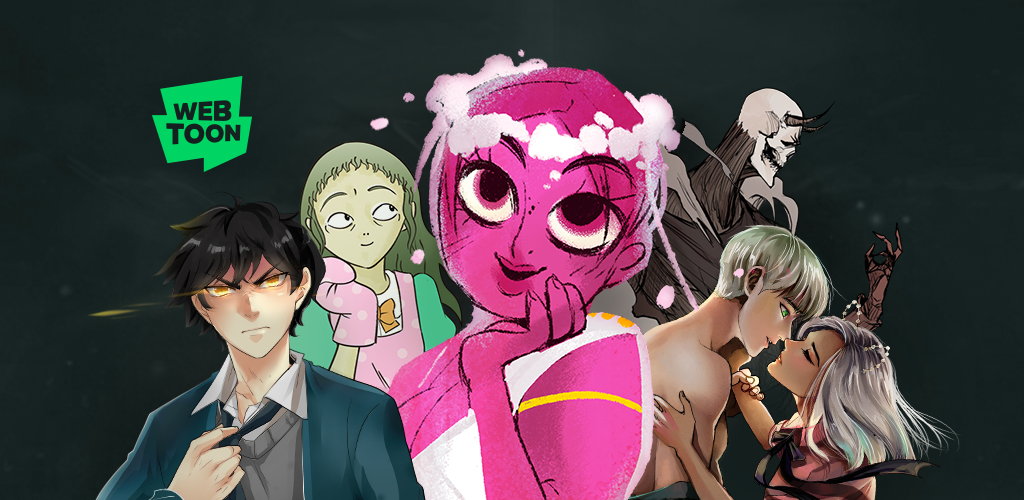
7. WEBTOON, best for free superhero serial webcomics
WEBTOON is not a Marvel-comics-direct app, but it carries the Marvel partnership webcomics (Hawkeye: Kate Bishop, M.O.D.O.K.: Head Games, Black Widow runs) plus a thick library of indie superhero series that hit the same itch. Vertical-scroll formatting, daily-coin reading model, and a strong English-language Korean and Japanese superhero library.
Where it falls short: not the place to read Ravage 1000 or any 616-continuity story. The Marvel partnership content is its own canon.
Pricing:
- Free: most content, with daily timed access
- Paid: coin packs from $1.99 to skip wait timers
Platforms: Android, iOS, web
Download: WEBTOON on Google Play
Bottom line: the adjacent free option if you want superhero serial fiction without Marvel’s subscription commitment.
How to pick the right one
- If you want the deep back catalogue and do not care about new-release timing, install Marvel Unlimited. The annual plan is the right shape.
- If you read Wednesday singles and care about day-one access, Kindle is the only legal answer in 2026.
- If you want free Marvel reading, get a library card and install Hoopla Digital. The trade paperback selection is wider than people expect.
- If you have a sideloaded library from old ComiXology backups, CDisplayEx is the simplest reader, Perfect Viewer for tinkerers, Astonishing Comic Reader for the modern look.
- If you want free serial superhero fiction that is not 616-continuity, WEBTOON is the catch-all.
FAQ
What replaced ComiXology after Amazon shut it down?
Amazon folded ComiXology into Kindle in 2023. The library and account migrated, so anything you bought is still there, just inside the Kindle app instead of a dedicated comic reader. Marvel new releases publish to Kindle the same day they hit print.
What is the best free Marvel comics app on Android?
Hoopla Digital with a participating library card gives you ~80 Marvel trade paperbacks at no cost. WEBTOON carries Marvel partnership webcomics for free. Marvel Unlimited has a small rotating free sampler but is not a substitute for the paid tier.
Is Marvel Unlimited worth $9.99 a month?
For back-issue readers, yes. The 30,000-issue catalogue covers every major Marvel run from the 1960s forward, and the annual price brings the monthly equivalent to under $6. If you only read current Wednesday singles, the three-month gate on new issues makes it the wrong tool.
How do I read Marvel comics offline on my phone?
Marvel Unlimited’s offline mode caches 12 issues at a time. Kindle issues download in full once purchased. Hoopla downloads for the borrow window. For full archival offline, you want CBR or CBZ files in CDisplayEx, Perfect Viewer, or Astonishing Comic Reader.
Which apps support Guided View on Android?
Marvel Unlimited has it built in under “Smart Panels.” Kindle preserves Guided View on comics imported from the ComiXology library. The sideloaded readers (CDisplayEx, Perfect Viewer, Astonishing) do not have it by default but offer manual panel zoom that approximates the experience.