

Why people leave Beat Maker Pro
- The most useful sample packs sit behind a subscription. The free pads cycle through a small rotation, and unlocking the trap, dubstep, and EDM kits the screenshots showcase requires an active premium plan.
- Ads break the flow. Interstitials between sessions interrupt the rhythm of laying down a beat, which matters more in this category than in most apps.
- Export options on the free tier are limited. Saving a finished beat as a high-quality WAV or sharing without watermark is a paid step.
- The MWM family share monetization patterns. Users who tried Beat Maker Pro alongside Drum Pad Machine and Music Maker JAM report the same paywall structure across all three, which makes switching within the family pointless.
- The pad-only model is fast for ideation but limits what you can do with the result. Adding live recording, MIDI input, or proper mixing requires moving to a different app eventually.
If any of those points sound familiar, here are seven Beat Maker Pro alternatives worth a try.
Which app should you choose?
-
FL Studio Mobile if you want a real DAW upgrade, paid once and owned forever. The pad workflow extends into a full sequencer and mixer.
-
Groovepad if you want the same instant-pad experience for free. Closest direct match to Beat Maker Pro’s interface.
-
Drum Pad Machine if EDM and dubstep are your genres. Sample packs lean dance and the difficulty curve is gentle.
-
BandLab if you want to extend a pad beat into a full song. Free DAW with samplers, recording, and a sharing community.
-
Remixlive if you want to perform live. Mixvibes’ app is built for stage use with crossfading and FX between pads.
-
Caustic 3 if synthesis and sequencing matter more than pre-made packs. One-time price, deep modular rack.
-
n-Track Studio if you record live instruments and vocals over a beat. Full multi-track DAW with proper mixing.
Stay on Beat Maker Pro if the specific MWM sample packs and tutorial library are what keep you opening the app. No alternative carries the exact same loop library.
1. FL Studio Mobile — best pro DAW for serious upgrade
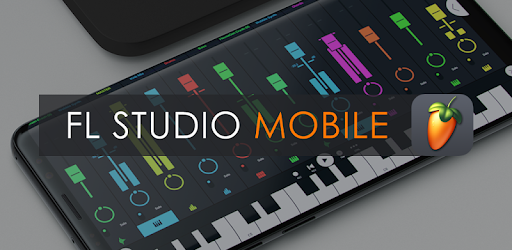
FL Studio Mobile is the closest mobile cousin to a desktop production environment. The Step Sequencer covers exactly the pad workflow Beat Maker Pro users already know, then keeps going with a Piano Roll, mixer, automation, and the same effect chain that ships with desktop FL Studio. Projects move between mobile and desktop with no conversion.
For Beat Maker Pro users who outgrew the eight-pad ceiling and want to layer melodies, basslines, and vocals over their drum patterns, FL Studio Mobile is the upgrade. The one-time price replaces the subscription model entirely, which long-term works out cheaper than the Beat Maker Pro premium tier.
The trade-off is the learning curve. Coming from a single-screen drum pad app to a full DAW means a few sessions spent figuring out tracks, patterns, and routing before the first beat lands.
Advantages:
- Project compatibility with desktop FL Studio
- 133 instruments and effects included
- One-time purchase, no subscription
- Professional Step Sequencer and Piano Roll
Disadvantages:
- Higher up-front price
- Steeper learning curve
- Not built for live finger-drumming sessions
Pricing: Around $14.99 up front on Google Play. Similar pricing on App Store and Samsung Galaxy Store.
2. Groovepad — closest free Beat Maker Pro experience

Groovepad by Easybrain mirrors the Beat Maker Pro interface most directly. A single screen of pads, genre-themed loop packs, a few effect toggles like filter and reverb, and a record button. Users who liked the original Beat Maker Pro workflow but resent the paywall structure can switch with zero retraining.
The free tier includes hip-hop, trap, EDM, house, and dubstep starter packs, with regular new pack releases. The premium subscription removes ads and unlocks the larger pack library, but the free experience is usable in a way Beat Maker Pro’s free experience is not.
The same single-screen design that makes Groovepad approachable is also its ceiling. There is no song-arrangement view, no MIDI input, and no proper export beyond rendered audio.
Advantages:
- Free with playable hip-hop, trap, EDM, and house packs
- Almost identical workflow to Beat Maker Pro
- Lower ad load than Beat Maker Pro on free tier
- Strong starter pack rotation
Disadvantages:
- Premium subscription for the full pack library
- No song-arrangement view
- No MIDI input
Pricing: Free with ads. Subscription unlocks premium packs and removes ads.
3. Drum Pad Machine — best for EDM and dubstep
The original AGM Group beat maker has a cleaner free tier than Beat Maker Pro and a sample library that leans heavier into dance music. Users who want to make EDM, drum-and-bass, dubstep, and big-room house drops find more usable material in the free packs here.
The pad layout supports chained samples per pad, which sits between Beat Maker Pro’s one-shot model and a proper sampler. Pad lessons walk new users through patterns from well-known dance tracks, which Beat Maker Pro mostly hides behind premium.
The catch is the subscription model arrived in this app too. The lessons and the deepest pack tiers are gated. The Aptoide listing for the main app is missing, so Android users without Google Play would need to use the genre-specific spin-offs (Club Drum Pad Machine, Trap Drum Pad Machine) or download from another source.
Advantages:
- Stronger free tier than Beat Maker Pro
- EDM, dubstep, and dance-focused pack library
- Pad lessons for popular tracks
- Chained samples per pad
Disadvantages:
- Premium subscription gates deepest packs
- Main Aptoide listing missing
- Genre focus narrow outside dance
Pricing: Free with ads. Subscription unlocks premium packs and removes ads.
4. BandLab — best free path to a full song

BandLab is a full mobile DAW that ships free with a 16-track ceiling, real recording, real mixing, and a sampler that covers the Beat Maker Pro pad-loop workflow. SongStarter generates an instrumental seed if you want to start from a chord progression. Splitter pulls drums or vocals out of any reference track. The included sample library carries hundreds of royalty-free loops.
For Beat Maker Pro users who hit the moment where they want to take a pad beat and turn it into an actual song, BandLab handles the next stage without forcing a paid upgrade. Recording vocals over the beat, adding a guitar take, and mastering the result all work in the free build.
The membership upsell does exist, mostly around AI tools, advanced FX, and stem-separation upgrades. The free build is fully functional. Cloud sync requires an account, which is a step Beat Maker Pro skips entirely.
Advantages:
- Free 16-track DAW with no project cap
- SongStarter and Splitter included free
- Hundreds of royalty-free loops bundled
- Active sharing community
Disadvantages:
- Cloud account required
- AI tools sit behind a membership
- Heavier app than a pure pad maker
Pricing: Free with full DAW. Optional membership unlocks AI and advanced FX.
5. Remixlive — best for live pad performance

Remixlive by Mixvibes is built for stage and DJ booth use rather than studio sketching. The 64-pad layout (eight by eight) puts loops, one-shots, and FX on the same grid, and the crossfader plus volume sliders along the edge let you mix between pads in real time as if playing a live set.
For Beat Maker Pro users who want to take pad beats to a party or a livestream, Remixlive covers the performance angle Beat Maker Pro never seriously addressed. The Mixvibes library carries tens of thousands of royalty-free loops across genres, and the recording mode captures the entire performance as a single track.
The interface density is higher than Beat Maker Pro. New users spend a session learning the grid before live performance feels natural. The full Pro tier and loop library run on a subscription.
Advantages:
- 64-pad grid built for live performance
- Crossfader and FX strip on the same screen
- Huge royalty-free loop library
- Pro recording mode captures full session
Disadvantages:
- Steeper learning curve
- Pro tier on subscription
- Heavier on phone resources
Pricing: Free with limited packs. Pro subscription unlocks the full Mixvibes loop library.
6. Caustic 3 — best one-time-price synth and drum rack

Caustic 3 takes the opposite approach to Beat Maker Pro. Instead of curated loop packs, the app gives you a rack of synthesisers, samplers, and drum machines that you assemble into your own kit. SubSynth, FM, PCM samplers, a BassLine 303-style monosynth, BeatBox drum machine, and modular routing between them.
For Beat Maker Pro users tired of premium pack rotations and wanting the underlying ingredients instead, Caustic delivers. The community shares custom patches and presets back through the app, and the one-time unlock price means no recurring subscription.
The interface is dense and dated visually. New users coming from Beat Maker Pro’s clean pad layout face a real adjustment, but the depth on offer is in a different league. Works fully offline.
Advantages:
- One-time purchase under $10
- Deep hands-on synthesis and sampling
- Strong patch-sharing community
- Works fully offline
Disadvantages:
- Steep learning curve
- Android only
- Visual design dated
Pricing: Free demo. Full unlock is a one-time in-app purchase in the low single digits.
7. n-Track Studio — best for recording over a beat

n-Track Studio is the multi-track recording end of the spectrum. Unlimited audio and instrument tracks, vocal pitch correction (VocalTune), guitar amp simulators, convolution reverb, and a full mixer with EQ and compression on every channel. The pad-style sample triggers exist but are not the focus.
For Beat Maker Pro users who already build a beat in a few minutes and want to record actual vocals or live instruments over it, n-Track Studio is the natural next step. External MIDI keyboard and audio interface support also work, which lets a phone or tablet stand in for a small home studio.
The free build watermarks exports. The Pro unlock removes that and runs as a one-time in-app purchase, with an optional subscription tier for those who want all the latest plugin updates.
Advantages:
- Unlimited audio and instrument tracks
- VocalTune pitch correction included
- Guitar amp and convolution reverb
- External MIDI and audio interface support
Disadvantages:
- Free tier watermarks exports
- No bundled pad loop library
- Heavier learning curve
Pricing: Free with watermark. Pro unlock typically a one-off in-app purchase, with optional subscription.
Quick comparison
| App | Best for | Pricing model | Standout feature |
|---|---|---|---|
| FL Studio Mobile | Pro DAW upgrade | One-time | Desktop FL crossover |
| Groovepad | Free pad workflow | Free or paid | Closest UI match |
| Drum Pad Machine | EDM and dubstep | Free or paid | Dance-focused packs |
| BandLab | Full song from a beat | Free | 16-track DAW |
| Remixlive | Live performance | Free or paid | 64-pad grid plus crossfader |
| Caustic 3 | Hands-on synthesis | One-time | Modular synth rack |
| n-Track Studio | Recording over a beat | Free or paid | Unlimited tracks plus VocalTune |
FAQ
What is the best free Beat Maker Pro alternative?
BandLab is the strongest free pick because the full 16-track DAW ships free with no subscription gate on the core feature set. Groovepad is the closest free match if you specifically want the single-screen pad workflow.
Can I make beats without a subscription on any of these apps?
Yes. FL Studio Mobile uses a one-time purchase. Caustic 3 uses a one-time purchase. BandLab is free for the full DAW. The other picks have free tiers that work indefinitely, though some packs and FX sit behind a subscription.
Which app is closest to Beat Maker Pro in interface?
Groovepad mirrors the Beat Maker Pro interface most directly. Drum Pad Machine sits a step beyond with chained pads and lesson modes. Both are pad-first apps with similar genre-themed packs.
Can I export a finished beat without a watermark?
BandLab, FL Studio Mobile, and Caustic 3 all export clean audio without watermark on their core builds. n-Track Studio watermarks the free build but the Pro unlock removes that. Groovepad and Remixlive lift watermarking on their premium tiers.
Do these apps work offline?
FL Studio Mobile, Caustic 3, and n-Track Studio all work fully offline. BandLab works offline for editing and syncs when an internet connection returns. Groovepad, Drum Pad Machine, and Remixlive need an internet connection to download new pack content but play offline once cached.
Which alternative is easiest for a complete beginner?
Groovepad is the easiest entry point because the single-screen pad workflow needs no setup. BandLab is the next step up for users ready to learn a track-based view. FL Studio Mobile and Caustic 3 ask for more upfront patience.

