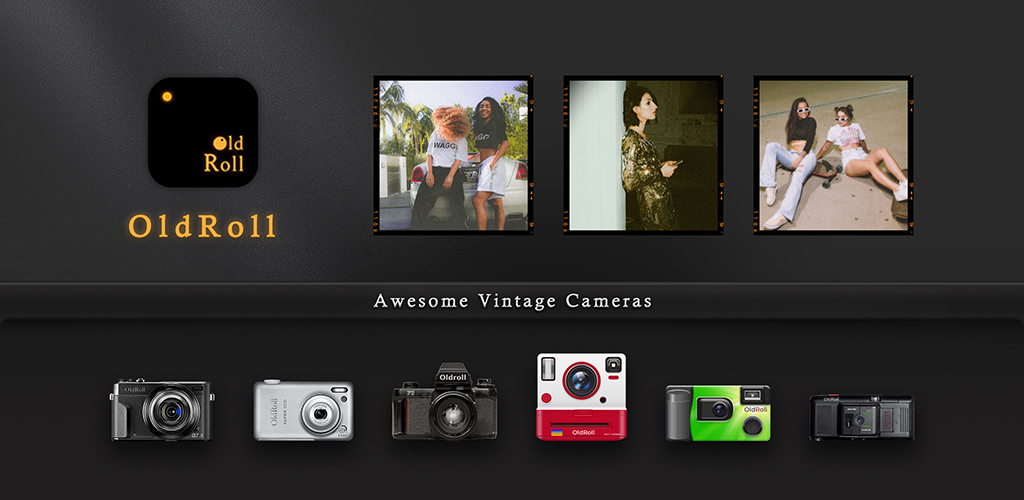
Film Camera by Zankhana ships fourteen virtual bodies in one app: a Ricoh GR-flavoured negative mode, a Kodak FunSaver throwback, a Hasselblad 500C tribute, an Instax Mini look, the now-mandatory CCD revival, a slide projector simulator, and a fistful more. It nails the moment vintage cam apps are having: pick one body, commit to its look for the whole roll, post the result. The catch is the same catch every recent vintage app added in 2025: the prettiest cameras and the cleanest exports live behind a subscription, and the watermark sticks until you pay. For anyone who liked the idea but not the price tag, Film Camera alternatives cover the same ground.
This guide compares 7 Film Camera alternatives for vintage-look photographers, social-share creators, and casual users. Each pick takes a specific era: CCD digital, disposable, point-and-shoot, Pixeloop motion, film tone presets, or general filter cams with strong retro modes.
Quick comparison
| App | Best for | Free plan | Starting price | Platforms |
|---|---|---|---|---|
| ProCCD | CCD digital revival look | Yes, with watermark | Pro around $4.99/mo | Android, iOS |
| Huji Cam | disposable camera look | Yes, with date stamp | Pro around $2.99 one-time | Android, iOS |
| NOMO CAM | authentic film-body simulation | Yes, with starter cameras | Pro around $5.99/mo or IAP per camera | Android, iOS |
| Loopsie | motion-photo and Pixeloop video | Yes, ad-supported | Premium around $4.99/mo | Android, iOS |
| VSCO | film tone and presets | Yes, ten presets | VSCO+ around $7.99/mo | Android, iOS |
| Camera360 | general cam with vintage modes | Yes, ad-supported | VIP around $4.99/mo | Android, iOS |
| Camera MX | cam with film filters and quick edit | Yes, ad-supported | Pro around $1.99 one-time | Android only |
Why people leave Film Camera
Subscription gates the marquee cameras. GRN, H 500C, FC 100, and several other tributes need a Pro plan to unlock fully. The free tier ships a starter set that gets repetitive fast.
Watermark on shared photos. The free export carries a corner stamp. Easy to crop but obvious on Reels and TikTok.
Heavy storage use. Each camera and its frame pack download separately. The install grows past 200 MB on most devices once you’ve tried more than a few bodies.
Capture-only workflow. Importing existing photos works only for some cameras. Most are shoot-in-the-app or nothing.
Few real export controls. The output resolution and aspect lock to each camera’s body, with limited tweaking before posting.
The best Film Camera alternatives
ProCCD, best for the CCD digital camera revival look
ProCCD focuses on the one corner Film Camera spreads across many: faithful CCD-sensor simulation with the soft glow, slight bloom, and warm white-balance that 2000s cameras produced. The interface is a single body with rolls and dates, not a buffet of fourteen cameras.
Where it falls short: Narrower than Film Camera in scope. Watermark on free exports.
Pricing:
- Free with watermark and limited rolls
- Pro around $4.99 a month for the full sensor pack and no watermark
- vs Film Camera: Cheaper than Film Camera Pro, narrower scope, deeper CCD simulation.
Migrating from Film Camera: Switch to ProCCD for any CCD-style shoot, keep Film Camera installed if you need the slide-projector or instant looks. Each app handles a slice.
Bottom line: The single-purpose pick for the CCD-revival aesthetic.
Huji Cam, best for the disposable film camera look
Huji Cam by Manhole launched the disposable-cam revival back in 2017 and has not changed much since, which is the point. One body, one look, light leaks, a 1998 date stamp, and a viewfinder that mimics the film-cam lag. For users who want the disposable aesthetic without a fourteen-camera menu, Huji is the original.
Where it falls short: One look only. No video. Ads on free tier.
Pricing:
- Free with banner ads and a fixed look
- Pro around $2.99 one-time for ad-free and additional date formats
- vs Film Camera: Cheaper one-time unlock than Film Camera Pro, single-look, no library.
Migrating from Film Camera: Install, switch to Huji for disposable-cam shoots. Saved photos sync to the gallery automatically.
Bottom line: The original disposable-cam pick if Film Camera felt like overkill.
NOMO CAM, best for authentic film-body simulation across a wide library
NOMO CAM from Blink Academy is the deepest film-cam simulator on mobile. Each body is a real camera tribute: instant Polaroid, Kodak disposables, slide projectors, twin-lens reflex, point-and-shoot 35 mm. The simulation matches Film Camera’s depth and goes further on accuracy.
Where it falls short: Heavy on storage. Pro is required for the full library, or per-camera IAP for a single body.
Pricing:
- Free with a starter camera set
- Pro around $5.99 a month for the full library, or one-time IAP per camera
- vs Film Camera: Similar Pro tier price to Film Camera, deeper individual simulations, wider library.
Migrating from Film Camera: Pick a NOMO body that matches your Film Camera favourite (Inst M maps to NOMO’s instant series, FC 100 to the 35 mm point-and-shoot bodies).
Bottom line: The deepest pick for users who care about authentic film-body simulation.
Loopsie, best for motion-photo Pixeloop and 3D photo effects
Loopsie built the Pixeloop video effect that the Dazz Cam aesthetic borrowed. Selective motion freeze, 3D photo, and short cinemagraph-style loops cover a slice Film Camera does not: vintage-looking moving images rather than still frames. Useful for Reels and Story posts that need life.
Where it falls short: Not a true still cam alternative. Premium for HD exports and watermark removal.
Pricing:
- Free with watermark and ads
- Premium around $4.99 a month for HD exports and no watermark
- vs Film Camera: Cheaper than Film Camera Pro, different category (motion-first), strong vintage motion look.
Migrating from Film Camera: Use Loopsie for Reels and Stories that need motion. Keep Film Camera for stills if you also want fourteen looks.
Bottom line: The motion-photo pick for vintage-looking video clips.
VSCO, best for film tone, grain, and presets on existing photos
VSCO is the long-running film-tone editor that the rest of the category measured itself against. Free tier ships ten presets and the manual tone toolset. VSCO+ unlocks the full film-simulation library: Kodak, Fuji, Agfa, Ilford, plus the video presets.
Where it falls short: No physical-body simulation, no shutter mimicry, no virtual viewfinder. Tone and grain only.
Pricing:
- Free with ten presets and basic tone
- VSCO+ around $7.99 a month for the full library and video tools
- vs Film Camera: Pricier than most picks, broader colour-grading library, no body simulation.
Migrating from Film Camera: Import the existing photo, apply a film preset, dial grain. Most Film Camera body looks have a matching VSCO preset.
Bottom line: Pick VSCO if you want to grade existing photos rather than reshoot in a virtual body.
Camera360, best for a general cam with vintage and CCD modes
Camera360 is not a film-cam specialist, but the vintage mode and CCD filters land close enough to cover the casual use case. Where Film Camera commits to virtual bodies, Camera360 layers filters on top of a normal camera, which suits users who also want beauty and selfie modes in the same app.
Where it falls short: Less authentic body simulation. Beauty mode bleeds into vintage shoots.
Pricing:
- Free with ads and watch-to-unlock filter packs
- VIP around $4.99 a month for the full pack and no ads
- vs Film Camera: Cheaper VIP than Film Camera Pro, broader scope, less authentic vintage simulation.
Migrating from Film Camera: Pick a vintage filter and stick to it for the roll. Saved photos export to the gallery.
Bottom line: Pick Camera360 if you want one cam for vintage, beauty, and everyday capture.
Camera MX, best for a cam with film filters and a built-in editor
Camera MX ships film and vintage filter packs alongside its Live Shot mode and built-in editor. For users who want the simplest path from capture to filtered export, it lands lighter than Film Camera with a one-time Pro unlock instead of subscription.
Where it falls short: Android only. Less depth in vintage simulation than NOMO or ProCCD.
Pricing:
- Free with ads
- Pro around $1.99 one-time for ad-free
- vs Film Camera: Cheaper one-time Pro than Film Camera subscription, lighter app, weaker authenticity.
Migrating from Film Camera: Install Camera MX, pick a film filter from the carousel, capture. Live Shot adds a short pre-shutter clip if you want motion.
Bottom line: Pick Camera MX if Film Camera felt too specialised and you want a general cam with film filters.
How to choose between Film Camera alternatives
If you want the CCD-digital revival look at a single-app focus, pick ProCCD. The cameras stay believable and the export quality matches the social-share use case.
If the disposable cam aesthetic is the whole point, pick Huji Cam. It launched the trend and still ships the cleanest one-look free camera.
Pick NOMO CAM if you want a library of accurate film and point-and-shoot bodies with strong simulation depth, and prefer one-time IAP per camera over a single Pro subscription.
Pick Loopsie if you want the Dazz Cam motion-photo feeling, with Pixeloop video effects rather than still-frame simulation.
Pick VSCO if you mostly want film tone, grain, and exposure rather than physical-body simulation. The presets work on existing photos.
Stay on Film Camera if you specifically want all fourteen of its bodies in one app and the Pro price is acceptable for your shooting volume.
FAQ
Is there a free Film Camera alternative? Yes. Huji Cam is free at the core experience, with a single disposable-camera look and a date stamp. Loopsie keeps a usable free tier. VSCO ships ten presets and basic tone tools in the free tier.
What is the best alternative for CCD digital cameras? ProCCD. It focuses specifically on the CCD-revival look that drove the recent vintage app wave, with accurate sensor simulations rather than generic vintage filters.
Which alternative supports the Dazz Cam motion-photo aesthetic? Loopsie. The Pixeloop effect is the closest in-app match to the Dazz Cam motion-frame look. It runs on still photos and short video clips.
Can I import existing photos and apply vintage looks? VSCO is the strongest pick for importing existing photos and applying film presets. Huji Cam and ProCCD are capture-first. NOMO CAM imports work for several cameras but not all.
Are these vintage cam alternatives free of ads? Huji Cam runs ads on the free tier. ProCCD, NOMO CAM, and Loopsie keep lighter ad loads. VSCO has no banner ads but the free preset set is small.
Does Film Camera by Zankhana include video? Yes, several cameras record short video clips. NOMO CAM and Loopsie cover the equivalent video use case in their respective categories.