WolfStack picked up a wave of attention after XDA-Developers wrote about ditching an older home lab interface for it, and the single Rust binary that bundles Docker, LXC, VMs, ZFS storage, backups, a firewall, and a mesh network is genuinely impressive on a tidy install. The problem shows up the moment a home lab outgrows one box. The free tier stops at three hosts, the license is noncommercial only, and the all-in-one shape means swapping a single piece (the router, the mesh network, the storage layer) is harder than it should be. The WolfStack alternatives below cover the same ground in pieces you can mix, swap, and host on hardware you already own.
We tested seven WolfStack alternatives across a Proxmox box, a Synology NAS, a Windows mini PC with WSL2, and a couple of Raspberry Pi 5s on the same VLAN. Some are full virtualization platforms, some are container-only UIs, and one is a Linux server console with container plugins. None of them ask for a license key at three hosts.
Quick comparison
| App | Best for | Free plan | Starting price | Standout feature |
|---|---|---|---|---|
| Portainer | Familiar Docker UI across hosts | Yes, capped CE | $0, BE quoted | Largest community and template catalogue |
| Proxmox VE | VMs first, containers second | Yes, fully | Free (paid support tiers) | KVM + LXC + ZFS + clustering in one OS |
| CasaOS | Beginners on a single home server | Yes, fully | Free | Self-hosted App Store with one-click installs |
| Cosmos Cloud | Single server that needs security baked in | Yes, fully | Free | Reverse proxy, SSO, and container UI in one box |
| Dockge | Compose-first single-host management | Yes, fully | Free | Edits compose.yaml directly on disk |
| Cockpit | Real Linux admin console with container plugins | Yes, fully | Free | Runs alongside the OS it manages, not above it |
| Komodo | Multi-host fleets with GitOps | Yes, fully | Free | Rust core, Git-driven deployments |
Why people leave WolfStack
The three-host free cap is the headline. A home lab with a NAS, a Proxmox box, and a Raspberry Pi pegs the limit before anything interesting happens, and the paid plan at roughly $16 a month for ten hosts is steep against tools that scale to dozens of hosts for free. The PolyForm Noncommercial License then rules out the side projects and small consultancies that home labbers often run on the same hardware, which is a quiet but real blocker.
The single-binary footprint that looks elegant in a demo also concentrates risk. A WolfStack box that loses its WolfRouter component takes DHCP, DNS, and the firewall down with it, and replacing one piece in the bundle (say, swapping WolfNet for Tailscale) means fighting the tool’s defaults. The project is young, the plugin surface is small, and the migration paths in and out are not as polished as the install flow. People leave to break the stack into parts they can replace independently.
The 7 alternatives
Portainer
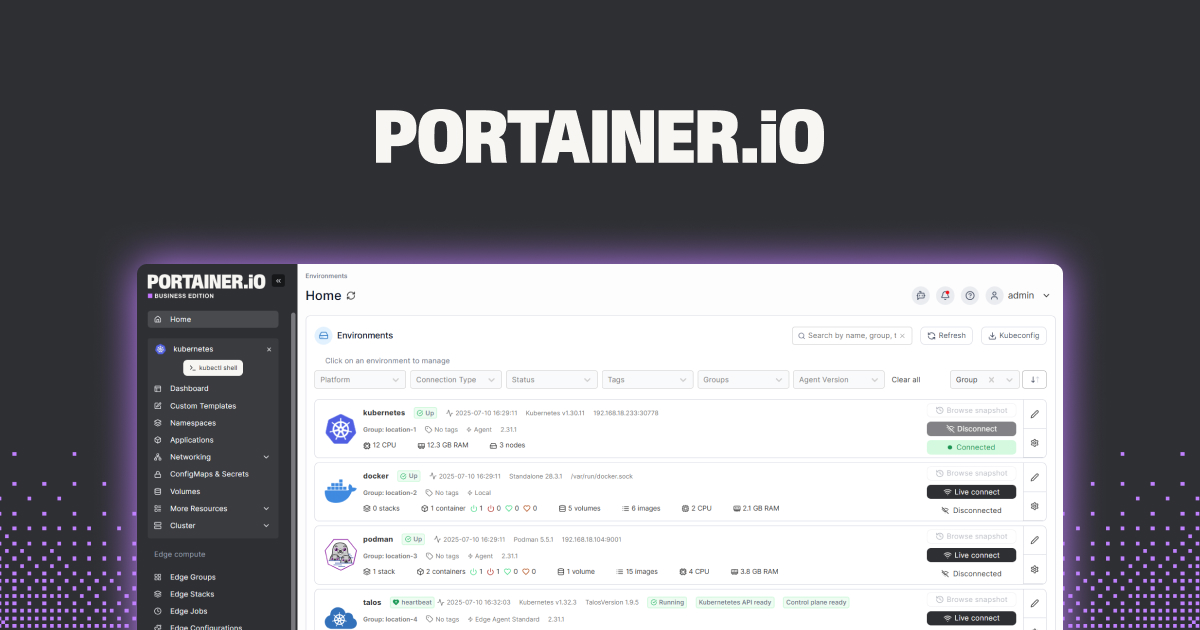
Portainer is the most-deployed Docker UI on the planet, and that scale shows up in templates, docs, and Stack Overflow answers. The Community Edition manages a single Docker host comfortably and reaches across to a few more via agents. The Business Edition adds RBAC, audit logs, and fleet features, with persistent upgrade prompts in the free UI to remind you.
Where it falls short: Compose support still feels bolted onto a container-first UI; the YAML editor renders in a plain textarea and skips some short-syntax validation. The free tier narrows each release. The Kubernetes side is solid but is not what most WolfStack users need.
Pricing: Community Edition is free under the Zlib license. Business Edition is quoted per node and starts well above WolfStack’s paid plan for similar host counts. Vs WolfStack: bigger ecosystem, narrower scope (Docker plus Kubernetes, no VMs, no router, no storage).
Migrating from WolfStack: Export each Compose stack from WolfStack, drop the compose files into Portainer’s Stacks view, and point Portainer at the same Docker socket. LXC containers and VMs do not carry over, so plan to move those to Proxmox or keep them on the WolfStack box during the transition.
Download: portainer.io
Bottom line: Pick this when the priority is a known quantity with a deep template library and the rest of the WolfStack bundle (router, mesh, storage) is not what you actually relied on.
Proxmox VE
Proxmox VE is a Debian-based hypervisor that runs KVM virtual machines and LXC containers side by side, with ZFS storage and a built-in cluster manager. It is the closest match to WolfStack’s “one OS for the whole box” feeling, with the difference that VMs are the first-class citizen and Docker runs inside an LXC or a small VM.
Where it falls short: Bare-metal install means wiping the disk; you cannot bolt Proxmox onto an existing Ubuntu server the way you can add Cockpit. The web UI is functional but visually dated. Docker management is not native; the convention is to run Docker inside an LXC and reach it with Portainer or Dockge.
Pricing: Free under AGPLv3 with optional paid support subscriptions starting at roughly 110 euros per CPU per year for the community tier. Vs WolfStack: free at any host count, much wider hardware support, no container UI included.
Migrating from WolfStack: Move VMs out as qcow2 or OVA images and import them with qm importdisk. LXC containers export as tarballs and import via pct restore. Docker workloads move as Compose stacks into a Docker-in-LXC container, then point Portainer or Dockge at that socket.
Download: proxmox.com
Bottom line: Pick this when VMs are the daily workload and containers are a side concern. Pair with Portainer or Dockge for the Docker layer.
CasaOS
CasaOS is the friendliest entry point in this list. It installs on top of an existing Linux server with a one-line script, presents a desktop-like dashboard, and ships with an App Store of curated self-hosted apps (Jellyfin, Nextcloud, Vaultwarden, the *arr stack, Home Assistant). The opinionated defaults mean a new home lab user can have five services running before lunch.
Where it falls short: Not built for fleets. CasaOS expects one server and shows its limits the moment you try to manage a second host. Advanced Docker features (custom networks, complex Compose overrides) need a drop to the CLI. The App Store apps lag upstream images by days or weeks.
Pricing: Free, open source under Apache 2.0. No paid tier. Vs WolfStack: simpler, friendlier, single host only.
Migrating from WolfStack: Install CasaOS on the same machine after archiving WolfStack’s container state. Reinstall the apps from the CasaOS App Store and point each one at the existing data directory (typically under /DATA). Compose stacks that are not in the App Store import via the “Install a custom app” flow.
Download: casaos.io
Bottom line: Pick this when the home lab is one server and the goal is “install nice things in two clicks” rather than building a multi-host environment.
Cosmos Cloud
Cosmos Cloud wraps a reverse proxy, single sign-on, a container manager, monitoring, and backups around a Docker host. It is the closest spiritual match to WolfStack’s “one tool, many features” pitch, with the difference that it stops at a single server and leans hard on security defaults (automatic HTTPS, brute-force protection, per-app SSO).
Where it falls short: Opinionated. Cosmos wants to own the reverse proxy, the DNS rewrites, and the SSO layer, and integrating with an existing Traefik or Authentik install means fighting the defaults. Multi-host is not the design goal. The UI is busy because there is genuinely a lot in one place.
Pricing: Free, open source under Apache 2.0. Optional paid hosted version for off-site backups. Vs WolfStack: similar all-in-one feel, single host instead of fleet, security-first rather than networking-first.
Migrating from WolfStack: Install Cosmos on the same Docker host, import each Compose stack via the “Servapps” view, then route public traffic through Cosmos’s built-in reverse proxy. WolfRouter rules do not translate; expect to rebuild firewall and DNS rewrites inside Cosmos.
Download: cosmos-cloud.io
Bottom line: Pick this when the home lab is one box exposed to the internet and you want HTTPS, SSO, and container management to come from the same tool.
Dockge
Dockge is the Compose-first manager from the author of Uptime Kuma. The UI is a thin layer over the on-disk compose files, which means editing in Dockge and editing in VS Code are the same operation. Stacks live in a directory you pick, so backups and Git versioning slot in without ceremony.
Where it falls short: Single host only; there is no agent for managing remote Docker engines. No template catalogue. The web terminal works but is plainer than Portainer’s exec view. No VM, LXC, or storage management.
Pricing: Free, open source under MIT. No paid tier. Vs WolfStack: smaller scope, single host, Compose-native instead of all-in-one.
Migrating from WolfStack: Export each Compose stack to /opt/stacks/<stackname>/compose.yaml, point Dockge at /opt/stacks, and redeploy. Bind mounts and volume paths carry over without changes if the data directories stay in the same place.
Download: dockge.kuma.pet
Bottom line: Pick this when compose.yaml is already the source of truth and the rest of the WolfStack bundle (router, mesh, VMs) was never the point.
Cockpit
Cockpit is Red Hat’s web console for Linux servers. The base install manages systemd units, storage, networking, users, and firewall rules, with optional modules for Podman, Docker (via cockpit-podman or community packages), and virtual machines through cockpit-machines. The value is having one console for the whole machine, not a container UI on top of it.
Where it falls short: The container view is basic; stack editing is rudimentary and there is no template index. Multi-host requires Cockpit’s own federation, which is heavier than Portainer’s agent model. The VM module is Libvirt-flavoured rather than Proxmox-style.
Pricing: Free, open source under LGPL. Vs WolfStack: narrower container scope, much wider OS admin scope, smaller footprint.
Migrating from WolfStack: Install Cockpit and its modules from your distro’s repo (dnf install cockpit cockpit-podman cockpit-machines or the apt equivalent). Existing containers and VMs show up automatically. Compose editing moves to a text editor or a sidecar tool like Dockge.
Download: cockpit-project.org
Bottom line: Pick this when Docker is one of many things on the box and the home lab already runs on plain Linux that you administer the old-fashioned way.
Komodo
Komodo is a Rust-built, GitOps-flavoured Docker manager. The core is a single binary, periphery agents run on each managed host, and stacks tie to Git repositories so deployments are reproducible across machines. It scales across multiple hosts without a paid upgrade, which is the gap that pushes most home labbers off WolfStack’s three-host cap.
Where it falls short: Steeper learning curve than CasaOS or Dockge; you commit to Git-as-source-of-truth or fight it. Documentation is improving but still assumes Linux server fluency. The community is smaller than Portainer’s, so search results are thinner.
Pricing: Free, open source under GPLv3. Vs WolfStack: scales further at zero cost, narrower scope (Docker only, no VMs, no router, no storage).
Migrating from WolfStack: Move each Compose stack into a Git repo, point Komodo at the repo, and let it deploy across the hosts. Komodo can run alongside WolfStack during the transition because the two do not fight over the same containers, which makes it easy to move workloads one stack at a time.
Download: komo.do
Bottom line: Pick this when the home lab spans three or more Docker hosts and Git-driven deployments sound like the right discipline.
How to choose
Pick Proxmox VE if VMs are the workload and Docker is a side concern. Add Portainer or Dockge inside an LXC for the container layer.
Pick Portainer if a known quantity with a huge community matters more than scope, and you only need Docker plus Kubernetes.
Pick CasaOS if the home lab is one server and the goal is friendly one-click installs from an App Store.
Pick Cosmos Cloud if the home lab is one server exposed to the internet and you want HTTPS, SSO, and container management in one box.
Pick Dockge if compose.yaml is already the source of truth and a single host is all you need.
Pick Cockpit if the home lab is plain Linux that you administer with systemd and you want a light container view in the same console.
Pick Komodo if you run three or more Docker hosts and want Git-driven deployments without a license bill.
Stay on WolfStack only if the bundled WolfRouter and WolfNet are doing real work that you do not want to replace with pfSense, OPNsense, Tailscale, or Headscale. The all-in-one shape is the value; the price is the lock-in.
FAQ
What is the simplest WolfStack alternative?
CasaOS. One install script, a clear dashboard, and an App Store that covers most home lab needs without writing a compose file. If the home lab is one server and “simple” is the priority, this is the answer.
Is there a free WolfStack alternative for many hosts?
Yes, two. Komodo handles many Docker hosts with no paid tier, and Proxmox VE clusters many physical machines for VMs and LXC with no paid tier. Neither caps host counts the way WolfStack does.
Can I replace WolfRouter and WolfNet separately?
Yes. pfSense or OPNsense replace WolfRouter on dedicated hardware or in a VM, and Tailscale or Headscale replace WolfNet for mesh networking. Breaking the stack into pieces is the main reason to leave WolfStack in the first place.
Does anything bundle VMs, containers, and storage like WolfStack does?
Proxmox VE is the closest. It runs KVM virtual machines, LXC containers, and ZFS storage in one OS, and clusters across boxes. It does not include a router, a mesh network, or a Docker-native UI; pair it with a separate container tool.
Why did people stop recommending WolfStack?
The three-host free cap, the noncommercial license, and the difficulty of swapping out individual pieces (router, mesh, storage) made it a tough fit for home labs that grow past one box. The newer Docker and VM tools picked up exactly those weak points without the bundle.