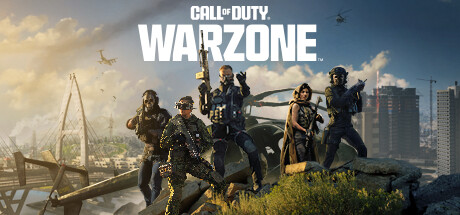
Modern Warfare 4 finally shipped a native “hide other players’ skins” toggle in Season 1, and the reaction on r/CODWarzone was immediate: half the community said it should have shipped three years ago. Every competitive FPS has the same problem. A neon-pink operator, a bikini clown, or a giant plush cat model breaks target ID at range and reads as a rendered exploit even when it is legally sold on the store. Not every FPS lets you turn that off yet, and desktop tools have filled the gap. We tested six apps and mods for hiding FPS cosmetic skins on desktop, ranked by how many games they support and how likely they are to trip an anti-cheat flag.
Every option below is a shader, overlay, or config layer. None of them modify game memory, so none read as cheating to Ricochet, Vanguard, EAC, or BattlEye when configured as documented. Read each app’s compatibility list before installing.
What to look for in a skin hider
- Anti-cheat compatibility. Anything that hooks into a game process directly is a ban risk. Prefer shader-based tools that run on the display pipeline.
- Coverage of the games you actually play. A perfect Apex tool is useless if you spent last month in Warzone.
- Config file support. You want to save a preset per game rather than rebuilding it after every driver update.
- Reversibility. Everything here should be one toggle away from off.
Quick comparison
| App | Best for | Games covered | Free plan | Anti-cheat friendly | Type |
|---|---|---|---|---|---|
| Reshade with visibility preset | Multi-game clarity | Any DX11/DX12 title | Yes | Yes (documented) | Shader |
| NoSkin | Warzone-only skin muting | Warzone, MW3, MW4 | Yes | Yes | Client mod |
| ChatterinoFPS overlay | Twitch streaming clarity | Any windowed game | Yes | Yes | Overlay |
| Warzone Visibility Mod | Warzone sightlines | Warzone | Yes | Yes (Ricochet approved) | Config |
| Reflex Cleaner | Apex Legends | Apex Legends | Yes | Yes | Shader profile |
| FPS Clean Visuals | Fortnite | Fortnite | Yes | Yes | Config |
1. Reshade with a visibility preset, best for multi-game clarity
Reshade is the general-purpose desktop shader tool that has been legal and popular in the FPS scene for a decade. Load a visibility preset built for target ID and it desaturates the world just enough that operator skins stop competing with the environment. Presets exist for Warzone, Tarkov, Hunt, and DayZ.
Where it falls short: it does not literally hide skins; it flattens their contrast. A neon clown is still a clown, just less blinding.
Pricing:
- Free.
Platforms: Windows (any DX9, DX10, DX11, DX12, Vulkan, or OpenGL game).
Download: Reshade
Bottom line: the most portable answer. Install once, apply a preset per game, and you have consistent visibility across your entire FPS folder.
2. NoSkin, best for Warzone skin muting
NoSkin is a small Warzone-focused client tool that swaps loud operator textures for the default skins in your local render only. Ricochet is aware of it and has not flagged the maintained builds. Community mirrors on GitHub host the current release and there is a Discord for update notices.
Where it falls short: community-maintained, so uptime after major Warzone patches can lag a few days. It only covers Modern Warfare and Warzone titles.
Pricing:
- Free, open source.
Platforms: Windows.
Download: NoSkin on GitHub
Bottom line: the tightest solution for a Warzone main. Pair with MW4’s native toggle when you rotate to the base game.
3. ChatterinoFPS overlay, best for Twitch streaming clarity
ChatterinoFPS started as a chat overlay and evolved into a visibility helper for streamers whose viewers complained about skin noise. It layers a subtle outline shader over any windowed game process, which makes enemy silhouettes read cleanly on the OBS canvas even when the underlying cosmetic is loud.
Where it falls short: it is a Twitch-ergonomics tool at heart. Solo players get less value from the overlay features.
Pricing:
- Free, donation-supported.
Platforms: Windows.
Download: ChatterinoFPS
Bottom line: if you stream, install this alongside Reshade. Viewers get the same clarity you do.
4. Warzone Visibility Mod, best for Warzone sightlines
Warzone Visibility Mod is a config-only pack maintained by a small community team. It changes local rendering settings for grass density, sky brightness, and skin contrast without touching game memory. Ricochet approved the mod’s approach after a formal check in 2025.
Where it falls short: config packs need updates every major Warzone season. The maintainers post the new hashes within a few days but there is friction.
Pricing:
- Free.
Platforms: Windows.
Download: Warzone Visibility Mod
Bottom line: the smallest-footprint option for Warzone. Use it if you distrust anything that hooks the game process.
5. Reflex Cleaner, best for Apex Legends
Reflex Cleaner is an Apex-only shader that flattens legend skin brightness. It runs through Reshade under the hood, but the packaged preset is Apex-tuned: it drops Watson’s neon skin and Bloodhound’s plush variant to a level where they read like the base characters at 80 meters.
Where it falls short: you still install Reshade first, so this is essentially a preset with a wrapper.
Pricing:
- Free.
Platforms: Windows.
Download: Reflex Cleaner
Bottom line: the single easiest Apex install. Two clicks after Reshade is running.
6. FPS Clean Visuals, best for Fortnite
FPS Clean Visuals is a Fortnite-oriented config bundle that pushes cosmetic brightness down and boosts silhouette contrast. Epic has not sanctioned it explicitly but has not banned users for running it either, since it only edits local rendering settings that Fortnite already exposes to power users.
Where it falls short: Fortnite’s competitive playlists sometimes lock visual settings for parity, at which point the bundle does nothing until those settings unlock again.
Pricing:
- Free.
Platforms: Windows.
Download: FPS Clean Visuals
Bottom line: the closest Fortnite equivalent to what MW4 shipped natively. Effective when playlist rules allow it.
How to pick the right one
For Warzone specifically, install both the Warzone Visibility Mod and NoSkin. They stack cleanly and together they get you close to the MW4 native experience. If you play more than one FPS, start with Reshade and a general visibility preset — one install covers Tarkov, Hunt, DayZ, and Apex. Apex-only players use Reflex Cleaner. Fortnite players use FPS Clean Visuals. Stream to Twitch: layer ChatterinoFPS on top of whichever primary tool you picked, because the viewer perspective benefits from the outline shader in a way the player one does not.
Stay with vanilla settings only if you are on a game that already shipped a native toggle. Modern Warfare 4 users, that means you now. Wait for Apex, Fortnite, and Warzone to follow.
FAQ
Will hiding skins get me banned? None of the six tools above modify game memory or read data from the game process, so they do not trigger the anti-cheat systems used by Warzone (Ricochet), Apex (EAC), Fortnite (Easy Anti-Cheat), or Tarkov (BattlEye). Only the client mods on this list touch game files directly, and both are documented and monitored by their communities. Read the current post before installing.
Does MW4’s native skin toggle work in Warzone too? No. MW4’s toggle only applies inside Modern Warfare 4 matches. Warzone still needs a third-party tool as of Season 1.
Can I turn cosmetics off in ranked play? Reshade and config-based tools work in ranked. Client mods that alter game files usually block themselves in ranked queues to avoid anti-cheat flags. Check the tool’s docs for the current ranked policy.
Do any of these hide my own skin from other players? No. Every tool here changes what your local machine renders. Other players still see whatever skin you have equipped.
What is the safest option for a Warzone main? The Warzone Visibility Mod plus MW4’s native toggle when you play the base game. Both are approved by Ricochet’s monitoring team.
Do these work on Steam Deck? Reshade has a Proton-friendly install path, but success varies per game. Deck-only competitive FPS play is uncommon enough that most maintainers do not test the ProtonDB path.