Getting a local LLM to actually answer questions about your own PDFs, notes, and code separates a demo from a workflow. The gap between “the model runs on my hardware” and “the model reads my documents and I trust its answers” is embeddings, retrieval, and a chat UI that surfaces the source of each claim. We compared eight desktop apps that ship all three parts and keep the data on the machine.
The list mixes native installers that behave like normal apps with self-hosted browser tools that live next to Ollama, and one Python-heavy option for the people who want to see the RAG pipeline in code.
What to look for in a local document-chat app
The tool matters more than the model once documents enter the picture. Look for:
- Native document ingest. PDFs, Word, Markdown, and plain text at minimum. HTML and PowerPoint if the source material is mixed.
- Vector store on disk. The embeddings should live locally, not in a remote database.
- Citation surfacing. The answer should show which chunk it came from so you can verify. Tools that hide the source are gambling with hallucinations.
- Model portability. Ability to swap between local runtimes (Ollama, llama.cpp, MLX) without re-ingesting everything.
- Chunking control. The default splitter fails on long tables and code. Tools that let you adjust chunk size and overlap without editing YAML score higher.
- Workspace or folder scoping. Being able to say “answer from this project only” without dumping every doc into one bucket.
Quick comparison
| App | Install | Local runtime | Vector store | Citations |
|---|---|---|---|---|
| AnythingLLM | Native or Docker | Ollama, LM Studio, remote | LanceDB, on-disk | Yes |
| GPT4All | Native | llama.cpp built-in | Local | Yes |
| LM Studio | Native | llama.cpp and MLX | Basic PDF chat | Limited |
| Open WebUI + Ollama | Docker | Ollama | pgvector or ChromaDB | Yes |
| Jan | Native | Cortex (llama.cpp) | Local (extensions) | Yes |
| PrivateGPT | Python | llama.cpp, Ollama | Qdrant, Chroma | Yes |
| Msty | Native | Ollama, LM Studio, remote | Knowledge Stacks | Yes |
| Chatbox | Native | Ollama, remote | Basic RAG | Limited |
1. AnythingLLM — Best for a workspace-scoped document RAG
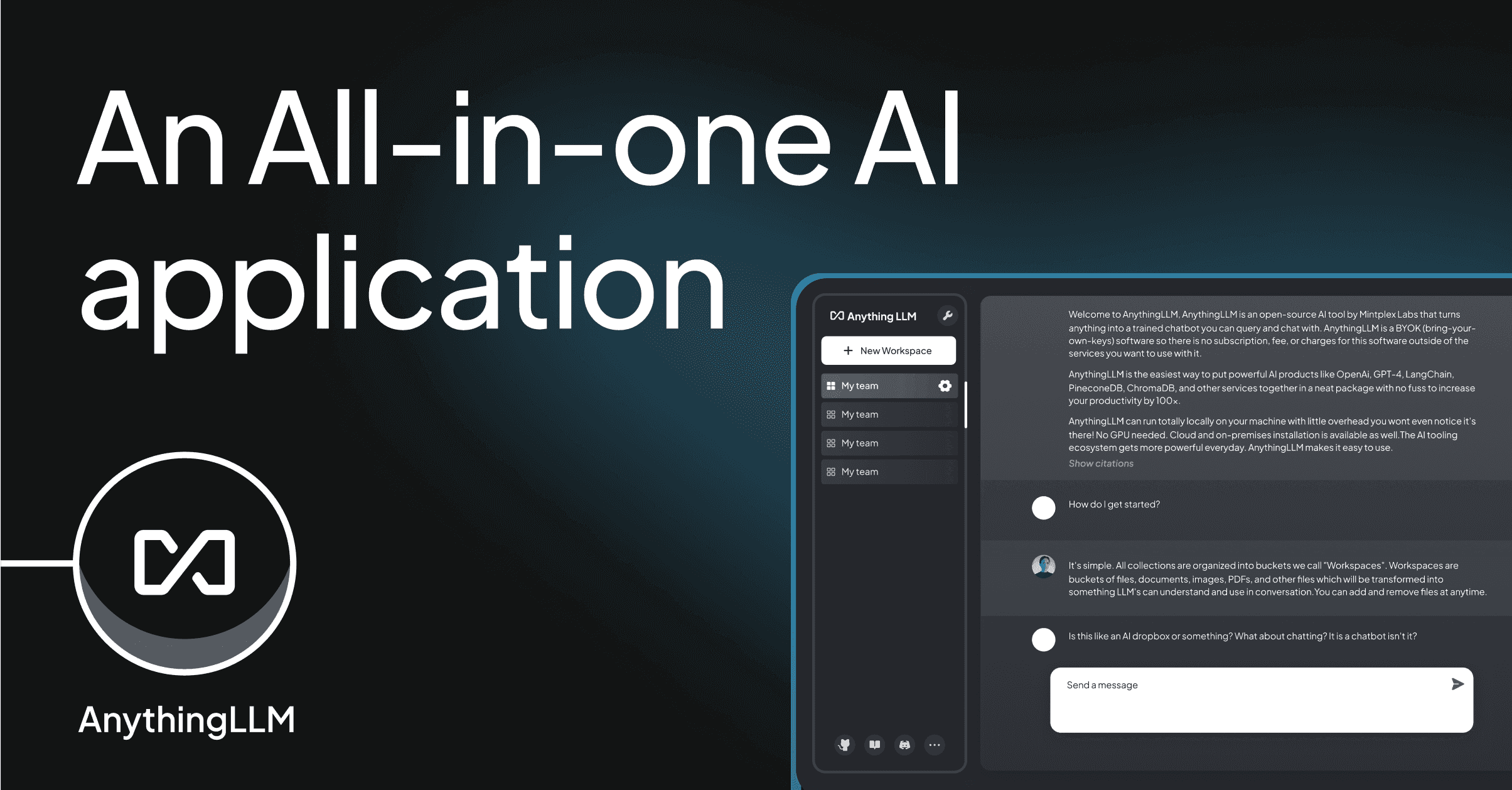
AnythingLLM is the closest thing to a document workspace built specifically for local models. Create a workspace, drop in files, pick a local model, and the app handles chunking, embedding, and retrieval with citations that point back to the source PDF page. Agents can search the web or call tools, and permissions let you scope models and documents to specific workspaces.
Where it falls short: the desktop app has occasionally reset embeddings after major updates. The settings panel keeps growing.
Pricing:
- Free desktop app.
- Cloud tier for hosted workspaces, optional.
Download: anythingllm.com
Bottom line: the strongest default if the goal is “point a model at my documents and get citations back.”
2. GPT4All — Best for a single-installer offline chat
GPT4All ships a native installer for all three desktops, bundles a llama.cpp runtime, and includes a LocalDocs feature that indexes a folder and injects relevant chunks into the chat. Everything runs offline out of the box, including the embedding model.
Where it falls short: the retrieval is basic, top-K without reranking. Long documents get truncated more aggressively than the workspace-first tools.
Pricing:
- Free.
- Enterprise support tier available.
Download: nomic.ai/gpt4all
Bottom line: the easiest onboarding when the priority is “install one thing and start chatting with a folder.”
3. LM Studio — Best for one-shot PDF chat with any local model
LM Studio is the tool most people use to run a local model, and recent versions added a chat-with-a-PDF mode that handles single-document Q&A without a full workspace concept. The catalog surfaces the right quantization for the machine’s RAM, and the built-in OpenAI-compatible server lets other tools use the same model.
Where it falls short: no persistent multi-document workspaces. Every session starts fresh.
Pricing:
- Free for personal use.
- Business use requires contacting the LM Studio team.
Download: lmstudio.ai
Bottom line: pick this for “here is one PDF, answer questions” and pair it with AnythingLLM when the workspace side matters.
4. Ollama with Open WebUI — Best for a self-hosted team chat with RAG
Open WebUI is a browser-based ChatGPT-style interface that sits in front of Ollama, adds document upload, and stores embeddings in pgvector or ChromaDB. Multi-user auth, per-user knowledge collections, and pipelines for reranking make it a fit for teams that want the same setup one person uses at home.
Where it falls short: Docker plus Ollama plus a database is more setup than a native app.
Pricing:
- Free and open source under BSD-3.
Download: openwebui.com
Bottom line: the right choice when more than one person needs to hit the same document knowledge base.
5. Jan — Best for an open-source LM Studio
Jan is the open-source alternative to LM Studio: native installer, built-in llama.cpp, model catalog, and a plugin system that adds RAG through community extensions. The core is small, and the community fills in the rest.
Where it falls short: document chat lives in extensions rather than the core, so the setup takes an extra step.
Pricing:
- Free and open source under AGPL.
Download: jan.ai
Bottom line: pick this if closed source is a dealbreaker and LM Studio’s polish is not required.
6. PrivateGPT — Best for code-level control of the RAG pipeline
PrivateGPT is the Python project that popularized “your documents, your model, your machine.” It gives full control over the ingest pipeline, the chunker, the embedder, the vector store (Qdrant, Chroma, or Postgres), and the model runtime. Every layer is swappable.
Where it falls short: Python setup, not a native app. Best treated as a library and a starting-point UI, not a shrink-wrap product.
Pricing:
- Free and open source under Apache 2.0.
Download: github.com/zylon-ai/private-gpt
Bottom line: the pick when the RAG pipeline itself is the thing to iterate on, not the chat UI.
7. Msty — Best for comparing answers from multiple local models
Msty is a native desktop app for Windows, macOS, and Linux built around split-view chat: send the same question to two or three models and compare their answers side by side. Knowledge Stacks group documents into named contexts that any chat can reference, with local embeddings and citation surfacing.
Where it falls short: closed source. Some advanced features are on a paid tier.
Pricing:
- Free tier with core features.
- Aurum paid tier for advanced sync and extended features.
Download: msty.app
Bottom line: the tool when the question is “which local model actually answers this best” and side-by-side comparison is the workflow.
8. Chatbox — Best for a lightweight cross-platform chat client
Chatbox is a small, cross-platform desktop chat client that connects to Ollama, LM Studio, and OpenAI-compatible endpoints. It added a basic RAG feature that lets you attach a PDF or a folder to a conversation, with retrieval running through the connected model.
Where it falls short: the RAG is basic. No persistent workspace, no advanced retrieval settings.
Pricing:
- Free desktop app.
- Paid cloud tier for hosted sync.
Download: chatboxai.app
Bottom line: the lightweight option when Ollama already runs and the missing piece is a client that also handles a PDF attach.
How to pick the right one
For a first install with the least friction, use GPT4All. For workspace-scoped RAG with citations, AnythingLLM is the default. If a team needs the same setup, run Open WebUI on top of Ollama. For quick single-PDF chat, LM Studio handles it inline. For pipeline experimentation, PrivateGPT gives every knob. Msty is the pick when comparing models matters more than any single answer. Chatbox is the lightweight client when Ollama is already running.
FAQ
What is the best free app for local document chat?
GPT4All for the easiest setup, AnythingLLM for workspaces, and Open WebUI when a team is involved. All three are free.
Can I run these apps offline?
Yes. Every tool on this list runs the model, the embedder, and the vector store locally. The initial model download needs a connection, but chat itself runs offline.
Which app has the best PDF chat?
AnythingLLM and Open WebUI handle multi-PDF workspaces with citations. LM Studio is the best single-PDF one-shot. GPT4All’s LocalDocs feature covers folder-level chat without extra setup.
Do I need a GPU to chat with my documents?
No, but performance depends on the model. Small models (3B to 8B parameters) run acceptably on modern CPUs. Larger models benefit from GPU offload through llama.cpp or MLX on Apple Silicon.
What is the best model for local document chat?
Mid-sized instruction-tuned models handle document Q&A well. Recent open-weight models from Llama, Mistral, and Qwen families all work with the tools above. The right pick depends on the machine’s memory ceiling.