Proxmox added OCI image support in a recent release and the reaction was split. Some people are thrilled to skip Docker Compose entirely. Others (correctly) point out that the OCI feature does not replace the container workflow they actually use every day. Either way, OCI images are now the common package format across Kubernetes, Podman, Docker, and every hyperscaler container service. The best apps for OCI container images on desktop are the ones that make building, pulling, running, and inspecting these images fast on Windows, macOS, or Linux, without paying a per-seat license unless you want to.
We tested eight apps across a Windows 11 laptop, an M3 MacBook Pro, and a Fedora 41 workstation. Each was judged on install time, CPU and memory footprint at idle, GPU passthrough support, and how it handles multi-architecture image pulls.
What to look for in a desktop OCI app
- Rootless mode. Runs without a system-level daemon owning your files.
- Multi-arch pull. Grabs
linux/amd64andlinux/arm64reliably, especially on Apple Silicon. - Compose or Kubernetes support. Not everyone needs both, but you want at least one.
- License clarity. Some tools switched to paid seats for larger orgs. Know what you’re getting.
- Image inspection. Layer diffs, size breakdowns, and vulnerability scans without leaving the app.
- VM footprint. On macOS and Windows the runtime lives in a VM. Small idle memory matters.
Quick comparison
| App | Best for | Platforms | Free plan | Paid tier | Rating |
|---|---|---|---|---|---|
| Podman | Daemonless, rootless containers | Windows, macOS, Linux | Fully free | None | 4.8 |
| Docker Desktop | The default, well-integrated stack | Windows, macOS, Linux | Small business/free personal | From $9/user/mo | 4.7 |
| Rancher Desktop | Free Docker Desktop replacement with k8s | Windows, macOS, Linux | Fully free | None | 4.7 |
| OrbStack | Blazing-fast Docker + Linux on macOS | macOS | Free personal | $8/user/mo | 4.9 |
| Colima | Lightweight Docker on macOS/Linux CLI | macOS, Linux | Fully free | None | 4.7 |
| Lima | Ubuntu VMs on macOS for containers | macOS, Linux | Fully free | None | 4.5 |
| Portainer | Web GUI for existing container hosts | Web + Windows, macOS, Linux | Community edition free | Business from $995/yr | 4.7 |
| Skopeo | Copy and inspect OCI images without running them | Windows, macOS, Linux | Fully free | None | 4.6 |
The apps
1. Podman for OCI container images — Best daemonless and rootless
Podman runs OCI images without a system daemon, which means no docker.sock sitting around with root and no privileged process owning your container state. It’s Docker-CLI compatible, so alias docker=podman gets most workflows going, and Podman Desktop adds a decent GUI on top.
Where it falls short: Some niche Docker Compose features lag. Docker socket compatibility is close but not 100%.
Pricing:
- Free: Fully free, Apache 2.0.
- Paid: None.
Platforms: Windows, macOS, Linux.
Download: podman.io · podman-desktop.io
Bottom line: The default pick if you want an OCI runtime without a daemon and without a Docker Desktop license.
2. Docker Desktop for OCI container images — Best default well-integrated stack
Docker Desktop is still the most polished experience. It bundles the daemon, the CLI, Compose v2, Kubernetes, buildx, and an extensions marketplace. Enterprise features like image sign-off and hardened images are Docker’s differentiator now.
Where it falls short: The license changed a few years ago. Companies with more than 250 employees or over $10M revenue need a paid subscription per developer.
Pricing:
- Free: Personal use, education, small business.
- Paid: Docker Personal free, Pro from $9/user/mo, Team and Business tiers scale up.
Platforms: Windows, macOS, Linux.
Download: docker.com
Bottom line: Keep it if you’re paying for it and using the extensions. Replace it with Rancher Desktop or Podman otherwise.
3. Rancher Desktop for OCI container images — Best free Docker Desktop replacement with Kubernetes
Rancher Desktop bundles a container runtime (containerd or dockerd, your choice), buildx, kubectl, and an embedded k3s cluster. It’s the most feature-matched free replacement for Docker Desktop, and its Kubernetes story is stronger than the alternatives.
Where it falls short: Cold start is slower than OrbStack on macOS. Some GPU workflows need extra config.
Pricing:
- Free: Fully free, Apache 2.0.
- Paid: None.
Platforms: Windows, macOS, Linux.
Download: rancherdesktop.io
Bottom line: The pick when you want Docker Desktop’s features without the license conversation.
4. OrbStack for OCI container images — Best blazing-fast Docker and Linux on macOS
OrbStack is the reason so many Mac developers stopped using Docker Desktop. It boots in a couple of seconds, uses a fraction of the memory, and runs both containers and full Linux VMs from one app. File sharing to macOS is fast and correct, which is not true of every alternative.
Where it falls short: macOS only. Free tier is personal use only; commercial use needs a subscription.
Pricing:
- Free: Personal and non-commercial.
- Paid: Pro at $8/user/mo for commercial use, Team at $15.
Platforms: macOS.
Download: orbstack.dev
Bottom line: The default on macOS for anyone who values battery life and cold-start speed.
5. Colima for OCI container images — Best lightweight Docker on macOS and Linux CLI
Colima is a small CLI that spins up a Docker or containerd runtime inside a Lima VM. No GUI, no extensions, just a container runtime that a brew install colima gets you. Pairs naturally with the Docker CLI.
Where it falls short: No GUI. Not ideal for people who want to browse containers visually.
Pricing:
- Free: Fully free, MIT.
- Paid: None.
Platforms: macOS, Linux.
Download: github.com/abiosoft/colima
Bottom line: The pick when you already live in a terminal and just want the runtime, nothing else.
6. Lima for OCI container images — Best Ubuntu VMs on macOS for containers
Lima is what Colima runs on. Directly, it gives you Linux VMs with automatic file sharing and port forwarding. When you need a full Linux userland to test something that isn’t quite a container, Lima is faster than Multipass and lighter than UTM.
Where it falls short: Not a container app on its own. You bring the runtime.
Pricing:
- Free: Fully free, Apache 2.0.
- Paid: None.
Platforms: macOS, Linux.
Download: github.com/lima-vm/lima
Bottom line: Pick this when you need a VM as much as a container, and want one tool for both.
7. Portainer for OCI container images — Best web GUI for existing container hosts
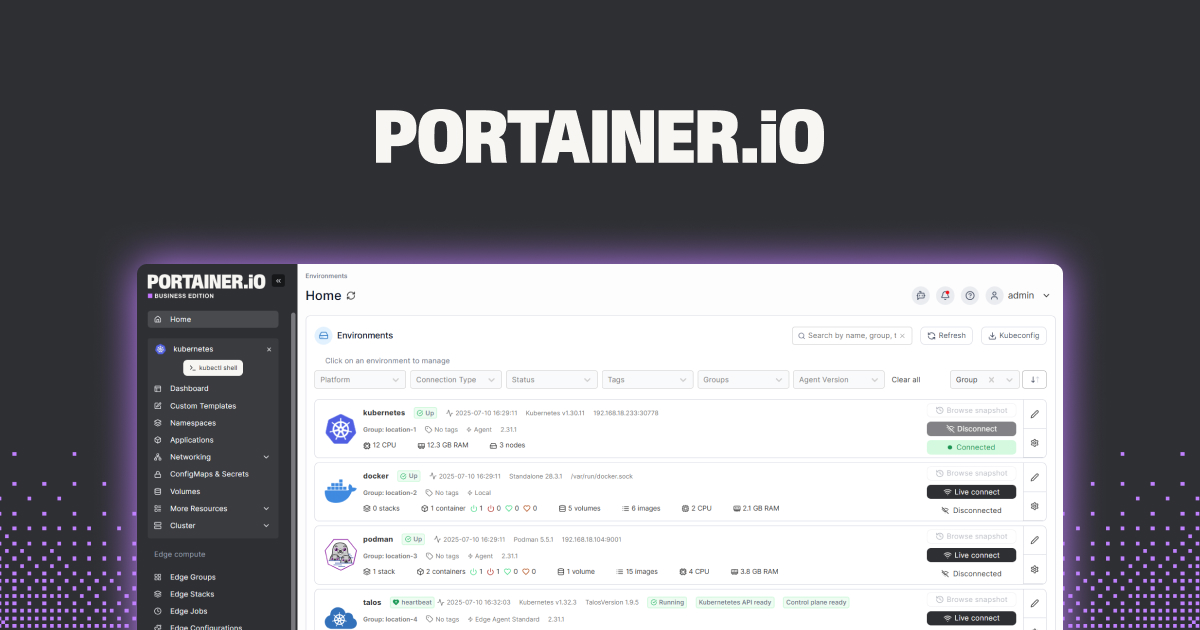
Portainer is a container management GUI that talks to Docker, Podman, Kubernetes, and Nomad. Run it as a container itself and point it at your Proxmox VE, your home lab, or a remote Docker socket. Non-developers can start and stop stacks without touching a terminal.
Where it falls short: Community edition is generous but caps some features. Business tier is priced for organizations.
Pricing:
- Free: Community edition, fully free.
- Paid: Business edition from $995/year for the smallest tier.
Platforms: Runs as a container on any host; UI is a browser.
Download: portainer.io · github.com/portainer/portainer
Bottom line: The pick when the container host is a remote box and you don’t want to SSH every time.
8. Skopeo for OCI container images — Best for copying and inspecting images without running them
Skopeo is a small CLI that copies OCI images between registries, inspects manifests without pulling the whole image, and helps automate signing. When you’re mirroring images from Docker Hub to a private registry or checking what’s inside a base image, Skopeo is the tool.
Where it falls short: Not a runtime. You still need Podman or Docker to actually run anything.
Pricing:
- Free: Fully free, Apache 2.0.
- Paid: None.
Platforms: Windows, macOS, Linux.
Download: github.com/containers/skopeo
Bottom line: The utility that pairs with any of the runtimes above when you need to move images around registries.
How to pick the right one
If you want a free, drop-in Docker Desktop replacement on any OS: Rancher Desktop or Podman.
If you’re on macOS and speed matters: OrbStack if you can pay for commercial use, Colima if you can’t.
If you’re on Linux: Podman natively, or Docker CE if that’s what your team runs.
If you’re on Windows: Docker Desktop if the license fits, Rancher Desktop otherwise.
If you manage a remote container host: Portainer is the GUI you want.
If you’re moving images between registries: Skopeo.
If you also need Linux VMs alongside containers on macOS: Lima.
FAQ
What is the best free Docker Desktop alternative? Rancher Desktop for feature parity, OrbStack for speed on macOS (with a paid tier for commercial use), Podman Desktop for daemonless workflows.
Does Proxmox’s OCI image support replace Docker Compose? No. Proxmox’s OCI feature is closer to running a single container as an LXC. Multi-container stacks still want Compose, Podman-compose, or Kubernetes.
Can I use OCI images without Docker? Yes. Podman runs OCI images natively. Kubernetes uses containerd or CRI-O. Skopeo can inspect and copy them without running anything.
What’s the difference between OCI images and Docker images? Docker images are OCI images. The Open Container Initiative standardized what Docker built, so the same image runs under any conformant runtime.
Which container app uses the least memory on macOS? OrbStack in normal use, Colima if you want the smallest possible footprint and don’t need a GUI.