Google’s Doppl finally landed on iPhone this week, and virtual outfit try-on on iOS suddenly has real competition. Doppl lets you drop a photo of yourself alongside a product image and preview the fit before you spend a cent. That is not new: Snap, Pinterest, ASOS, and Wanna have shipped versions of this for years, each with a different angle. We tested eight iOS virtual outfit try-on apps to figure out which one you should actually keep on your home screen. All of them work on iPhone 12 and newer, and most of them work back to iPhone XR.
What to look for in a virtual try-on app
- Full-body photo support. A single selfie is fine for accessories. Full clothing needs a full-length shot.
- Fabric drape realism. Some apps still paint colour over a static outline. Look for renders where the fabric follows the body.
- Brand catalogue. Try-on is only useful if the apps you can shop from are the ones you actually shop at.
- AR live view. Camera-based live try-on (sunglasses, shoes, watches) is a different UX from photo upload try-on.
- Photo privacy. Ideally, the photo stays on your device. Some apps upload it to a server for processing.
- Save and compare. The point of trying on is to compare fits before buying. Save-to-collection matters.
Quick comparison
| App | Best for | Free plan | Where it shines | Rating |
|---|---|---|---|---|
| YouCam Makeup | Makeup and hair | Yes (freemium) | Live AR camera, huge brand catalogue | 4.6 on App Store |
| Google Doppl | Outfit try-on with an avatar of you | Yes | Best full-body clothing render on iPhone | New, growing quickly |
| Wanna Kicks | Sneakers | Yes | Live AR try-on with brand partnerships | 4.5 on App Store |
| Zeekit (Walmart) | Everyday clothing | Yes | Backed by Walmart’s catalogue | 4.4 in Walmart app |
| Pinterest Try-On | Lipstick and eyeshadow | Yes | Discovery + try-on in one flow | 4.8 on App Store |
| Snap Try-On | Fun and casual accessories | Yes | Huge lens ecosystem, instant sharing | 4.6 on App Store |
| Vue.ai | Personalised styling recs | Freemium | Style-matching engine | 4.3 average |
| ASOS Style Match | Copy-a-look shopping | Yes | Snap a photo, find the closest item on ASOS | 4.7 on App Store |
The 8 best iOS virtual outfit try-on apps
1. YouCam Makeup, best for makeup and hair
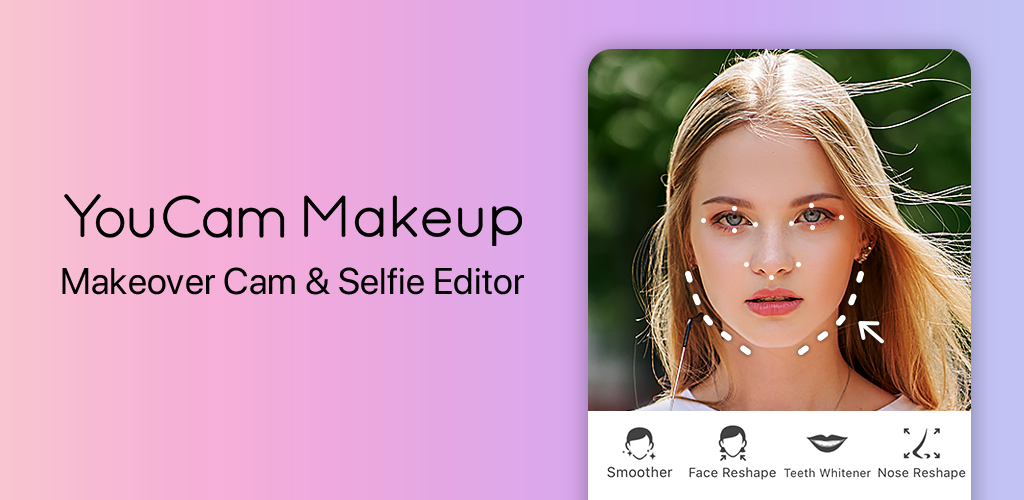
YouCam Makeup is Perfect Corp’s flagship AR beauty app and the one department stores lean on for makeup counters. Live AR camera try-on covers lipstick, eyeshadow, foundation, blush, brows, and hair colour, with catalogue integrations from L’Oréal, Estée Lauder, MAC, and dozens more. The Skin Type analysis (before try-on) recommends foundation shades that match your skin tone.
Where it falls short: Free tier has ads and a limited feature set. Full hair try-on can look plasticky under warm lighting.
Pricing:
- Free: Ad-supported, basic makeup try-on
- Paid: YouCam Premium around $30 per year
Platforms: iOS, Android
Download: App Store
Bottom line: The default for makeup and hair. Skip only if you want full-body clothing rather than face-only try-on.
2. Google Doppl, best for outfit try-on on your own avatar
Google Doppl takes a photo of you, builds a body-shape avatar, and drops product images from Google Shopping onto that avatar. The fit prediction is the best we tested on iPhone. Because it feeds Google’s shopping index directly, the “buy now” path stays inside the app. This is the story-of-the-week app that pushed us to write this list.
Where it falls short: Brand-new on iOS. Some catalogue gaps compared to Wanna or YouCam. Photo processing happens in Google Cloud, not on-device.
Pricing:
- Free: Fully free
- Paid: None
Platforms: iOS, Android
Download: App Store
Bottom line: Grab it now while the model quality is fresh. Best free full-body try-on on iPhone.
3. Wanna Kicks, best for sneakers
Wanna Kicks kicked off the AR sneaker try-on category and is still the best at it. Point your camera at your feet and shoes render in place with realistic scale and shadow. Brand partnerships with Nike, Adidas, Puma, and Off-White mean the catalogue overlaps with what you already browse.
Where it falls short: Sneaker-only. If you want other clothing categories, look elsewhere.
Pricing:
- Free: Fully free, tap-to-shop links out to brand stores
- Paid: None
Platforms: iOS, Android
Download: App Store
Bottom line: The sneaker try-on default. Skip if you do not care about shoes.
4. Zeekit (Walmart), best for everyday clothing
Zeekit was acquired by Walmart and now lives inside the Walmart iOS app under “Choose My Model.” Pick a model close to your body type, tap a garment, and see it rendered on that model. Not a photo of you, but the shape-matching gets you close to a real fit preview for basics and dresses.
Where it falls short: Model-based rather than photo-based. Catalogue is Walmart-only.
Pricing:
- Free: Fully free inside Walmart’s app
- Paid: None
Platforms: iOS, Android
Download: App Store (Walmart)
Bottom line: Free and useful for Walmart shoppers. Skip if you do not shop at Walmart.
5. Pinterest Try-On, best for discovery + try-on flow
Pinterest Try-On lives inside the Pinterest iOS app under any beauty pin. Tap “Try On” and the front camera renders lipstick or eyeshadow live. Because Pinterest is a discovery app first, you go from “I love this look” to “here it is on me” in a few taps without opening another app.
Where it falls short: Beauty-only for now. Not a clothing try-on.
Pricing:
- Free: Fully free
- Paid: None
Platforms: iOS, Android
Download: App Store (Pinterest)
Bottom line: Best if you already use Pinterest for style ideas. Skip if you do not.
6. Snap Try-On, best for casual try-on and sharing
Snapchat’s Try-On lenses cover everything from watches to Nike sneakers to Gucci sunglasses, and the sharing loop (send to a friend, take their opinion) is faster than any other app on this list. Because Snap’s AR pipeline is the strongest in the industry, the physical accuracy of accessories in particular is remarkable.
Where it falls short: Try-on lens quality varies by brand partnership. Discovery is scattered across the Lens Explorer.
Pricing:
- Free: Fully free
- Paid: Snapchat+ adds unrelated features
Platforms: iOS, Android
Download: App Store (Snapchat)
Bottom line: Best for a “check with a friend” try-on flow. Not the pick for serious wardrobe planning.
7. Vue.ai, personalised styling recommendations
Vue.ai started as a B2B styling engine and now offers a consumer app that recommends outfits based on your photos and browsing history. Try-on is a companion feature to the styling recommendations, so the value is more about “what should I wear” than “how does this specific item fit.”
Where it falls short: Styling engine works best when you feed it a lot of taste signals up front. Cold-start recommendations are generic.
Pricing:
- Free: Freemium, styling recs free with some upsells
- Paid: Premium tier for advanced styling
Platforms: iOS
Download: App Store
Bottom line: Pick Vue.ai if you want a styling brain rather than a try-on tool. Skip if you already know what you want.
8. ASOS Style Match, best for copying a look you saw somewhere
ASOS Style Match lives in the ASOS iOS app. Snap a photo of a piece of clothing (in a shop window, on Instagram, in a photo of a friend) and the app finds the closest matching item in ASOS’s catalogue. It is not classical try-on, it is closer to reverse image search for clothes, but it is one of the most useful ways to actually buy the thing you saw somewhere.
Where it falls short: ASOS catalogue only. Match quality is only as good as the ASOS inventory.
Pricing:
- Free: Fully free inside the ASOS app
- Paid: None
Platforms: iOS, Android
Download: App Store (ASOS)
Bottom line: Genuinely fun. Pick it if you shop ASOS. Skip if you don’t.
How to pick
- If you want the best free full-body try-on today: Google Doppl.
- If you want makeup and hair: YouCam Makeup.
- If you want sneakers: Wanna Kicks.
- If you shop at Walmart: Zeekit inside the Walmart app.
- If you already scroll Pinterest for inspiration: Pinterest Try-On.
- If you want the fastest way to send a try-on to a friend: Snap Try-On.
- If you want a personal stylist recommender: Vue.ai.
- If you saw an outfit somewhere and want to buy it: ASOS Style Match.
FAQ
Is Google Doppl free?
Yes. Google has not announced a paid tier. The catalogue and the fit predictions are free to use.
Does virtual try-on work with any photo?
Doppl and Zeekit need a clear, well-lit, full-body photo. YouCam and Pinterest work with a live selfie or the front camera. Snap and Wanna use live AR camera view rather than a photo.
Which iPhone models support AR try-on?
Any iPhone with a front TrueDepth camera (iPhone X and later) handles AR try-on well. Older iPhones can still use photo-upload try-on inside Doppl and Zeekit.
Do these apps upload my photos?
Doppl and Zeekit process photos in the cloud. YouCam and Snap run most of the AR work on-device. Check each app’s privacy settings before uploading full-body photos.
Is virtual try-on accurate enough to skip returns?
Not yet, but it is accurate enough to catch obvious no-gos before you order. Sizing still depends on the brand.