A modern Android phone has more raw horsepower than the consoles most of us grew up on, and the emulator scene has finally caught up. A Snapdragon 8 Gen 2 will hold a steady 60fps in God of War on PSP, ship Wind Waker at 1440p on GameCube, and chew through PS2 classics that struggled on a Steam Deck three years ago. The catch is that the best emulators for Android are scattered across Google Play, GitHub mirrors, and developer sites, and the legal climate around the most ambitious projects (Switch, Wii U, PS3) shifts every few weeks. We tested ten emulators that are actively maintained in April 2026, evaluated on game compatibility, performance on a mid-range Snapdragon device, BIOS and ROM requirements, controller support, and how trustworthy the install path is.
What to look for in an Android emulator
Not every emulator on the Play Store is worth your storage. These are the criteria that shaped the shortlist:
- Active development in the last 12 months, with a public changelog.
- Full Bluetooth controller support, including DualSense and Xbox Wireless pads.
- Touch controls that were redesigned for the phone, not desktop UIs ported as-is.
- Save state, fast forward, and rewind on consoles where it makes sense.
- Vulkan rendering on supported devices, since Adreno and Mali both perform better with Vulkan than OpenGL ES.
- A clear stance on BIOS and key files, almost every modern console emulator requires you to dump them yourself.
- A trustworthy install path, either Play Store, an Aptoide listing flagged as TRUSTED, or a verified GitHub release.
Quick comparison
| Emulator | Console | Free | Vulkan | Controller | Install path |
|---|---|---|---|---|---|
| PPSSPP | PSP | Yes | Yes | Full | Play Store, Aptoide |
| RetroArch | NES, SNES, Genesis, PS1, GBA, more | Yes | Cores vary | Full | Play Store, Aptoide |
| DuckStation | PlayStation 1 | Yes | Yes | Full | Play Store, Aptoide |
| Dolphin Emulator | GameCube and Wii | Yes | Yes | Full | Play Store, Aptoide |
| melonDS | Nintendo DS | Yes | No | Full | Play Store, Aptoide |
| M64Plus FZ | Nintendo 64 | Free with ads, $5.99 Pro | No | Full | Play Store, Aptoide |
| Azahar | Nintendo 3DS | Yes | Yes | Full | Play Store, Aptoide |
| NetherSX2 | PlayStation 2 | Yes | Yes | Full | GitHub patch repo |
| Eden | Nintendo Switch | Yes | Yes | Full | eden-emu.dev |
| Winlator | Windows PC games | Yes | Yes (DXVK, VKD3D) | Full | GitHub releases, Aptoide |
The emulators
1. PPSSPP, best PSP emulator on Android

PPSSPP is the original PSP emulator and still the one to install in 2026. Henrik Rydgård’s project hit version 1.20 this year with HLE audio fixes, IR JIT improvements on ARM64, and Vulkan as the default renderer on every supported GPU. The Play Store build sits at 100 million downloads, runs on Android 5.0 and up, and ships with on-screen controls that scale cleanly down to a 360px screen.
Compatibility is the highest in PSP emulation, full stop. God of War: Chains of Olympus, Crisis Core, Persona 3 Portable, GTA Vice City Stories, and Monster Hunter Freedom Unite all run at native PSP resolution or upscaled to 4x on a Snapdragon 7 Gen 3. Save states are instant, RetroAchievements is supported, and PSP Remasters scaling looks better here than on a real Vita.
Where it falls short: A handful of late-life PSP titles (Killzone Liberation, Resistance Retribution) still drop frames on mid-range Adreno GPUs. The free version has no ads, but the optional PPSSPP Gold listing on the Play Store costs $4.99 if you want to support development.
Pricing:
- Free, no ads, no IAP
- PPSSPP Gold optional at $4.99 (identical features, supports the developer)
Platforms: Android, iOS, Windows, macOS, Linux, Nintendo Switch homebrew
Bottom line: The single most reliable emulator on Android, and the easiest one to recommend to a first-timer. Install it, drop a few ISOs in /PSP/GAME, done.
2. RetroArch, best free multi-system frontend

RetroArch is the Libretro project’s frontend that bundles dozens of emulator cores (NES, SNES, Genesis, Game Boy, Game Boy Advance, PlayStation 1, Atari, MSX, Neo Geo, and more) into one app. Pick a core, drop your ROMs, and you get a single library with shared save states, screen filters (CRT-Royale, NTSC, scanline shaders), netplay, and RetroAchievements.
The 64-bit RetroArch Plus Play Store listing keeps the cores updated independently of the main app, which means a SNES core fix lands within hours rather than waiting on a full app update. Vulkan is supported on most cores that benefit from it, including PCSX-ReARMed and Beetle PSX HW. The interface is intentionally heavy, but Quick Menu shortcuts make it usable on a phone screen once you set them up.
Where it falls short: First-run setup is harsher than any standalone emulator on this list. The default UI assumes you know what a core is, and core download URLs occasionally break when Libretro shifts CDNs. Standalone PS1 (DuckStation) and N64 (M64Plus FZ) emulators outperform their RetroArch core equivalents on Android.
Pricing:
- Free, open source (GPL), no ads, no IAP
Platforms: Android, iOS (sideload), Windows, macOS, Linux, Nintendo Switch homebrew, almost every console you can name
Bottom line: The right pick if you want every 8, 16, and 32-bit console in one app, and you do not mind fifteen minutes of menu setup.
3. DuckStation, best PlayStation 1 emulator

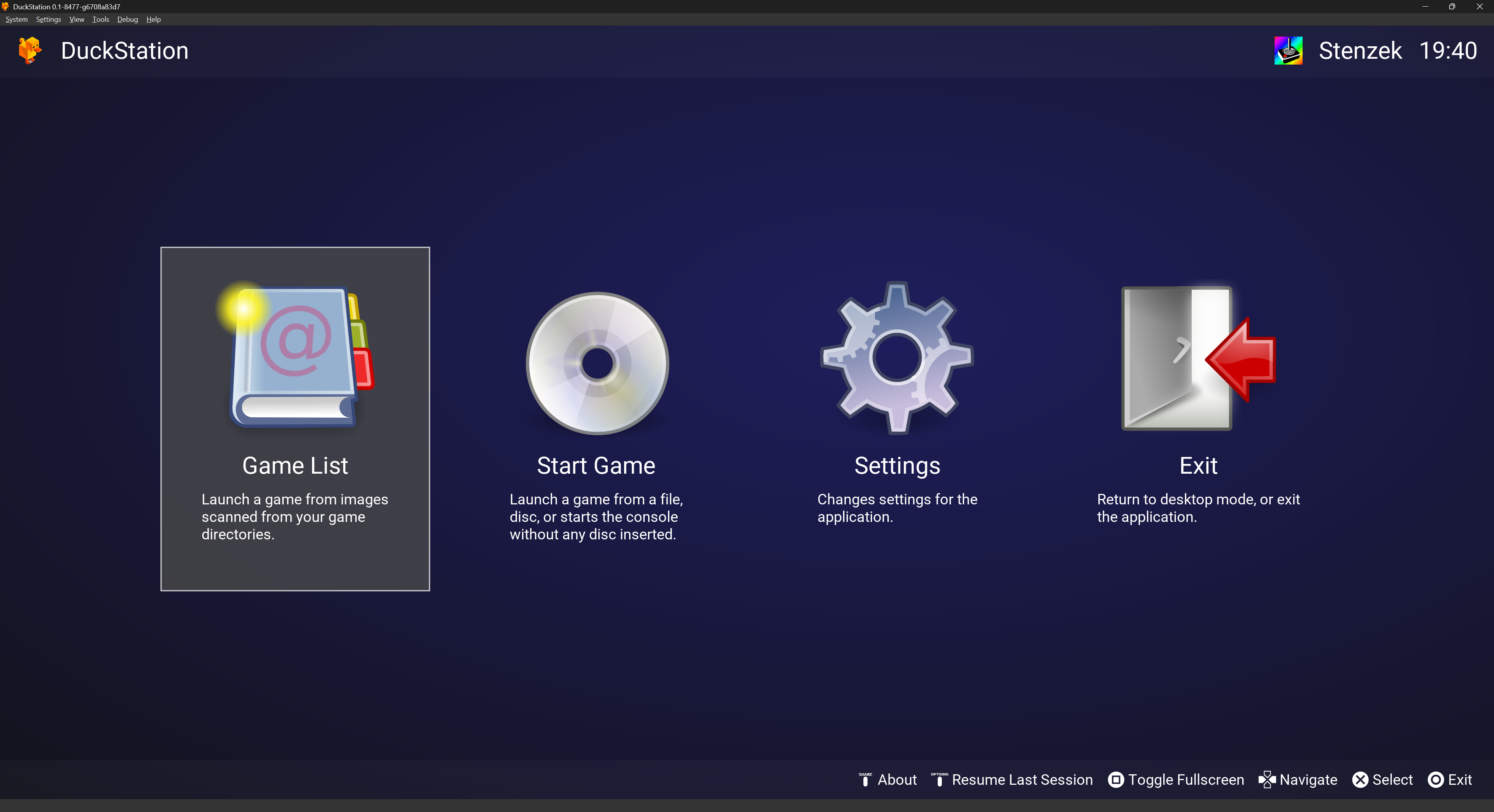
DuckStation is Stenzek’s standalone PS1 emulator, and on Android in 2026 it is the cleanest way to run the PlayStation library. It supports widescreen hacks, PGXP (the geometry fix that removes PS1’s wobbling polygons), CD-ROM image preloading, texture replacements, and per-game settings. Vulkan is the default backend on Adreno and Mali GPUs that support it.
The Android port mirrors the desktop feature set almost completely. Final Fantasy VII, Metal Gear Solid, Crash Bandicoot, Resident Evil 2, and Tekken 3 all run at locked 60fps on a $300 phone, with no slowdowns even at 4x internal resolution. BIOS files are required (you dump them from your own console), and once dropped in the BIOS folder, you are ready in under a minute.
Where it falls short: The licensing changed in late 2024 from MIT to a non-commercial CC-BY-NC-ND, which has caused friction with downstream projects. The Play Store build pulled BIOS hashing from a permissive list, so be sure your dump matches a known SCPH revision.
Pricing:
- Free, no ads, no IAP
Platforms: Android, Windows, macOS, Linux
Bottom line: Standalone PS1 emulation on Android starts and ends with DuckStation. Run Final Fantasy VII at 4x with PGXP and the wobbling polygons disappear.
4. Dolphin Emulator, best GameCube and Wii emulator

Dolphin Emulator is the only serious GameCube and Wii emulator on Android, and the mainline build now hits playable speeds on Snapdragon 7-series and above. Vulkan rendering, async shader compilation, and the new Skylander 2 driver patches mean Wind Waker and Twilight Princess hold 30fps at 2x internal resolution on a Pixel 8a. The Wii motion controls map to the touchscreen with surprisingly little fuss, and Bluetooth pairing of a real Wii Remote works on most devices.
The Android version is built from the same codebase as desktop Dolphin, which means the compatibility list is essentially identical. Save states, cheats, custom textures, and Riivolution mods all work. The emulator asks for nothing controversial, BIOS files are not needed for GameCube games, only Wii titles need the System Menu and IOS files dumped from your own console.
Where it falls short: Wii performance on mid-range chips is still hit and miss, and the GPU heat builds fast in long sessions. Some Wii games depend on GameCube controller mappings that need manual tweaking. Mali GPU users still see worse Vulkan performance than Adreno owners.
Pricing:
- Free, open source (GPLv2+), no ads, no IAP
Platforms: Android, Windows, macOS, Linux
Bottom line: Wind Waker on a phone is genuinely good in 2026. Pair an Xbox controller, expect to dial settings down for Wii, and you are set.
5. melonDS, best Nintendo DS emulator

melonDS is the modern Nintendo DS emulator, and Rafael V. Caetano’s Android port (version 2.0 shipped earlier this year) is now the default pick after DraStic was pulled from the Play Store in early 2025. The port uses the upstream melonDS 1.1 core, JIT recompilation on 64-bit ARM, dual-screen handheld support, RetroAchievements, Rumble Pak emulation, and DSiWare title launching.
Compatibility is essentially complete for the DS library, and most games run at full 60fps on any Snapdragon 7-series or better. The screen layout settings are the strongest in the category, you can stack screens vertically, swap them, rotate, scale per-screen, or hide the touchscreen entirely on games that do not use it.
Where it falls short: No Vulkan renderer yet, software and OpenGL only, which costs a few frames on heavy 3D titles. 32-bit devices have no JIT and run at a crawl. BIOS and firmware files dumped from a real DS are required for most games to boot.
Pricing:
- Free, open source (GPLv3), no ads, no IAP
Platforms: Android, Windows, macOS, Linux
Bottom line: With DraStic delisted, melonDS is now the obvious DS pick. Touchscreen games like Phantom Hourglass and Brain Age finally have a stable home on a phone again.
6. M64Plus FZ, best Nintendo 64 emulator

M64Plus FZ is Francisco Zurita’s polished Mupen64Plus port, with multiple video plugins (GLideN64, Rice, Glide64), per-game profiles, save states, cheats, and the cleanest controller mapping interface in N64 emulation on Android. The free build sits at 5 million downloads and the Pro upgrade removes ads while adding a few quality-of-life touches.
Compatibility runs around 95% of the N64 library, and the games that mattered (Mario 64, Ocarina of Time, Banjo-Kazooie, Goldeneye, Mario Kart 64, Paper Mario) all work with sane defaults. GLideN64 with native widescreen hacks is the right choice on Adreno phones, and the high-res texture pack support means the Hylian Toolbox HD packs for Zelda load directly.
Where it falls short: No Vulkan, OpenGL ES only. Conker’s Bad Fur Day still needs the Glide64 plugin and per-frame tweaks. The free version’s banner ads are ignorable but present.
Pricing:
- Free with ads
- M64Plus FZ Pro at $5.99 one-time, removes ads, adds OpenSL low-latency audio toggle
Platforms: Android only
Bottom line: The N64 has aged unevenly, but M64Plus FZ is the best window back into it. Pay the $5.99 if you stick around past the first weekend.
7. Azahar, best Nintendo 3DS emulator

Azahar is the open-source 3DS emulator that picked up the work of Citra and Lime3DS after both projects shut down. The Android build is on the Play Store under the legacy Lime3DS package ID and updates regularly, with a Vulkan renderer, JIT recompilation, custom texture packs, RetroAchievements, and amiibo emulation through NFC.
Compatibility is high on flagship and recent mid-range devices: Pokemon X/Y/Sun/Moon, Mario Kart 7, Fire Emblem Awakening, A Link Between Worlds, Monster Hunter 4U, and Bravely Default all hit 30fps with no frame skip on a Snapdragon 8 Gen 2. Stereoscopic 3D is off by default and most users keep it that way on a single-screen phone, but the dual-screen layout system mirrors the original hardware closely.
Where it falls short: 3DS games push more than the GameCube, so anything below a Snapdragon 7 Gen 2 will struggle. The Vanilla build (sideloaded with package ID org.azahar_emu.azahar) has bleeding-edge fixes, but the Play Store build is more stable. AR Games and StreetPass features remain stubs.
Pricing:
- Free, open source (GPLv2+), no ads, no IAP
Platforms: Android, Windows, macOS, Linux
Bottom line: The only 3DS emulator with a future on Android, and the rare 3DS port that ships through the Play Store. Bring a flagship phone.
8. NetherSX2, best PlayStation 2 emulator
NetherSX2 is the community continuation of AetherSX2, the abandoned PCSX2 port whose developer left the project in 2023. NetherSX2 ships as a patched build of the last open AetherSX2 release, with crash fixes, Vulkan stability improvements, and per-game compatibility patches drawn from upstream PCSX2. It is not on the Play Store, and it is not on Aptoide. The trustworthy install path is the Trixarian/NetherSX2-patch GitHub repository, which produces verifiable APKs.
On a Snapdragon 8 Gen 2 or better, around 80% of the PS2 catalogue is playable: Persona 4, Final Fantasy X, God of War, Shadow of the Colossus, Kingdom Hearts II, Burnout 3 all hit 60fps at native or 2x internal resolution with Vulkan. Older devices (Snapdragon 845 and below) can run 2D-heavy and PS1-class titles, but heavy 3D games will chug.
Where it falls short: No active first-party development, only community patches. BIOS files dumped from your own console are required, and the install process means sideloading an APK from GitHub. Fan translations and unusual disc images sometimes need manual .gs patch dumps.
Pricing:
- Free, open source (LGPLv3 inherited from PCSX2)
Platforms: Android only
Download: Trixarian/NetherSX2-patch on GitHub
Bottom line: The realistic ceiling for PS2 on a phone in 2026, but treat the install as a sideload project, not a Play Store tap.
9. Eden, best Nintendo Switch emulator
Eden is the active Switch emulator with the strongest Android build in 2026. It launched on Google Play in September 2025, was hit with twelve Nintendo DMCA notices and pulled within two weeks, and the development team has continued shipping releases through their own infrastructure at eden-emu.dev. Around 73% of the 4,087 commercial Switch titles are listed as playable on the project’s compatibility tracker, with newer Snapdragon 8-series chips clearing the toughest games.
The mobile build is built from the same C++ codebase as the desktop release, with Vulkan as the only renderer, asynchronous shader compilation, JIT recompilation, and configurable upscaling up to 4x. Breath of the Wild, Tears of the Kingdom, Super Mario Odyssey, and Metroid Prime Remastered all run at 30fps on flagship phones from 2024 onward. Pad pairing for the Joy-Con and Pro Controller works over Bluetooth, and the touchscreen overlay is one of the better redesigns in this generation of emulators.
Where it falls short: Switch emulation is the legal hot potato of 2026, the codebase is up, the Play Store presence is gone, and you need to install from the official site. Decryption keys (prod.keys) and firmware must be dumped from your own Switch, and Eden does not distribute either. Heat throttling on 30+ minute sessions is real, expect to drop a setting or two on flagship phones too.
Pricing:
- Free, open source (GPLv3), no ads, no IAP
Platforms: Android, Windows, macOS, Linux
Download: eden-emu.dev (official site, Android APK)
Bottom line: The closest Android has come to playing modern Nintendo games on a phone, but accept the sideload and follow project announcements before each install.
10. Winlator, best Windows games emulator on Android
Winlator is BrunoSX’s clever wrapper around Wine and Box86/Box64 that runs x86 and x64 Windows binaries on ARM Android. The current 11.x line ships with DXVK for DirectX 9/10/11 to Vulkan translation and VKD3D for early DirectX 12 support, which means a surprising chunk of mid-2010s PC catalogue is playable on a phone. Skyrim, Fallout: New Vegas, Half-Life 2, Stardew Valley, Diablo II Resurrected (with caveats), Hollow Knight, and indies like Celeste and Hades all run with the right container settings.
The container model is the key: each game lives in its own Wine prefix with its own DLL overrides, graphics driver (Turnip on Adreno, PanVK on Mali), and Box64 settings. This stops a finicky game from breaking the next one. Steam works after some fiddling, GOG Galaxy mostly does, and standalone installers from your own legitimate licenses are the cleanest path.
Where it falls short: Performance varies wildly by game and by chipset, anti-cheat games (most modern multiplayer titles) do not run, and there is a learning curve to picking the right Box64 dynamic recompiler and Vulkan driver per game. The Aptoide listing is flagged Warning, the canonical install path is the GitHub releases page from the original developer.
Pricing:
- Free, open source (GPLv3), no ads, no IAP
Platforms: Android only
Download: brunodev85/winlator on GitHub
Bottom line: The most surprising emulator on this list. A Snapdragon 8 Gen 3 phone running Skyrim through Box64 and DXVK is the kind of trick that did not work two years ago.
How to pick the right one
If you only install one emulator on your phone in 2026, make it PPSSPP. The PSP library is enormous, performance is forgiving on cheap phones, and the install is two taps.
If you want every retro console in one app and do not mind menu setup, RetroArch. Add cores for SNES (Snes9x), Genesis (Genesis Plus GX), GBA (mGBA), and PS1 (Beetle PSX HW or DuckStation as standalone).
If you want the cleanest PS1 experience without RetroArch, DuckStation. The widescreen and PGXP combo makes Final Fantasy IX feel like a remaster.
If you grew up on GameCube or Wii, Dolphin is the only answer. Bring a controller and a phone newer than 2023.
If your nostalgia is DS, melonDS. If it is N64, M64Plus FZ. If it is 3DS, Azahar.
If you want to push a phone to its limit, NetherSX2 for PS2 or Eden for Switch. Both are sideloads, both expect you to dump your own keys and BIOS, both are worth the trouble on flagship hardware.
If you want to play the PC games already in your library, Winlator. It will not replace a gaming laptop, but a Snapdragon 8 Gen 3 with a Bluetooth controller has a real chance at most of your Steam catalogue from before 2018.
FAQ
What is the best emulator for Android in 2026? PPSSPP is the most reliable emulator on Android right now and the easiest one to set up for most people. It runs almost the entire PSP library at full speed on mid-range phones and handles upscaling and Bluetooth controllers without configuration. For broader retro coverage, RetroArch is the best multi-system pick.
Are Android emulators legal? The emulators themselves are legal in the United States and the EU under existing case law (Sony v. Connectix). What is not legal is downloading commercial ROMs, BIOS files, decryption keys, or firmware that you do not own. Every emulator on this list expects you to dump from your own hardware.
What is the best PS2 emulator for Android? NetherSX2 is the best available PS2 emulator on Android in 2026. It is the community-maintained continuation of AetherSX2 after the original developer left the project, and it ships as a sideload from the Trixarian/NetherSX2-patch GitHub repository. Around 80% of the PS2 catalogue is playable on Snapdragon 8 Gen 2 hardware or newer.
Is there a Nintendo Switch emulator on Android? Yes, Eden is the active Switch emulator on Android. It briefly appeared on the Play Store in September 2025 before Nintendo DMCA notices removed it, and the development team now distributes builds from eden-emu.dev. Around 73% of the Switch library is playable on flagship Android phones, with prod.keys and firmware that you dump from your own console.
What happened to DraStic? DraStic was made free in February 2024 and pulled from the Play Store in early 2025 by its developer, Exophase. The decision was a planned shutdown rather than a Nintendo takedown, and the developer promised to open-source the code. As of April 2026, melonDS is the actively maintained DS emulator on Android.
Do I need a controller for emulators on Android? For 2D and 8/16-bit games, the on-screen controls are fine. For anything from PS1, N64, GameCube, or newer, a Bluetooth controller is a real upgrade. Xbox Wireless and DualSense both pair without extra apps on Android 12 and later.
What is the best free emulator for Android? Most of the emulators on this list are free, including PPSSPP, RetroArch, DuckStation, Dolphin, melonDS, Azahar, NetherSX2, Eden, and Winlator. M64Plus FZ has a free version with ads and a $5.99 Pro upgrade. None of the free picks include game ROMs, you bring your own.
{/* FAQPage schema: generate JSON-LD from the Q&A pairs above before publishing */}