The funniest thing about Adobe’s $22.99 Creative Cloud Photography plan is that most of what it sells already runs on your phone for free. Background removal that used to need the magnetic lasso and an hour of patience now takes two taps. Old, blurry family photos restore in seconds without leaving the device. Generative fill is a phone feature, not a Photoshop feature.
We tested eight free AI photo editor apps for Android against real edits: product shots, faded scans, group photos with a stranger in the back, and selfies that needed help. Eight survived. We ranked them by how much you can do on the free tier before the upsell starts.
What to look for in an AI photo editor app
A few things separate the free tier that is actually free from the free tier that is a trial.
- Background removal quality. Cutouts around hair, fur, and fine details are still the AI photo editor benchmark. Test on a portrait, not a logo.
- Free-tier export resolution. Some apps watermark, some downscale, some both. Find the catch before you start a project.
- AI features that are not the upsell. Many apps gate generative fill, restoration, or sky replace behind a paywall after one free use.
- Offline editing. AI features often run server-side, so an internet-free trip can take half the app away.
- Output format and color. Free editors that strip metadata or convert PNGs into JPGs silently are common.
Quick comparison
| App | Best for | Platforms | Free plan | Starting price/mo | Rating |
|---|---|---|---|---|---|
| PhotoRoom | Product shots, background swaps | Android, iOS, Web | Watermark on export | $9.99 (Pro) | 4.7 (Google Play) |
| Snapseed | Real photo retouching | Android, iOS | Everything, no ads | Free | 4.4 (Google Play) |
| Remini | Restoring blurry old photos | Android, iOS | 3 enhances/day | $4.99 (Weekly) | 4.5 (Google Play) |
| Lensa | AI portraits and avatars | Android, iOS | 7-day trial | $35.99/year | 4.4 (Google Play) |
| YouCam Perfect | Faces, skin, selfies | Android, iOS | With ads | $7.49 (Premium) | 4.7 (Google Play) |
| Adobe Lightroom | Color, exposure, generative fill | Android, iOS, Web | Mobile presets and edits | $9.99 (Photography) | 4.6 (Google Play) |
| Photo Lab | Stylized AI filters | Android, iOS | With ads | $4.99 (Pro) | 4.5 (Google Play) |
| Picsart | Layered edits and AI | Android, iOS, Web | Watermark on free filters | $11.99 (Plus) | 4.2 (Google Play) |
The apps
1. PhotoRoom, best for product photos and background swaps
PhotoRoom rebuilt itself around one job: cut the subject out of a photo and put it on something better. The AI cutout is good enough that most product sellers, real estate agents, and stylists have switched from Photoshop entirely. The free tier gets the cutout and a watermark on export. Once you turn the watermark off in Pro, the workflow stays simple: shoot, cut, choose a background, save.
Where it falls short: The free tier exports at full resolution but stamps a watermark in the corner. Some of the generative scenes also feel template-y if you stack edits, so anything beyond a clean cutout might need touch-ups elsewhere.
Pricing:
- Free: AI cutout, basic backgrounds, watermark on export
- Pro: $9.99/mo for unlimited HD exports, batch processing, brand kits
Platforms: Android, iOS, Web
Bottom line: Pick PhotoRoom if you make listings, marketing images, or anything that needs a clean cutout. Pass if you do not work with product or portrait subjects on a background.
2. Snapseed, best for real photo retouching, no AI buzz required
Snapseed is Google’s professional-grade photo editor, still free, still no ads, still no subscription. The newer Selective and Healing tools have machine-learning under the hood without the AI branding, and the result is the most boring app on this list in the best way: you tap a spot, it cleans, you move on. No upsell screen at the end.
Snapseed for AI photo editor work shines when you want a real darkroom feel rather than one-tap filters. The Lens Blur is closer to Lightroom’s masks than to a TikTok preset, and curves, white-balance, and HSL controls are all unrestricted.
Where it falls short: No generative fill, no background swap, no avatar generator. If you want AI to invent pixels, Snapseed is the wrong tool. Google has not shipped a major feature update in a while either.
Pricing:
- Free: every feature, no watermark, no ads
- No paid tier exists
Platforms: Android, iOS
Bottom line: Install Snapseed even if you also use PhotoRoom or Lightroom. It is the cleanest free editor and there is no excuse not to have it.
3. Remini, best for restoring blurry old photos
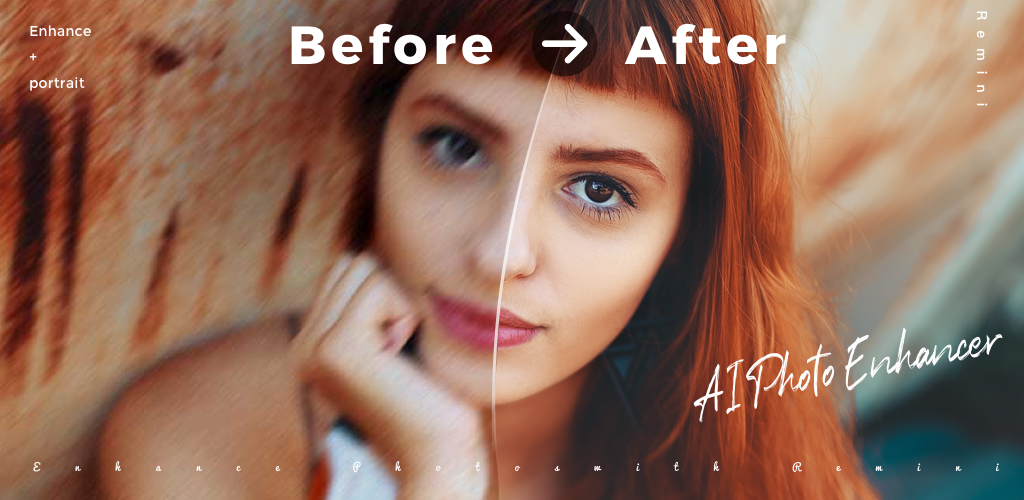
Remini is the AI photo editor your parents would actually use. Feed it a faded school portrait or a grainy phone screenshot, hit Enhance, and it returns a sharper version with re-drawn faces. The Unblur model is also better than the competition on motion-blurred photos.
Remini for AI photo editor scenarios is narrow but excellent at what it does. The free tier limits you to a few enhances per day before the timer kicks in, which is usually enough for a single restoration session.
Where it falls short: Faces get the most attention, which can make portraits look slightly waxy. Heavy enhances also invent details that were never in the original. It is restoration, not magic.
Pricing:
- Free: 3 enhances/day with ads
- Weekly: $4.99 for unlimited enhances and HD downloads
- Yearly: about $39.99
Platforms: Android, iOS
Bottom line: Remini is the right pick when you have one specific old photo to bring back. Skip it for daily editing.
4. Lensa, best for AI portraits and avatars
Lensa went viral on Magic Avatars and stayed useful for portrait-only editing. The Magic Retouch model handles skin, eyes, and teeth more naturally than the heavier YouCam filters, and the AI portrait generator (the paid feature that made it famous) is still here.
Lensa for AI photo editor portraits is best treated as a specialist tool. It will not help with product shots or landscapes, and the generic photo editor inside it is weak. The avatar pack is the reason to install.
Where it falls short: Outside of portraits, it is mediocre. The free tier is a 7-day trial rather than a true free tier, and the auto-renew nudges are aggressive.
Pricing:
- Free: 7-day trial
- Annual: about $35.99/year for unlimited filters and one avatar pack per cycle
- Magic Avatars: typically $7.99 for a generated pack on the free trial
Platforms: Android, iOS
Bottom line: Lensa is a one-off if you want a styled headshot or avatar pack. The subscription is hard to justify long-term.
5. YouCam Perfect, best for face and skin work
YouCam Perfect is the most extensive selfie-focused AI photo editor on Android. Skin smoothing, body reshape, teeth whitening, and an AI background generator all live in one app. The newer ad-aware free tier has fewer interruption ads than it used to and lets you finish an edit before the upsell appears.
YouCam Perfect for AI photo editor selfies is where it earns its place. The face-detection model is reliable on multi-person photos, and the makeup transfer is the smoothest in this category. The redesigned 2025 UI is also less cluttered than competitors like BeautyPlus.
Where it falls short: Filters lean heavily into “perfected” looks. If you want natural retouching, you will spend time turning effects down. Ads on the free tier are still present, just less frequent.
Pricing:
- Free: full editor with ads and limited template access
- Premium: $7.49/mo or about $26.99/year for ad-free, AI features, and HD exports
Platforms: Android, iOS
Bottom line: YouCam Perfect is the pick if you edit faces more than anything else. Avoid it if you prefer minimal retouching.
6. Adobe Lightroom, best for color, exposure, and generative removal
Adobe Lightroom mobile is the rare Adobe app where the free tier is actually generous. Local edits, presets, healing brush, and (in recent versions) the Generative Remove tool work on the free plan, with no watermark. The catch is that cloud sync, raw editing, and a few advanced AI features remain behind the $9.99/mo Photography plan.
Lightroom for AI photo editor work is the best free option for serious photo retouching, not just one-tap fixes. The exposure and color controls are professional-grade, and the Generative Remove tool quietly handles power lines, photobombers, and tourists.
Where it falls short: The interface is intimidating if you do not already know Lightroom. Raw file editing is paywalled, which matters if you shoot with Camera2 or GCam. AI features run server-side, so big files can be slow on a weak connection.
Pricing:
- Free: mobile editing, presets, masking, Generative Remove (with limits)
- Photography Plan: $9.99/mo for desktop, cloud, raw, full AI
Platforms: Android, iOS, Web, Mac, Windows
Bottom line: Lightroom is the most professional free AI photo editor on Android. Pair it with Snapseed for the absolute floor on a serious mobile workflow.
7. Photo Lab, best for stylized AI filters
Photo Lab is the underrated workhorse for AI-style filters. Cartoon, oil paint, sketch, anime, and weirdly specific filters (a Renaissance portrait? a sci-fi cover?) are stacked in one library. The AI Avatar feature added in recent updates is competitive with Lensa for half the price.
Photo Lab for AI photo editor styling is where it earns its keep. The free filters run on-device and finish faster than competitors. The library is generous before the paywall begins.
Where it falls short: Watermark on free filter exports. The UI is dense and shows ads. Some “AI” filters here are really just preset filters with marketing.
Pricing:
- Free: many filters with watermark and ads
- Pro: $4.99/mo or about $19.99/year
Platforms: Android, iOS
Bottom line: Photo Lab is the pick for stylized AI filters. It is not where you go for restoration or retouching.
8. Picsart, best for layered edits and one-tap AI
Picsart is the closest thing to a mobile Photoshop on this list. Layers, blend modes, masks, AI background generators, AI image-to-image, and a sticker library. The free tier carries a watermark on some AI exports but leaves most of the core editor open.
Picsart for AI photo editor projects earns its place when you need more than one effect. You can combine cutouts, layers, text, and AI-generated backgrounds in one project without switching apps.
Where it falls short: The free tier nags. Pop-ups, suggested upgrades, and tools that turn into Plus prompts mid-edit are common. The 4.2 Google Play rating reflects this more than the editor itself.
Pricing:
- Free: full editor, watermark on AI exports, ads
- Plus: about $11.99/mo or $55.99/year for AI generation, no ads, no watermarks
- Pro: higher tier for export and team features
Platforms: Android, iOS, Web
Bottom line: Picsart is the right pick for complex multi-effect edits in one app. Skip if pop-ups make you close apps in frustration.
How to pick the right one
The choice depends on what you actually edit.
- If you want the simplest cutout-and-background app, install PhotoRoom. It is the closest “do one thing well” pick.
- If you need a free, professional-grade editor with no upsell, get Snapseed. Use it as the floor on every Android phone.
- If you have one specific old photo to restore, Remini is the answer. Do it in one session and uninstall.
- If you live on selfies and group photos, YouCam Perfect is the most thorough face editor on Android.
- If you want a serious mobile darkroom with generative removal, Adobe Lightroom’s free tier still beats most paid apps.
- If you want stylized filters, Photo Lab. If you want layers and combinations, Picsart.
- If you tried generated avatars and hated the result, skip Lensa. It only earns the install for that specific feature.
FAQ
What is the best free AI photo editor app for Android?
Snapseed for serious editing, PhotoRoom for cutouts and product shots, and Adobe Lightroom’s free tier for color work. Most users end up with all three installed because the use cases barely overlap.
Is there a free AI photo editor that does background removal without a watermark?
PhotoRoom watermarks free exports, and most competitors do too. Snapseed has no background-removal AI but can be combined with a free web tool (remove.bg has a daily limit, no watermark) for the same result.
Can AI photo editor apps work without internet?
Snapseed and Photo Lab run entirely on-device. PhotoRoom, Remini, Lensa, and Picsart use server-side AI for the heavier features, so background removal, restoration, and generative tools need a connection.
Are AI photo enhancers actually accurate or do they invent details?
Remini and Lensa redraw missing details on faces and textures, which means the result is a guess, not the original. For restoring family photos that is usually fine. For ID documents or legal scans it is the wrong tool.
Which AI photo editor is best for product photos for Etsy or Shopify?
PhotoRoom. The free tier already produces clean cutouts, and the templates are designed around marketplace dimensions. Pro removes the watermark and adds batch exports.
Is Adobe Lightroom free to use on Android?
Yes, the mobile app has a free tier with editing, presets, masking, and Generative Remove. Raw editing, cloud sync, and desktop access need the $9.99/mo Photography plan.