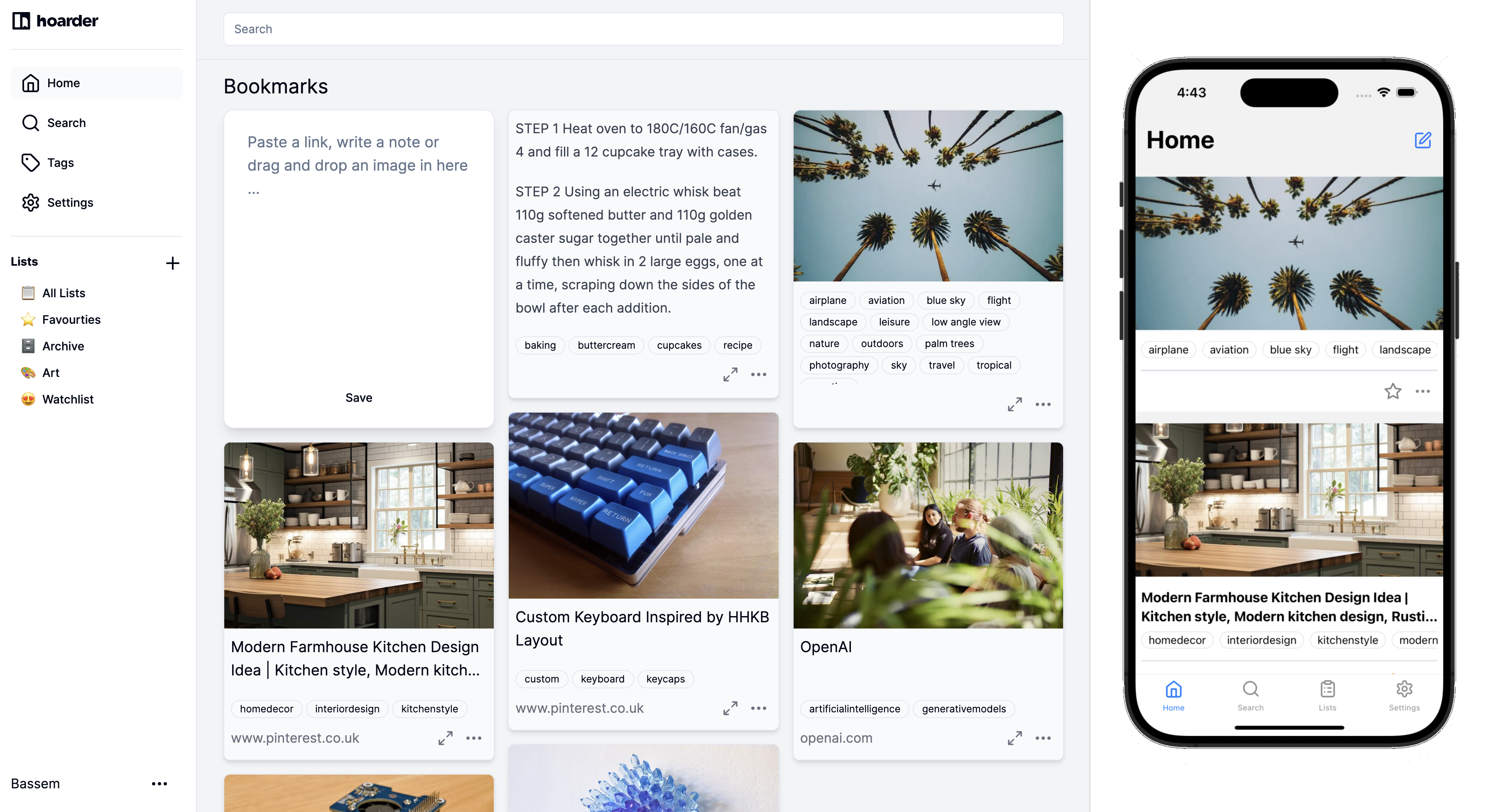
Karakeep does one thing better than any of the older self-hosted bookmark managers: it stores a real, full-text archive of every page you save, so the link that dies next year is still readable next year. It also runs an LLM against your saves to auto-tag them, which is the reason a lot of us moved off Linkding in the first place. The trade-off is a heavier stack. Karakeep wants Docker, Postgres, Redis, Meilisearch, and either an OpenAI key or a local Ollama endpoint for the AI features. On a small home server that’s more moving parts than the “small box, small database” tools it replaced.
These are the seven Karakeep alternatives that stood up on our test rigs, aimed at the small home lab where a Karakeep install feels like too much machinery.
Quick comparison
| App | Best for | License | Storage floor | Standout |
|---|---|---|---|---|
| Linkwarden | Feature parity without the LLM requirement | AGPL | 512 MB RAM | Full-page archive, no AI dependency |
| Wallabag | Long-form reading and offline sync | AGPL | 256 MB RAM | Mature ecosystem across mobile and e-ink |
| Linkding | Bare minimum footprint | MIT | 128 MB RAM | Single-container install with browser extension |
| Shiori | A Go binary you drop on a Pi | MIT | 64 MB RAM | Single binary, no dependencies |
| LinkAce | Teams that want a proper admin UI | GPL | 512 MB RAM | Role-based sharing and tag hierarchies |
| Readeck | Reading, not link hoarding | AGPL | 256 MB RAM | Highlight-first, EPUB export |
| ArchiveBox | Building a long-lived personal web archive | MIT | 1 GB RAM | Saves through wget, singlefile, and headless Chrome |
Why people leave Karakeep on desktop
The AI dependency is the loudest complaint. Karakeep’s auto-tagging assumes either an OpenAI key or a local LLM endpoint. Users on Reddit’s r/selfhosted repeatedly ask how to disable AI cleanly, and the honest answer is that you can, but you lose the killer feature and end up with a heavier Linkding.
The Docker stack keeps growing. Two years ago it was three services. Now the compose file spins up the app, Postgres, Redis, Meilisearch, a browser-worker container for headless Chrome, and optionally an inference container. Fine on a Synology with 8 GB of RAM, tight on an old Pi.
The mobile apps are still catching up. iOS and Android clients exist and work, but the browser extension still lands better content than the share sheet. People switching from Pocket miss the polish of a first-class mobile client.
Search covers full text, not archives. Meilisearch indexes the extracted content, not the rendered PDF snapshot Karakeep also stores. Searching a phrase you highlighted in the archive but not in the article body will miss.
Multi-user is a paid or work-in-progress feature depending on the release. Karakeep Cloud handles teams cleanly; the self-hosted single-user default suits an individual, less so a household with three bookmark queues.
The alternatives
Linkwarden – Best for feature parity without the AI
Linkwarden covers most of what people want from Karakeep and drops the mandatory LLM. It saves a full HTML snapshot, a rendered PDF, and a screenshot for every bookmark, indexes the text for search, and supports collections shared across users. AI tagging is optional and works with any OpenAI-compatible endpoint, including a local Ollama.
Where it falls short: The default Docker install still wants Postgres and a headless Chrome worker. Migrations between versions have needed manual database steps in a couple of releases.
Pricing:
- Free: full self-hosted AGPL build with unlimited bookmarks and users
- Paid: Linkwarden Cloud from $4/month for managed hosting
- vs Karakeep: comparable archive quality, cleaner without AI, slightly less refined UI
Migrating from Karakeep: Export a Netscape bookmark HTML from Karakeep, import into Linkwarden. Archives re-generate on the Linkwarden side; original tags transfer as flat labels.
Bottom line: Pick Linkwarden if you want the “archives everything” behaviour without wiring an LLM into the stack.
Wallabag – Best for read-later across every screen
Wallabag is the veteran of this list and the one to pick when reading, not hoarding, is the point. It focuses on clean article extraction, offline sync, and long-form reading across a browser extension, mobile apps, Kobo and PocketBook e-readers, and a KOReader plugin. The extractor gets more articles right than Karakeep’s does out of the box.
Where it falls short: No page snapshots by default, only the extracted article. Video and PDF handling are basic. The UI is functional rather than polished.
Pricing:
- Free: self-hosted AGPL, unlimited entries and tags
- Paid: wallabag.it managed hosting at €11/year
- vs Karakeep: better reader ergonomics, weaker archival guarantees
Migrating from Karakeep: Wallabag imports Karakeep JSON exports; tags and reading progress transfer, page archives do not.
Bottom line: Pick Wallabag if you actually read what you save and want the archive on your phone and e-reader without extra work.
Linkding – Best for the smallest possible footprint
Linkding is the “does one thing, does it well” pick. A single Docker container, SQLite by default, a search that works, and a browser extension that hits it in under 200 ms. There is no full-page archive by default, though a build-in snapshot option toggles on optional Internet Archive submission and a local HTML dump.
Where it falls short: Local archives are opt-in and less complete than Karakeep or Linkwarden. Multi-user support exists but is basic. No tag hierarchy.
Pricing:
- Free: MIT-licensed, single container
- Paid: none
- vs Karakeep: dramatically lighter, dramatically fewer features
Migrating from Karakeep: Export bookmarks as Netscape HTML from Karakeep, import into Linkding. Tags transfer cleanly.
Bottom line: Pick Linkding on a 512 MB Pi where Karakeep’s compose file wouldn’t even start.
Shiori – Best for the single-binary crowd
Shiori is a Go binary that ships one executable with SQLite baked in. It saves the article body, a screenshot, and the metadata, and it does it in under 50 MB of RAM. There are no background workers, no separate database container, and no browser worker: it’s the closest thing on the list to a native desktop app for a self-hosted bookmark tool.
Where it falls short: Development pace is slow. Some archive edge cases (heavily JS-rendered pages) are missed. No native mobile client.
Pricing:
- Free: MIT, single binary
- Paid: none
- vs Karakeep: incomparably lighter, no AI, no full HTML archive
Migrating from Karakeep: Import via Netscape HTML export. Archives don’t carry over.
Bottom line: Pick Shiori when you want to scp a binary to a Pi and forget about it.
LinkAce – Best for shared, permission-based collections
LinkAce targets the same audience as Karakeep at work: a team that wants a shared bookmark library with roles, private and public links, and an admin UI that non-developers can use. It runs on PHP and MySQL, has a proper backup and restore flow, and ships a Chrome and Firefox extension that behaves like Karakeep’s.
Where it falls short: No native archival snapshot, just link metadata and screenshots. Mobile is browser-only. Bulk imports over 10,000 links can be slow.
Pricing:
- Free: GPL, self-hosted
- Paid: none
- vs Karakeep: better team story, weaker archive story
Migrating from Karakeep: Netscape HTML export imports cleanly; tags become LinkAce tags.
Bottom line: Pick LinkAce when a household or small team needs shared collections and Karakeep’s single-user default doesn’t fit.
Readeck – Best for a highlight-first reading workflow
Readeck is the newest name on this list and the most opinionated. It treats every saved link as an article you might want to highlight, annotate, and export to EPUB. The reading view is clean, the annotations sync, and the export flow makes it easy to turn a month of saves into a personal Kindle title.
Where it falls short: No true page snapshot. The AI features Karakeep leans on are missing. Development is one-person, though active.
Pricing:
- Free: AGPL, single container
- Paid: none
- vs Karakeep: dramatically better reading, dramatically less archive
Migrating from Karakeep: Import via Karakeep JSON export; highlights don’t transfer, tags do.
Bottom line: Pick Readeck if you highlight what you read and want an EPUB every month.
ArchiveBox – Best for a long-lived personal web archive
ArchiveBox is not really a bookmark manager, it’s a personal Wayback Machine. Feed it a URL and it saves via wget, singlefile, headless Chrome, media downloads, screenshots, PDFs, and a WARC file. The result is the most durable archive on this list, with the largest disk cost.
Where it falls short: The UI is the weakest here. No tags in the way Karakeep users expect. Every added link kicks off a heavy job.
Pricing:
- Free: MIT, self-hosted
- Paid: none
- vs Karakeep: better archive, worse day-to-day bookmark UX
Migrating from Karakeep: Export Karakeep URLs to a text file, feed into ArchiveBox. Tags do not transfer; archives generate fresh.
Bottom line: Run ArchiveBox alongside Karakeep or Linkwarden when a link matters enough to guarantee ten years of readability.
How to choose
Pick Linkwarden if you want everything Karakeep does except the LLM dependency, on comparable hardware.
Pick Wallabag if the point is reading on a phone, a Kobo, or KOReader, and archival is secondary.
Pick Linkding or Shiori for a Pi or an old NUC where Karakeep’s compose file is too heavy.
Pick LinkAce when three or more people need a shared bookmark library with roles.
Pick Readeck if highlights and EPUB export are the workflow.
Stay on Karakeep if the AI auto-tagging is the killer feature and the compose file doesn’t scare you.
FAQ
Is Linkwarden better than Karakeep?
For most people who want full-page archives without wiring in an LLM, yes. Karakeep is ahead when the AI tagging is doing real work and when you actually use the highlight and note features.
Can I import my Karakeep library into another tool?
Every alternative on this list accepts a Netscape HTML export, and Wallabag and Readeck also accept Karakeep’s JSON export. Page archives don’t transfer, they regenerate.
What is the most lightweight Karakeep alternative?
Shiori by a wide margin. A single Go binary in under 50 MB of RAM handles a personal library up to a few thousand bookmarks.
Does any Karakeep alternative support end-to-end encryption?
None on this list. Wallabag and Karakeep both encrypt at rest when the underlying database is encrypted, but the bookmark contents aren’t encrypted client-side.
Can I run these alongside Karakeep?
Yes. ArchiveBox and Wallabag are the two most commonly run in parallel: Karakeep for daily saving and search, ArchiveBox or Wallabag for the long-term reading archive.