
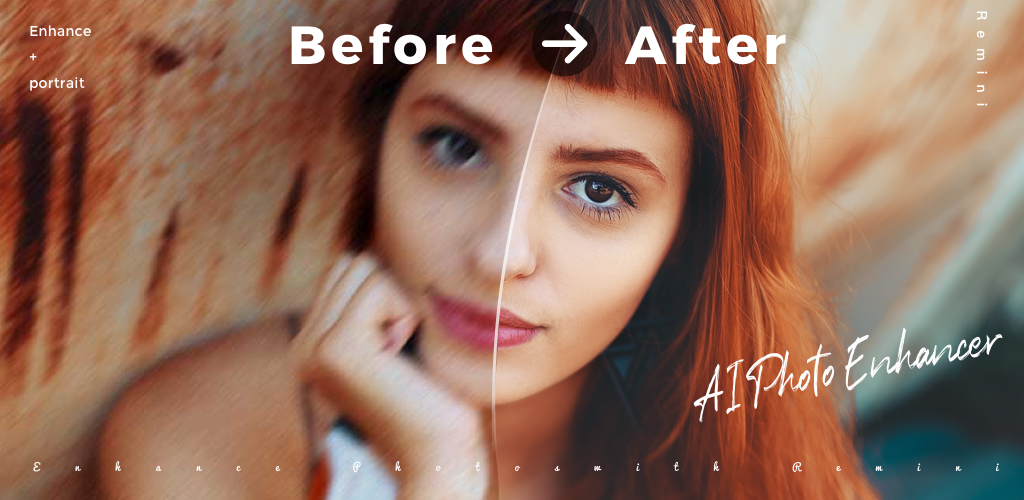
Remini is the app people reach for when an old, blurry, or low-resolution photo needs to look sharp again, and its cloud AI restoration is why it shows up in nearly every “photo enhancer” search. But that cloud processing means an upload, an account, and a wait. So we built ClearUp, a free photo enhancer that runs entirely in your browser using classic image filters, not AI. Drop a photo in and the result updates as you drag the sliders.
Enhance a photo now
ClearUp opens with a sample photo already loaded and lightly enhanced, so you can see the sliders working before you upload anything. Drag a slider or tap a preset, and watch the before/after divider update instantly.
How to use it
Tap “Choose a photo” or drag one onto the drop zone. ClearUp decodes it locally and shows a live before/after view with a draggable divider, so you can wipe across the same spot in the photo instead of comparing two separate thumbnails. Four sliders control the result: Sharpen brings out edges and fine detail, Brighten lifts or lowers exposure, Contrast deepens tones, and Denoise smooths out speckle and noise. Every slider updates the preview the moment you move it, no button to press.
Three presets set useful slider combinations in one tap: Sharpen for a crisper everyday shot, Brighten for a dim or underexposed photo, and Restore old photo for a faded, noisy, or scanned print, which also switches on a 2x canvas upscale with a smoothing pass. Your last slider values are saved on your device, so ClearUp reopens the way you left it. When the result looks right, tap Download to save it as a PNG. Nothing you upload ever leaves your browser.
How it compares to Remini
Here is the honest version. Remini’s core feature is cloud AI super-resolution: it sends your photo to a server, runs it through a trained model, and reconstructs detail that plain filters cannot invent, which is genuinely the right tool for a severely blurry, low-resolution, or heavily damaged photo. ClearUp does not do any of that, on purpose. It runs entirely in your browser, so calling a remote AI model was never an option, and we would rather tell you that plainly than dress up an unsharp mask as artificial intelligence.
What ClearUp does well: sharpening with an unsharp-mask convolution, brightness and contrast correction, a smoothing pass for noisy photos, and a 2x resize with sharpening on top, all applied live and all processed on your device. For a photo that just needs a touch more crispness, a brightness fix, or a bit of cleanup before you send it somewhere, that is often enough, and it happens in seconds with nothing uploaded.
What it will not do is rebuild detail that genuinely is not there. A face that is a smudge of pixels, or a print so degraded the grain has swallowed the subject, is exactly where Remini’s AI model earns its keep and where ClearUp’s classic filters will plainly fall short. Use ClearUp for a quick, private touch-up. Reach for Remini when the photo is too far gone for filters alone to fix.
Get the full app
Remini is free to download on Android and layers cloud AI restoration, face enhancement, and video upscaling on top of what a browser tool can do, along with a subscription for its highest-quality output.
If you’d rather compress a photo than enhance one, our free browser image compressor shrinks file size the same way ClearUp enhances detail, entirely on your device.
Frequently asked questions
Can I use Remini online without downloading the app?
Not the real Remini, its AI restoration only runs through the official app and its servers. What you can use online right now is ClearUp, our free browser-based photo enhancer inspired by the everyday job Remini does, built with classic sharpening and brightness filters instead of a cloud AI model.
Is ClearUp the same as Remini’s AI enhancement?
No. ClearUp uses an unsharp-mask sharpening filter, brightness and contrast adjustment, noise smoothing, and a simple 2x resize with sharpening, all processed locally in your browser. Remini uses a trained AI model running on its own servers to reconstruct detail that is not actually in the original pixels. For a badly damaged or very low-resolution photo, Remini’s AI approach will noticeably outperform ClearUp’s filters, and we would rather say that upfront than oversell what a browser tool can do.
Does my photo get uploaded anywhere?
No. Every step, decoding the photo, adjusting sliders, and building the enhanced image, happens locally in your browser. ClearUp has no server to send your photo to, and nothing leaves your device at any point.
Does it work offline?
Yes, once the page has loaded. ClearUp is a single self-contained page with no external requests, so it keeps working without an internet connection.
Is it free?
Yes, completely free, with no watermark, no signup, and no limit on how many photos you enhance.


