AI Photo Magic Editor bundles the greatest hits of 2025 mobile photo editing into one app, background swap, object erase, portrait style transfer, auto-enhance, and picked up 25 million installs on the strength of that pitch. It also carries every side effect of that formula, a 4.0 rating that reflects ad load, inconsistent AI results on portraits with glasses or complex hair, and a shallow set of manual controls once the one-tap magic runs out. People searching for AI Photo Magic Editor alternatives usually want one of three things, an editor that keeps the AI shortcuts without the ad interruptions, a deeper toolset for the moments the AI misses, or a specialist app that does one job really well.
We tested seven picks that cover all three angles, from the biggest all-in-one AI photo editor on Android to a free Google-owned classic that still beats most of its rivals on detail work.
Quick comparison
| App | Best for | Free plan | Starting price | Standout feature |
|---|---|---|---|---|
| Picsart | All-in-one AI photo and video | Free with watermark and ads | Gold $11.99/mo | 60M+ sticker library and AI Replace |
| Fotor | AI editor with clean batch tools | Free with limits | Pro $8.99/mo | AI Agent that plans multi-step edits |
| YouCam Perfect | Portrait retouch and beauty | Free with ads | Premium $5.99/mo | Real-time AI portrait retouch |
| Snapseed | Manual detail work, no ads | Free, no ads, no upsell | Free | Selective and stack-based edits |
| Remini | Restoring blurry or old photos | Free with daily limit | Pro $9.99/mo | Face restoration that beats desktop tools |
| Photoroom | Product shots and background swap | Free with watermark | Pro $9.99/mo | Batch background removal for shops |
| PhotoDirector | Creative effects and short video | Free with limits | Premium $6.99/mo | Sky replacement and light rays |
Why people leave AI Photo Magic Editor
Ads land on almost every save, not just between edits. Free users hit an interstitial when opening a project, previewing an AI style, and again when exporting. Threads about the app on Reddit and the Play Store reviews name the same friction, the editing itself is quick but the flow of saving and moving on is broken by full-screen ads. Turning ads off is not an in-app option, the developer runs a fully ad-supported model.
AI results wobble on portraits with hair, glasses, or overlapping subjects. One-tap background removal handles a clean silhouette on a plain wall. It struggles the moment hair strays across a busy background, glasses cast a reflection, or two people overlap at the shoulder. Users describe touching up the mask manually more often than the "one tap" promise implies, and the brush tools for that cleanup are basic.
Manual editing sits far behind the AI shortcuts. Beyond the AI tools, the manual editing surface is thin, a small filter set, basic exposure and color sliders, and a limited text tool. Users who arrive expecting Snapseed-style curves, selective edits, or stack-based non-destructive tweaks find themselves needing a second app for anything past a quick fix.
Watermark rules on some AI outputs push users toward the paid tier. Certain AI styles and templates stamp a watermark on the export or lock the higher-resolution version. The threshold is not always clear before you commit to the edit, so people finish a portrait and only then discover the good version is behind an upgrade prompt.
Collaboration is oversold for a mobile-only tool. The share-a-link feature reads more like marketing than a real workflow. There is no version history, no comments on layers, and no reliable cross-device sync, which limits its use beyond sending a JPG to a friend.
The best AI Photo Magic Editor alternatives
Picsart, best for the full AI photo and video toolbox
Picsart is the closest match if the appeal of AI Photo Magic Editor was breadth. It combines an AI photo editor, a video editor, and a template library into one app, and the AI stack now includes prompt-driven image generation, AI Replace for face and hair swaps, AI Expand for out-painting, and one of the better background removers on mobile. The 60 million sticker library adds a layer no rival matches.
Picsart vs AI Photo Magic Editor comes down to depth. Both apps hand you AI shortcuts. Picsart also gives you real layers, blend modes, and enough manual editing to finish a project without swapping apps.
Where it falls short: The free tier watermarks certain exports and gates the strongest AI models behind Gold. Interface hides advanced tools behind menus, so the first hour is a hunt.
Pricing:
- Free: Core editor, most AI tools with a daily cap, watermark on premium templates
- Gold: $11.99 a month or $55.99 a year for watermark removal, priority AI, and full template access
- vs AI Photo Magic Editor: Pricier than free, but the free tier already covers more ground
Migrating from AI Photo Magic Editor: There is no project format overlap, so migration is a re-upload. Save the source photos you used, drop them into Picsart, and rebuild the edits with the same-named tools (background remover, AI style, retouch). Most swaps take a minute per photo once you know where the tools live.
Bottom line: The default swap for anyone who used AI Photo Magic Editor as a general-purpose editor.
Fotor, best for clean AI edits without the ad load
Fotor ships the same set of AI toys, background remover, object eraser, portrait enhance, style transfer, and adds an AI Agent that chains multiple edits in one prompt. The free tier is genuinely usable, with fewer ad interruptions than AI Photo Magic Editor and no watermarks on standard AI outputs. Batch actions handle a folder of photos in one pass, which turns a repetitive job into a one-touch fix.
Fotor vs AI Photo Magic Editor is a straight quality-of-life upgrade. Same feature list, cleaner execution, and the manual tools underneath the AI are less of an afterthought.
Where it falls short: Premium locks the higher-resolution export and the top-tier AI models. Some templates skew toward marketing collateral rather than personal photos.
Pricing:
- Free: Full AI toolkit at standard resolution, batch limited to small runs
- Pro: $8.99 a month or $39.99 a year for 4K export, unlimited AI credits, and premium templates
- vs AI Photo Magic Editor: Similar features, less advertising, cleaner exports
Migrating from AI Photo Magic Editor: No project format to move. Reopen the source photos in Fotor, apply the same tools by name, and export. Fotor keeps recent edits in a history strip, so undoing a chain of AI edits is easier than in AI Photo Magic Editor.
Bottom line: Pick this if the AI feature list matters but the ad experience is the deal-breaker.
YouCam Perfect, best for portrait retouch and selfies
YouCam Perfect narrows in on faces, and does it better than the generalists. The retouch tools handle skin, eyes, teeth, and hair with more control than AI Photo Magic Editor offers, and the AI portrait presets keep results looking human rather than plastic. Real-time preview inside the camera means the edit lives in the shot, not in a slow round-trip.
For anyone who reached for AI Photo Magic Editor mostly for the portrait styles, YouCam Perfect vs AI Photo Magic Editor is a straight upgrade on portraits and a wash on everything else.
Where it falls short: Landscape and product editing feels like an afterthought. Some AI backgrounds and stickers push in-app upgrades hard.
Pricing:
- Free: Core retouch, a rotating set of AI styles, ads between actions
- Premium: $5.99 a month or $29.99 a year for ad removal, full AI style library, and unlimited exports
- vs AI Photo Magic Editor: Cheaper premium tier, more useful free tier for portrait work
Migrating from AI Photo Magic Editor: Same as the others, reopen source photos in YouCam Perfect and rebuild. Preset names differ (Natural, Fresh, Studio) but they map roughly one-to-one.
Bottom line: The pick for a portrait-heavy workflow that lives on selfies and social posts.
Snapseed, best for manual detail work with no ads
Snapseed is the Google-owned free classic that keeps showing up in "best photo editor" lists years after its last major update. There is no ad, no subscription, no watermark, and no AI badge on the toolbar. What it does have is 29 tools with real depth, selective edits pinned to a subject, curves, healing, perspective correction, and stack-based non-destructive editing that lets you dial back an edit long after applying it.
Snapseed vs AI Photo Magic Editor swaps the AI shortcuts for real control. It takes longer to finish an edit, and the result almost always looks better.
Where it falls short: No AI generation, no background removal, no template library. The UI convention (swipe up on a slider to change modes) trips new users the first few times.
Pricing:
- Free: Everything, no ads, no upsell, no account required
- vs AI Photo Magic Editor: Free forever, but no AI tools
Migrating from AI Photo Magic Editor: Nothing to move. Snapseed reads any JPG or RAW from your gallery. If you used AI Photo Magic Editor for the background swap step and Snapseed for the finish, keep both, they play different roles.
Bottom line: The pairing app for anyone who wants a real editor sitting next to their AI toys.
Remini, best for rescuing blurry or old photos
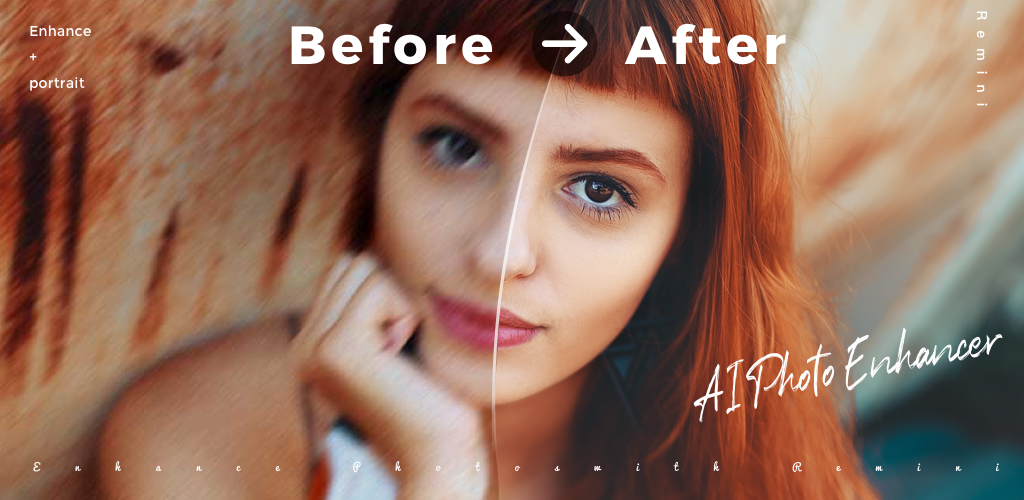
Remini does one job and does it very well. Feed it a low-resolution, blurry, or scanned photo and it reconstructs faces with detail no other mobile app matches. AI Photo Magic Editor's enhance tool applies a generic sharpen and denoise. Remini rebuilds the eyes, skin texture, and hair strands based on a face model, which lands on results that look sharp rather than crunched.
Remini vs AI Photo Magic Editor is a specialist versus a generalist. If the reason you kept AI Photo Magic Editor was the enhance step on old family photos, Remini is the better tool for that exact job.
Where it falls short: Not a general editor, no cropping, no color grading, no stickers. The free tier caps daily enhancements, then throws an ad wall or an upgrade prompt.
Pricing:
- Free: A handful of enhancements per day, watermarked outputs, ads between actions
- Pro: $9.99 a month or $34.99 a year for unlimited enhance, no watermark, priority speed
- vs AI Photo Magic Editor: Pricier per month, but no other tool comes close on restoration
Migrating from AI Photo Magic Editor: Use Remini as the first step on any low-quality source, then finish in your general editor. This chain (Remini enhance, then Snapseed or Picsart for the framing) beats using AI Photo Magic Editor's built-in enhance on almost every photo.
Bottom line: The specialist for enhancement, not a full editor replacement.
Photoroom, best for background swap on product shots
Photoroom was built for sellers and creators shipping product photos at volume. The background remover is the sharpest on the market on that specific job, edges hold up on jewelry, hair, and semi-transparent objects that trip AI Photo Magic Editor. Batch mode processes a folder in one pass with a shared background, which turns an afternoon of edits into a five-minute run.
Photoroom vs AI Photo Magic Editor is background swap at production quality against background swap as a party trick. For anyone selling on Etsy, Depop, or a Shopify store, this is the tool.
Where it falls short: Narrow toolset outside the background use case. Free exports carry a small watermark, and premium templates skew commercial.
Pricing:
- Free: Unlimited background removal, small watermark on shared exports
- Pro: $9.99 a month or $89.99 a year for HD export, batch processing, and brand kits
- vs AI Photo Magic Editor: More expensive premium, dramatically better on the target job
Migrating from AI Photo Magic Editor: Photoroom imports directly from the gallery. Save any brand assets (logos, fonts) once as a brand kit and every future product shot inherits them. AI Photo Magic Editor has no equivalent, so the migration is a one-time setup gain.
Bottom line: The right pick if the background swap use case pays the bills.
PhotoDirector, best for creative effects and short-form video
PhotoDirector comes from CyberLink and rolls two features that AI Photo Magic Editor lacks, sky replacement with matched lighting and animated light effects that render smoothly on a still. The AI stack covers the usual, background remove, object remove, portrait retouch, and adds photo-to-video templates for TikTok and Reels output. It sits at the creative end of the AI editor space, where the point is a striking photo rather than a fixed one.
PhotoDirector vs AI Photo Magic Editor gives you a set of shortcuts to eye-catching results that AI Photo Magic Editor does not attempt.
Where it falls short: Free tier watermarks outputs and caps AI credits weekly. Some effects lean toward the flashy end, which does not suit every subject.
Pricing:
- Free: Basic editor, limited AI credits per week, watermark on premium effects
- Premium: $6.99 a month or $34.99 a year for watermark removal, full AI credits, and 4K export
- vs AI Photo Magic Editor: Comparable price, wider effect library, better video output
Migrating from AI Photo Magic Editor: Same open-in-editor flow. PhotoDirector auto-detects the subject on import, which speeds up sky replacement and background swaps you would rebuild by hand elsewhere.
Bottom line: The most fun option for social-first content, with tools that actually move the needle on engagement.
How to choose
Pick Picsart if AI Photo Magic Editor was your main editor and you want a like-for-like replacement with more depth. It handles the widest range of jobs and grows with you as the projects get more ambitious.
Pick Fotor if the ad load is the deciding factor. The free tier gets you further, the exports come out cleaner, and the AI Agent handles multi-step edits with a single prompt.
Pick Snapseed if the AI shortcuts never delivered what you wanted anyway. It rewards patience with results that look edited, not filtered, and it costs nothing forever.
Pick Remini if you spent most of your time on the enhance tool. Nothing on mobile matches it for restoring blurry, old, or low-resolution shots.
Pick Photoroom if product photos are the reason. Batch background removal alone pays back the subscription in the first week for anyone running a small shop.
Pick YouCam Perfect if selfies and portraits are 80 percent of what you edit. The retouch tools are the best on Android for faces.
Stay on AI Photo Magic Editor only if the specific mix of anime portraits, template art styles, and one-tap background swap fits your workflow and the ads do not bother you. For everything else, one of the seven above is a better fit.
FAQ
Is Picsart better than AI Photo Magic Editor?
For most jobs, yes. Picsart covers the same AI shortcuts and adds real layers, blend modes, a bigger free tier, and a video editor. The Gold subscription costs more than staying on the ad-supported AI Photo Magic Editor, but the free plan already gets further.
Can I use these apps offline?
Snapseed runs fully offline, no account needed. Picsart, Fotor, Photoroom, PhotoDirector, YouCam Perfect, and Remini need a connection for the AI tools because the models run in the cloud, but the manual editing works offline on most of them.
What is the cheapest AI Photo Magic Editor alternative?
Snapseed at zero cost, no subscription, no ads. Fotor's free tier is the cheapest with a full AI toolkit attached. For paid tiers, YouCam Perfect at $5.99 a month is the entry point.
Is there a free version of AI Photo Magic Editor without ads?
No. The app is ad-supported end to end with no ad-removal purchase. Fotor and PhotoDirector both offer free tiers with fewer ad interruptions.
What do people use instead of AI Photo Magic Editor for portrait editing?
YouCam Perfect for retouch, Remini for old or blurry portrait sources, and Picsart when the portrait needs a style transfer or a new background. That three-app stack covers most portrait use cases the AI Photo Magic Editor pitch promises.
Do any of these apps run on iOS too?
Picsart, Fotor, YouCam Perfect, Snapseed, Remini, Photoroom, and PhotoDirector all ship an iOS app with feature parity close to the Android version. AI Photo Magic Editor is Android-only.