
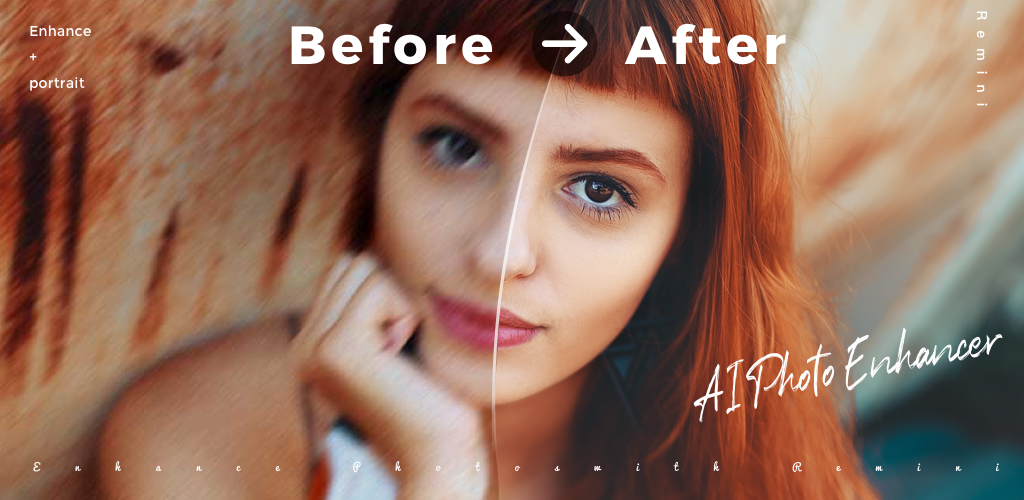
AI photo editing on Android grew up fast between 2024 and 2026. What used to be gimmicky filter apps now handle full portrait restoration, background swaps, and object removal in seconds, mostly server-side but increasingly on-device. The catch: nine out of ten “AI Photo” listings on the Play Store are wrapper apps around the same open models with a heavy subscription push. We tested seven Android photo editors that actually earn the AI label and picked the ones with clean UX, honest pricing, and results worth shipping.
What to look for in an AI photo editor
- Which specific tasks it handles well (upscale, restore, cutout, generate, retouch).
- Whether processing runs on-device or requires an account.
- Free-tier limits before the subscription gate.
- Export quality and format (JPG, PNG, WebP, RAW).
- Batch processing for multiple photos.
- Whether it saves originals, so you can revert.
Quick comparison
| App | Best for | Platforms | Free plan | Starting price/mo | Rating |
|---|---|---|---|---|---|
| Remini | Portrait restoration | Android, iOS | Limited daily uses | Pro from around $9.99 | 4.6 on Play Store |
| Photoleap | Creative composites | Android, iOS | Basic tools only | Pro from around $7.99 | 4.5 on Play Store |
| PhotoRoom | Product and background removal | Android, iOS, Web | Full free with export cap | Pro from around $9.99 | 4.7 on Play Store |
| PhotoDirector | All-around editor | Android, iOS | Ad-supported | Premium from around $5.99 | 4.6 on Play Store |
| Snapseed | Precise manual editing | Android, iOS | Full free forever | Free | 4.4 on Play Store |
| Picsart | Social-first templates | Android, iOS, Web | Basic tools only | Gold from around $11.99 | 4.2 on Play Store |
| Adobe Lightroom | RAW and pro workflow | Android, iOS, Web | Basic edits and presets | Premium from around $9.99 | 4.6 on Play Store |
The apps
1. Remini, best for portrait restoration
Remini is the app your parents heard about from a Facebook ad, and this time the hype is close to justified. Point it at a blurry old family photo and the face restoration is state of the art. The AI Photo Studio module generates polished portrait sets from a handful of selfies, which is what pushed the app to number one on the App Store for weeks in 2024.
Where it falls short: Non-portrait subjects (buildings, pets, landscapes) get less attention. Free tier is genuinely limited and the subscription upsell is aggressive.
Pricing:
- Free: A handful of enhance operations per day, watermarked.
- Paid: Pro from around $9.99 per month or around $70 per year.
Platforms: Android, iOS.
Bottom line: Nothing beats it for restoring old family portraits. Skip it if you shoot landscapes or products.
2. Photoleap, best for creative composites
Photoleap by Lightricks is the app for photographers who want to combine multiple images into a single scene. AI Generative Fill, sky replacement, and object masking all work well on Android, and the interface manages to stay usable on a phone screen rather than dumbing itself down.
Where it falls short: Some pro tools push you to sign in via Google or Facebook. The free tier removes most AI features quickly.
Pricing:
- Free: Basic editing tools without AI.
- Paid: Pro from around $7.99 per month or around $40 per year.
Platforms: Android, iOS.
Bottom line: Best for creative work when a single frame is not enough.
3. PhotoRoom, best for backgrounds and product shots
PhotoRoom hit the top of every “cutout” list for a reason. The background remover is the most accurate on Android, and the “AI Backgrounds” generator produces studio-grade scenes for product photography without a light box. Sellers on Etsy and Depop lean on it heavily.
Where it falls short: Free tier caps exports at 1080px. Some templates require the Pro subscription even after you generate the image.
Pricing:
- Free: Unlimited edits with a resolution cap and watermarks.
- Paid: Pro from around $9.99 per month or around $46 per year.
Platforms: Android, iOS, Web.
Bottom line: The pick if you sell online or need clean cutouts constantly.
4. PhotoDirector, best all-round AI editor
PhotoDirector by CyberLink packs the widest AI toolkit on Android: object removal, sky replacement, AI style transfer, video features, and animation from a still photo. The Android app is the most feature-rich in this list and does not cripple the free tier as hard as the competition.
Where it falls short: The interface is dense. Ads on the free tier interrupt every few operations.
Pricing:
- Free: Most tools work with ads and watermarks.
- Paid: Premium from around $5.99 per month, often on sale under $30 per year.
Platforms: Android, iOS.
Bottom line: Best per-dollar toolkit if you want AI plus traditional edits in one app.
5. Snapseed, best free manual editor
Snapseed from Google predates the AI photo boom and still holds up because it does the fundamentals better than everyone else. Selective adjustments, curves, and healing are precise enough for professional work. The recent AI additions (like Portrait mode Face Enhance) are subtle rather than transformative, which many users prefer.
Where it falls short: Google has slowed development to a trickle since 2018. No AI generation, no cloud sync, no video support.
Pricing:
- Free forever.
- No paid tier, no ads.
Platforms: Android, iOS.
Bottom line: Get it as a free companion to any AI-heavy app for the manual work AI cannot do well.
6. Picsart, best for social templates
Picsart leans hard into templates and social-media presets. AI generation and remixing work fine, but the real draw is the enormous library of templates for Reels, Stories, and TikTok covers. If your photo edits are mostly headed to social feeds, Picsart cuts hours off template searching.
Where it falls short: Very aggressive Gold subscription prompts. Cluttered UI with community feeds you probably do not want.
Pricing:
- Free: Basic editing without AI.
- Paid: Gold from around $11.99 per month or around $55 per year.
Platforms: Android, iOS, Web.
Bottom line: Get it if your output is social posts and you value template variety over pure editing power.
7. Adobe Lightroom, best for RAW and pro workflow
Adobe Lightroom brings the real Lightroom to Android, plus Adobe’s Sensei AI features for masking, denoise, and lens blur. It handles RAW files (DNG, ARW, CR3) cleanly from Android phones with pro camera apps, and syncs edits to the desktop app if you already own a Creative Cloud plan.
Where it falls short: The mobile-only Premium tier is the same price as some Creative Cloud plans that also include desktop Lightroom. Cluttered navigation on smaller phones.
Pricing:
- Free: Basic edits and presets.
- Paid: Premium from around $9.99 per month, or bundled inside Adobe Photography plan around $19.99.
Platforms: Android, iOS, Web, Mac, Windows.
Bottom line: The pick if you already shoot RAW or live in the Adobe ecosystem.
How to pick the right one
- If you mostly restore old family portraits: Remini.
- If you build multi-layer composites: Photoleap.
- If you sell online and need cutouts: PhotoRoom.
- If you want the widest AI toolkit at the lowest paid price: PhotoDirector.
- If you refuse to pay: Snapseed.
- If your photos end up on social feeds: Picsart.
- If you shoot RAW or already pay Adobe: Adobe Lightroom.
FAQ
What is the best free AI photo editor for Android?
Snapseed is the best fully free option, though its AI features are limited. PhotoRoom’s free tier has the most modern AI (background removal) with a resolution cap but no watermark on personal use. Remini and PhotoDirector both offer generous free trials of their paid tiers.
Do these apps work offline?
Snapseed runs fully offline. Adobe Lightroom’s core edits work offline, cloud sync is optional. Remini, PhotoRoom, Photoleap, PhotoDirector, and Picsart send images to the cloud for AI processing.
Are AI photo apps safe for privacy?
Cloud AI apps upload your photos to their servers, retained for varying periods per each app’s privacy policy. If privacy matters, favor Snapseed (offline) or Adobe Lightroom with cloud sync disabled. Read the retention clause before uploading anything you would not share publicly.
Can these apps replace Photoshop on desktop?
Not quite. Photoleap and PhotoDirector cover 80% of common Photoshop tasks. Real layered compositing, precise masks with feather control, and print-quality output still favor desktop apps. For quick portrait and product work on the go, these apps are enough.
Which app is best for restoring old family photos?
Remini is the standout for portrait restoration. PhotoDirector is a solid free alternative for landscapes and non-face subjects. For very old damaged photos with tears or missing sections, pair Remini with Photoleap’s Generative Fill.


