Series producer Kazuhisa Wada told Eurogamer this summer that remakes of Persona 1 and 2 will “probably eventually” happen. That is the kind of answer that shifts a fanbase from waiting to acting. If Atlus takes another five years to green-light those remakes, the practical way to play the originals in 2026 is the same way people play them now: emulation on desktop.
The same tools open the door to a much wider classic JRPG library. Final Fantasy VII, Chrono Cross, Suikoden II, Xenogears, and Dragon Quest VIII are among the hundreds of PS1 and PS2 games stranded on discs and consoles Sony no longer sells at retail. We ran eight desktop emulators through JRPG-heavy playlists on Windows 11, macOS Sequoia, and Ubuntu 24.04. The picks below cover every major console generation the classic JRPG catalog lives on.
What to look for in a JRPG emulator
- System coverage. A single-console emulator (PCSX2, mGBA) is fine when you care about one library. A multi-system frontend (RetroArch, Ares) covers a whole shelf at once with one interface.
- Save states plus fast-forward. Classic JRPGs are grindy. Save states protect thirty-minute dungeon runs from a crash or a bad decision, and fast-forward turns the mandatory level treadmill from a chore back into a game.
- Texture upscaling and internal-resolution boost. PS1 warps textures at triangle edges (PGXP fixes it), PS2 renders at 480p, and both look painful at 4K unless the renderer scales geometry. Modern emulators do; check before you install.
- Controller support. JRPGs need a clean d-pad for menus and a comfortable analog stick for battles. Every pick here supports Xbox, DualSense, and 8BitDo controllers out of the box, but the mapping UX varies.
- Low config friction. DuckStation, mGBA, and Snes9x set sensible defaults on first launch. Others still ask for XML edits, BIOS paths, and per-title tweaks before a game boots.
Quick comparison
| App | Console | Platforms | Cost | Standout feature |
|---|---|---|---|---|
| DuckStation | PS1 | Win, macOS, Linux | Free | PGXP geometry correction, first-launch usable |
| PCSX2 | PS2 | Win, macOS, Linux | Free | 4K upscaling, widescreen patches, near-complete compatibility |
| RetroArch | 30+ systems | Win, macOS, Linux | Free | One library, one shader stack, one controller map |
| mGBA | GBA | Win, macOS, Linux | Free | High accuracy, tiny footprint, link-cable support |
| Snes9x | SNES | Win, macOS, Linux | Free | Rock-solid stability on any hardware from the last decade |
| PPSSPP | PSP | Win, macOS, Linux | Free | HD upscaling and texture packs for PSP JRPGs |
| Ares | SNES + 15 more | Win, macOS, Linux | Free | Cycle-accurate cores in the bsnes lineage |
| melonDS | Nintendo DS | Win, macOS, Linux | Free | Best two-screen scaling and Wi-Fi emulation |
The apps
1. DuckStation, best for PS1 JRPGs
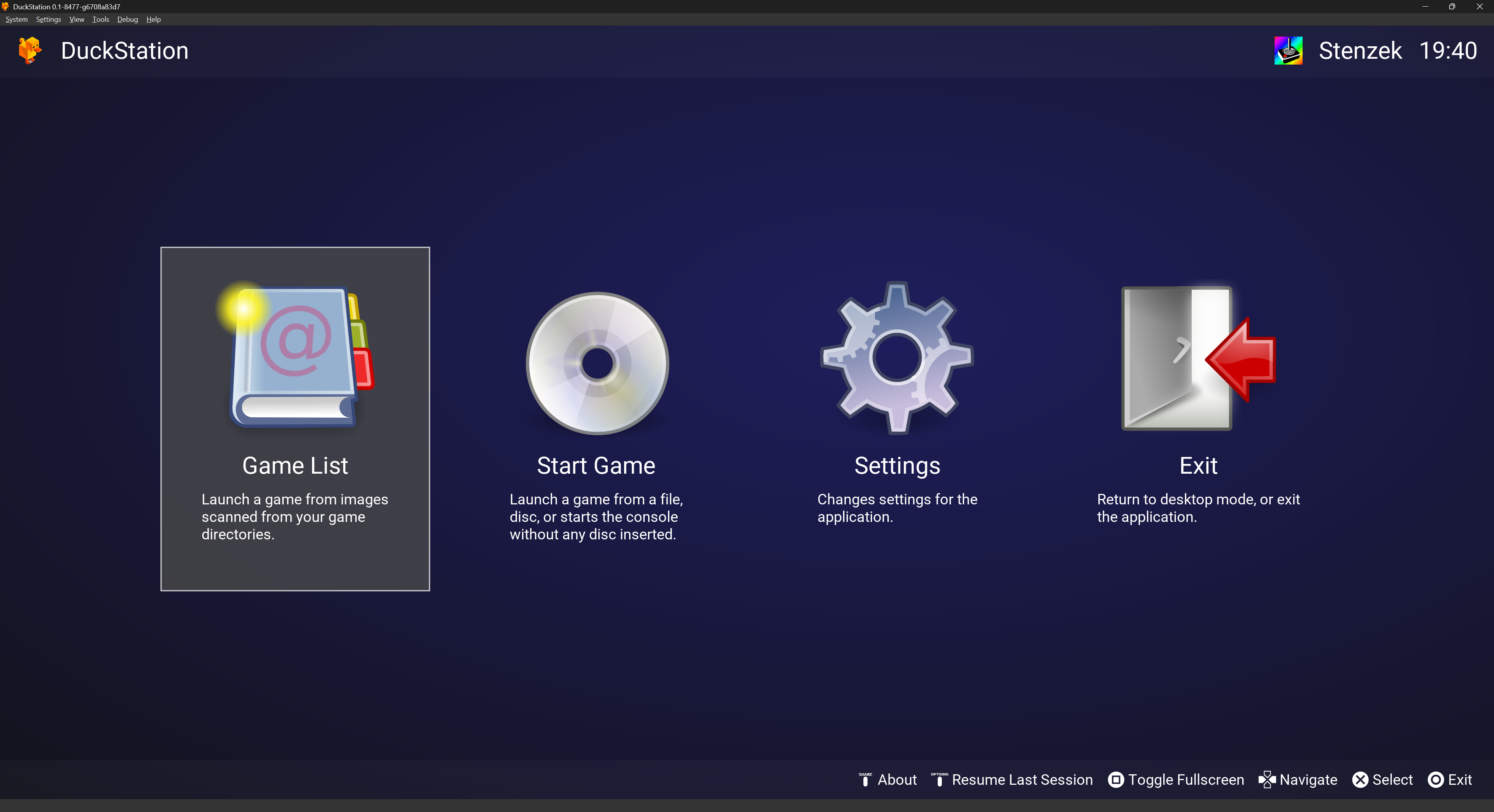
DuckStation from Stenzek turned complex PS1 emulation into a first-launch experience. It reads BIN/CUE and CHD images, ships with PGXP geometry correction that removes the wobbling textures that defined the original hardware, and upscales PS1 output cleanly to 4K without breaking texture alignment. Final Fantasy VII, Chrono Cross, Suikoden II, and Xenogears all run at full speed on modest CPUs and look better than they ever did on the PS1.
Where it falls short: Needs a dumped PS1 BIOS file to boot commercial games. The rolling-release cadence means the “stable” build lags feature work by several weeks.
Pricing: Free and open-source.
Platforms: Windows, macOS, Linux.
Download: DuckStation on duckstation.org
Bottom line: The default PS1 emulator in 2026 for JRPGs. Zero-friction setup, best-in-class geometry correction.
2. PCSX2, best for PS2 JRPGs
PCSX2 (recently rewritten around a Qt frontend) is the only PS2 emulator that ships a truly complete compatibility list for the console’s JRPG catalog. Persona 3, Persona 4, Final Fantasy X, Final Fantasy XII, Shadow Hearts, Dragon Quest VIII, and the Suikoden PS2 games run cleanly at 4K with widescreen patches, and the AVX2 recompiler keeps frame times steady on any Zen 2 or newer CPU.
Where it falls short: Needs a PS2 BIOS dump. A handful of action titles still need per-game tweaks, though JRPGs are almost universally in the boot-and-play bucket.
Pricing: Free and open-source.
Platforms: Windows, macOS, Linux.
Download: PCSX2 on pcsx2.net
Bottom line: No other PS2 emulator comes close in 2026. Widescreen at 4K makes Persona 4 look like a modern port.
3. RetroArch, best all-in-one frontend
RetroArch is the multi-system frontend that wraps dozens of emulator cores under one library, one shader stack, one controller-mapping UI, and one save-state format. For a JRPG fan with a mixed shelf (SNES Chrono Trigger, GBA Golden Sun, DS Dragon Quest IX, PS1 Final Fantasy VII), it keeps the entire collection in one place instead of scattering it across five apps. The CRT and NTSC shaders are the best in the space.
Where it falls short: Onboarding is steep. Cores must be downloaded per-system, and the menu language leans engineer-first. Expect a two-hour learning curve before it feels comfortable.
Pricing: Free and open-source.
Platforms: Windows, macOS, Linux.
Download: RetroArch on retroarch.com
Bottom line: The right pick when you want one library and one interface across every JRPG-era console.
4. mGBA, best for GBA JRPGs
mGBA from endrift is the accuracy-first Game Boy Advance emulator that quietly became the default in the last five years. Final Fantasy Tactics Advance, Golden Sun, Fire Emblem, Mother 3, and the Pokemon third-generation games all run without frame drops on laptops from a decade ago, with save states, rewind, and a working link-cable emulator for trading Pokemon between two mGBA instances.
Where it falls short: GBA is the flagship. The Game Boy and Game Boy Color cores are supported but less polished, and the DS core is still labeled experimental.
Pricing: Free and open-source.
Platforms: Windows, macOS, Linux.
Download: mGBA on mgba.io
Bottom line: The Game Boy Advance emulator to install first. Every piece of it, from the shader library to the debugger, sits a step above VBA-M.
5. Snes9x, best for stable SNES JRPGs
Snes9x is the SNES emulator that has quietly run Super Nintendo JRPGs on every desktop OS for two decades. Chrono Trigger, Final Fantasy VI, Earthbound, Super Mario RPG, Tales of Phantasia, and Star Ocean all play at full speed on any hardware from the last fifteen years, with save states, cheat search, and a light shader library that keeps the pixel art crisp.
Where it falls short: Not the most accurate SNES emulator (bsnes and Ares hold that title). Star Ocean and Tales of Phantasia run better on Ares thanks to more faithful special-chip modeling.
Pricing: Free and open-source.
Platforms: Windows, macOS, Linux.
Download: Snes9x on snes9x.com
Bottom line: The zero-friction pick for SNES JRPGs. Install and play. Reach for Ares when accuracy matters.
6. PPSSPP, best for PSP JRPGs
PPSSPP from Henrik Rydgard lets a huge slice of the PSP JRPG catalog run at 4K on desktop. Persona 3 Portable, Crisis Core, Ys Seven, Tactics Ogre: Let Us Cling Together, Final Fantasy IV: The Complete Collection, and the two Kingdom Hearts PSP entries all play cleanly, and PPSSPP’s texture-replacement system feeds community HD packs into games that shipped at 480x272.
Where it falls short: A handful of late-life PSP titles hit shader-compilation stutter on first play. Vita-only games need Vita3K instead.
Pricing: Free and open-source. The Gold build on Google Play is a cosmetic donation version of the same app.
Platforms: Windows, macOS, Linux.
Download: PPSSPP on ppsspp.org
Bottom line: The right pick for PSP JRPGs at desktop resolutions. Texture packs push Crisis Core beyond what the original hardware ever managed.
7. Ares, best accuracy-first multi-system option
Ares (formerly higan, with lineage back to bsnes) is the cycle-accurate emulator project from byuu’s successors. It runs SNES, Game Boy, Game Boy Color, Game Boy Advance, Master System, Mega Drive, Neo Geo, PlayStation 1, Saturn, WonderSwan, and more, each on a core built for hardware fidelity rather than raw speed. For JRPG fans, it matters most on SNES special-chip games (Star Ocean, Tales of Phantasia) and on GBA titles where mGBA’s low-level modeling still leaves edge cases.
Where it falls short: Higher CPU cost than Snes9x or mGBA. The UI is austere; do not expect the boxart shelf that RetroArch ships.
Pricing: Free and open-source.
Platforms: Windows, macOS, Linux.
Download: Ares on ares-emu.net
Bottom line: The reference emulator for players who care about frame-perfect behavior. Overkill for casual play, essential for tool-assisted runs and preservation work.
8. melonDS, best for Nintendo DS JRPGs
melonDS from Arisotura is the current-generation Nintendo DS emulator, and it is the one to install for the DS JRPG catalog: Dragon Quest IX, Dragon Quest V DS, Dragon Quest VI DS, Final Fantasy III DS, Final Fantasy IV DS, Chrono Trigger DS, The World Ends With You, and Etrian Odyssey. It handles the two-screen layout cleanly, supports both OpenGL and software renderers, and its Wi-Fi emulation is the best on the desktop side of DS play.
Where it falls short: Ships without a DS BIOS or firmware, which you must dump from real hardware for full compatibility (an open-source fallback is included, but it breaks a small number of games). The macOS build occasionally lags the Windows build on bug fixes.
Pricing: Free and open-source.
Platforms: Windows, macOS, Linux.
Download: melonDS on melonds.kuribo64.net
Bottom line: The DS JRPG emulator of choice in 2026. DeSmuME still runs, but active development sits on melonDS.
How to pick the right one
The right pick depends on the console library you want to play first.
- PS1 Final Fantasy VII, Chrono Cross, Suikoden II, Xenogears: DuckStation. Nothing else is close on setup ease.
- PS2 Persona 3, Persona 4, Final Fantasy X, Final Fantasy XII, Dragon Quest VIII: PCSX2. It is the only game in town, and it is a very good one.
- PSP Persona 3 Portable, Crisis Core, Tactics Ogre, Ys Seven: PPSSPP. HD upscaling and texture packs push these games past their original resolution.
- SNES Chrono Trigger, Final Fantasy VI, Earthbound, Super Mario RPG: Snes9x for zero-friction play, Ares when accuracy matters.
- GBA Golden Sun, Mother 3, FF Tactics Advance, Pokemon Emerald: mGBA.
- DS Dragon Quest IX, FFIV DS, Chrono Trigger DS, The World Ends With You: melonDS.
- Mixed shelf with one interface: RetroArch. The learning curve is real, but the payoff is a single save-state format, shader stack, and controller mapping across every JRPG-era console.
- Preservation and cycle-accurate play: Ares. It is the reference against which the others are measured.
FAQ
Is emulation legal?
The emulators themselves are legal in the United States and most of Europe. Playing games with them is where the question gets tangled. The safest path is to dump BIOS and game images from hardware you already own. Downloading commercial BIOS files or game ROMs from the internet is copyright infringement in most jurisdictions, regardless of whether you own the physical copy. Rules vary by country. Check yours before assuming.
Where do I get game ROMs?
The intended source is a personal dump from a disc or cartridge you own. PS1 and PS2 games rip to BIN/CUE or CHD from an optical drive. GBA, SNES, and DS cartridges dump through hardware devices such as GBxCart or RetroDe. This site does not link to ROM archives, and we do not recommend downloading commercial games you do not own.
What is the best all-in-one JRPG emulator?
RetroArch, if you can invest the two-hour setup. It runs every JRPG-era console through one interface, saves and shaders share formats across cores, and a Steam Deck build ships as a Verified app. If the setup complexity is off-putting, install DuckStation, PCSX2, mGBA, Snes9x, and melonDS side by side. They stay out of each other’s way.
Can I emulate PS1 on Mac in 2026?
Yes. DuckStation ships a native Apple Silicon build, and PCSX2 released its first stable macOS build in 2024. Both run cleanly on M1 through M4 Macs, and neither needs Rosetta. Ares and PPSSPP also have current macOS builds, and Snes9x, mGBA, and melonDS ship native macOS binaries.
Are these emulators safe to install?
The eight above are open-source projects with public source code and community-audited builds. Download only from the official project sites listed here. A common attack vector for retro-emulation users is fake “DuckStation” or “PCSX2” download pages served through search ads; the URLs above go to the real projects.