A container that has crashed is easy to catch. A container that keeps running while the app inside it is deadlocked is the one that costs a Friday evening. Docker’s built-in restart policy plus a health check is the first line of defense, and the tools around it (auto-heal watchdogs, image updaters, dashboards) are the reason a homelab stays up between visits. The best apps for Docker container restart policies are the ones that make that combination boring, which is exactly the goal.
We picked eight tools that together cover the setup: how to declare the policy, how to spot a hung container, how to see everything from a browser, and how to keep the images current without a middle-of-the-night surprise.
What to look for in a container-restart tool
Whether it is bundled with Docker or bolted on, a useful tool has:
- A clear declaration of what restart means: on failure, on non-zero exit, always, unless-stopped. Confusing that policy has caused more outages than the containers it protects.
- Health checks the tool can act on, not just report. Reporting is a monitor. Restarting is a fix.
- A single dashboard or CLI view that answers “which containers are behaving today”.
- Update handling that is opt-in per container and lets you pin the ones that must not move.
- Zero surprises on host reboot. Compose files and restart policies should compose to the same state after a power cycle as before.
The eight tools below stack cleanly. Pick the ones your stack does not already have.
Quick comparison
| App | Best for | Deploy shape | Cost |
|---|---|---|---|
| Docker Compose | Declaring the policy | CLI + YAML | Free |
| Willfarrell Autoheal | Restarting unhealthy containers | Sidecar container | Free, open-source |
| Watchtower | Auto-updating images | Sidecar container | Free, open-source |
| Portainer | Web dashboard with restart controls | Web UI container | Free CE, paid Business |
| Dockge | Compose-first web UI | Web UI container | Free, open-source |
| Diun | Update notifications, no auto-pull | Sidecar container | Free, open-source |
| Uptime Kuma | Alerting when a container disappears | Web UI container | Free, open-source |
| Ouroboros | Alt auto-updater | Sidecar container | Free, open-source |
1. Docker Compose, best for declaring the policy
Docker Compose is where the policy actually lives. restart: unless-stopped in a docker-compose.yml file, plus a healthcheck block, gives Docker the two pieces it needs to keep a service up. Compose in the current Docker CLI is fast and stable, and a repo full of Compose files is the single source of truth every other tool on this list reads from.
Where it falls short: Compose does not act on unhealthy state. A container marked unhealthy will keep running unless a separate watchdog restarts it. That is the gap Autoheal fills.
Pricing:
- Free with Docker Desktop and Docker Engine.
Platforms: Windows, Linux, macOS.
Download: docs.docker.com/compose
Bottom line: The base layer. Every restart-policy story on the rest of this list assumes a Compose file underneath.
2. Willfarrell Autoheal, best for restarting unhealthy containers
Autoheal is a one-container sidecar that polls Docker’s own health API and restarts any container that has been marked unhealthy for longer than a threshold. Opt-in per container with a simple label. Setup is a single Compose service.
Where it falls short: it only reacts to Docker’s own healthcheck signal. If the container never went unhealthy because the app’s healthcheck is wrong, Autoheal cannot help.
Pricing:
- Free, open-source.
Platforms: Any Docker host (Linux, Windows, macOS).
Download: github.com/willfarrell/docker-autoheal
Bottom line: The missing piece. Every homelab and small production stack should be running this next to Compose.
3. Watchtower, best for auto-updating images
Watchtower watches the tag you deployed and, when the upstream image has moved, pulls the new image and restarts the container. Configurable per label, so a database can stay pinned while a static site auto-updates. Notifications land in Slack, Discord, or webhook.
Where it falls short: auto-updates are a double-edged sword. Pin the containers that matter (databases, anything with schema migrations); let the leaves auto-update.
Pricing:
- Free, open-source.
Platforms: Any Docker host.
Download: containrrr.dev/watchtower
Bottom line: The default auto-updater; use it with labels, not the “update everything” mode.
4. Portainer, best for a web dashboard with restart controls
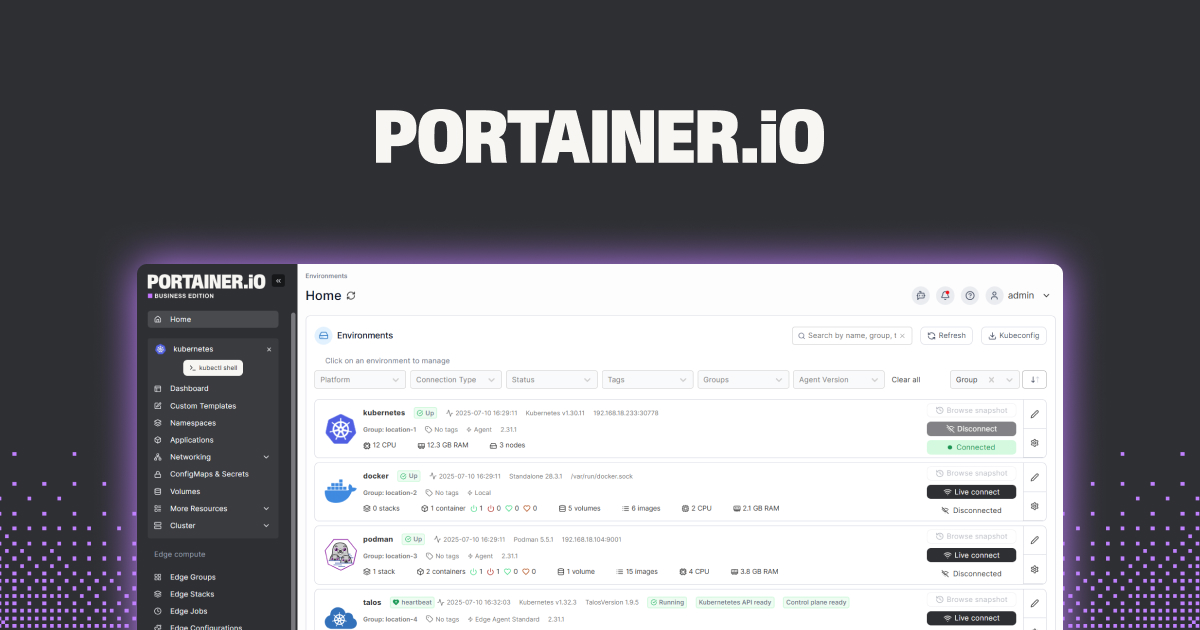
Portainer is the Docker web UI most self-hosters end up on. It lists every container, shows health and restart status, exposes a Restart button for each, and supports Compose stack management. The Community Edition is free and covers a homelab; Business unlocks role-based access and multi-cluster.
Where it falls short: it is a lot of UI for a single-host stack. If your setup is one machine, Dockge is lighter.
Pricing:
- Free (Community Edition).
- Business is a paid subscription for larger deployments.
Platforms: Any Docker host.
Download: portainer.io
Bottom line: Best pick for anyone running several hosts or wanting a real dashboard for guests.
5. Dockge, best for Compose-first browsing
Dockge treats Compose files as first-class. It edits the YAML in place, restarts the stack when you save, and shows container status inline. If Portainer feels heavy for a single-host setup, Dockge is what to replace it with.
Where it falls short: single-node focus; no multi-host management. Newer project, but stable in the current release.
Pricing:
- Free, open-source.
Platforms: Any Docker host.
Download: github.com/louislam/dockge
Bottom line: The lighter dashboard for a one-machine setup with a growing Compose repo.
6. Diun, best for update notifications without auto-pull
Diun (Docker Image Update Notifier) watches image tags and notifies when a new one lands, without pulling or restarting. For the containers you want to update by hand (databases, anything with a manual step), Diun tells you when to plan the update.
Where it falls short: notification-only by design. If the goal is “just update everything overnight”, use Watchtower instead.
Pricing:
- Free, open-source.
Platforms: Any Docker host.
Download: github.com/crazy-max/diun
Bottom line: The complement to Watchtower. Auto-update the safe stuff, notify on the rest.
7. Uptime Kuma, best for alerting when a container disappears
Uptime Kuma is a self-hosted status page and alerter. Point it at each container’s exposed port or at a Docker socket, and it pings on a schedule. When a container drops out, Kuma alerts through Discord, Telegram, email, or webhook, and the status page shows the outage window.
Where it falls short: it monitors, it does not restart. Pair with Autoheal for the closed loop.
Pricing:
- Free, open-source.
Platforms: Any Docker host.
Download: uptime.kuma.pet
Bottom line: The alert layer above Autoheal. Together they cover the “was down, is back” story.
8. Ouroboros, best as an alternative auto-updater
Ouroboros is the older alternative to Watchtower. It does the same job (poll upstream, pull, restart) with a slightly different config surface. Both projects are well-maintained; pick whichever docs read cleanest.
Where it falls short: the community is smaller than Watchtower’s, so troubleshooting hits fewer forum threads.
Pricing:
- Free, open-source.
Platforms: Any Docker host.
Download: github.com/pyouroboros/ouroboros
Bottom line: A fine second-choice auto-updater. Most stacks land on Watchtower first.
How to pick the right one
- Start with Docker Compose and a
restart: unless-stoppedon every service. - Add Autoheal for the healthcheck-driven restart.
- Add Watchtower for auto-updates on leaf containers, and Diun for notifications on the ones you refuse to auto-update.
- Add Uptime Kuma for alerting, so a genuine outage gets your attention.
- Pick Portainer for a multi-host dashboard, or Dockge for a single-host Compose editor.
- Ouroboros is an alternative to Watchtower; use it if the config style clicks for you.
FAQ
What is the difference between Docker’s restart policies?
no never restarts, on-failure restarts on a non-zero exit, always restarts on any stop including manual, and unless-stopped restarts on failure and reboot but not on a manual stop. unless-stopped is the default for most self-hosted stacks.
Does Docker restart a container that has hung but not crashed?
No. Docker only reacts to the container’s exit. To restart a hung container, add a healthcheck and pair it with Autoheal or a similar watchdog.
Is Watchtower safe for production?
For leaf services with immutable data, yes. For databases and anything with schema migrations, pin the image and update by hand. Watchtower supports label-based opt-in.
Portainer or Dockge for a home server?
Portainer for multiple hosts or when you need role-based access. Dockge for a single host where the Compose file is the source of truth.
Do I need a separate alerter if I have Portainer?
Portainer surfaces container status but does not alert you. Uptime Kuma or another notification tool sends the message when a container drops.
What’s the smallest useful stack?
Compose with restart: unless-stopped and a healthcheck, plus Autoheal. That combination covers 80 percent of the “container hung overnight” scenario.