Picture the scene. A homelab compose stack has been humming along for six months. Jellyfin, Paperless, Immich, Postgres, the usual. One Saturday morning we run docker compose pull && docker compose up -d, expecting the same five-second no-op we always get. Postgres refuses to start. The logs say the on-disk data directory was initialized by an older major version and cannot be read by the new one. That is what pinning to :latest gets us. The :latest tag is not a version, it is a bookmark the maintainer moves whenever they feel like it, and the day it points at Postgres 17 instead of Postgres 16 is the day the weekend disappears. Below are the best apps for Docker image version pinning we still trust in 2026, from full automation to plain old notifications.
Why :latest is a footgun, in one paragraph
Two hosts pull the same :latest a week apart and end up running different builds. A CI job baked six months ago rebuilds today and pulls in breaking upstream changes nobody read the changelog for. Rolling back is a scavenger hunt because Docker Hub tag histories vanish. The fix is boring and works: pin to a semver tag you chose on purpose (postgres:16.4), or better, pin to an image digest (postgres@sha256:...) so you get the exact bytes every time. The tools below either do that pinning for us automatically, or watch our current pins and tell us when it is safe to move up.
What to look for in a Docker version-pinning tool
Five things matter when we pick one:
- Format coverage. It needs to parse whatever we already use. Compose is table stakes. Kubernetes manifests, Helm charts, Swarm stacks, Dockerfiles, and GitHub Actions workflows are all fair game.
- Semver and digest awareness. A good tool understands that
1.2.3is a minor bump from1.2.2, offers digest-locked variants, and does not treat a Postgres major bump the same as a patch. - Changelog surfacing. When it proposes an update, it should link to the release notes so we can spot the “breaking database format” line before merging.
- Auto-PR vs notify-only. Some tools open a pull request with the diff, others just ping our chat. Both are valid. Silent unattended updates are only fine for stateless containers we can recreate at will.
- CI integration. It should slot into whatever we already run: GitHub Actions, GitLab CI, Gitea, or a self-hosted runner. No extra dashboards we forget to log into.
Comparison table
| Tool | Best for | Auto-updates | Notify-only | Setup |
|---|---|---|---|---|
| Renovate | Git-backed compose or K8s repos | Yes (via PR) | Yes | Moderate |
| Watchtower | Stateless homelab containers | Yes (live pull) | Yes | Very easy |
| Diun | Alert-only for any registry | No | Yes | Easy |
| What’s up Docker | Web UI + notifications for homelabs | Optional | Yes | Easy |
| Portainer | Teams who prefer a GUI | Manual per stack | Yes | Easy |
| Dependabot | Public GitHub repos with compose files | Yes (via PR) | No | Zero |
| Trivy | Security-first version audits | No | Yes (report) | Easy |
| Podman Desktop | Podman and K8s-adjacent workflows | Manual | Yes | Easy |
The tools
1. Renovate
Renovate is the closest thing to a real answer here. Point it at a repo containing docker-compose.yaml, Dockerfiles, Kustomize overlays, or Helm charts, and it opens a pull request every time an image gains a new tag. It understands digest pinning, so we can pin postgres:16.4@sha256:... and Renovate will keep both halves in sync. Grouping rules let us bundle patch releases into one PR while keeping major bumps separate, which matches how most of us actually want to review changes. Self-hosted or on Mend’s free hosted app, it is the same engine. The learning curve is real (the config file is JSON5 with a lot of knobs), but once it is running, it is the tool that most reliably keeps a homelab honest.
Download: Website
2. Watchtower
Watchtower is the classic. Drop it into a compose file, tell it which containers to watch, and it will pull new images and recreate the container in place. That is a superpower for stateless services (a reverse proxy, an ephemeral tool) and a landmine for stateful ones (a database, anything with a schema). The right way to run Watchtower in 2026 is with a label allowlist, notifications on, and a hard rule that nothing with persistent data is on its list. Used that way, it is still the fastest way to keep the boring 80 percent of a homelab fresh without babysitting.
Download: Website
3. Diun (Docker Image Update Notifier)
Diun does one thing. It watches images (from Docker labels, a compose file, a Swarm service, a Kubernetes cluster, a static YAML list) and sends a notification when a new tag or digest appears. No pulling, no restarting, just a message in Discord, Slack, Gotify, Ntfy, Matrix, email, or a webhook. For homelabbers who want to stay in the loop but always decide themselves when to update, Diun is the default pick. It is a single Go binary, the config is a short YAML file, and it forgets nothing.
Download: Website
4. What’s up Docker (WUD)
WUD is the modern successor to the “watch and notify” niche. It has a web UI that shows every container it tracks, the current tag, the newest available tag, and a diff link where possible. It supports the usual notification backends plus Home Assistant, Apprise, and MQTT, which means it slots into a smart-home dashboard nicely. It can trigger updates through Docker, Kubernetes, or an HTTP webhook, so we can wire it to whatever release pipeline we already use. For anyone who liked Diun but wants a screen to look at, WUD is the upgrade.
Download: Website
5. Portainer
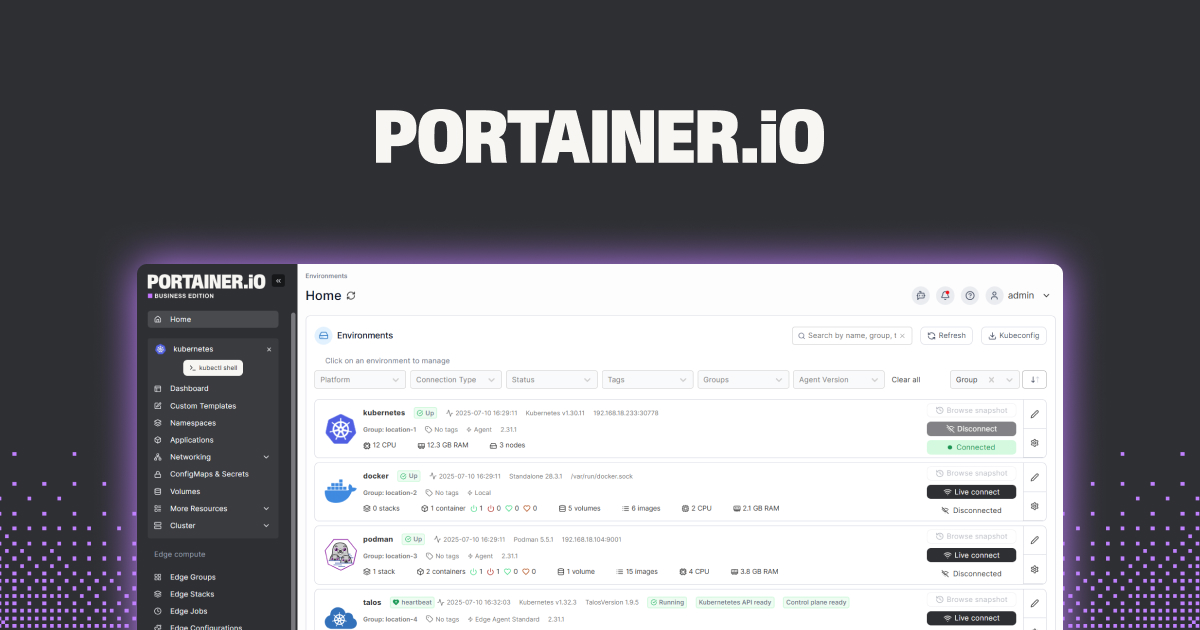
Portainer is a GUI for Docker and Kubernetes, and its stack view surfaces the image tag we are running side by side with what is available. It will not open pull requests or write digest pins for us, but it makes the pin visible and the update button explicit, which matters when the person maintaining the homelab is not the same person who set it up. Community Edition is free and covers everything most self-hosters need. Business Edition adds RBAC and multi-cluster management for teams.
Download: Website
6. Dependabot
If our compose files live in a public or GitHub-hosted repo, Dependabot is free and requires almost no setup. Enable it, add a two-line dependabot.yml with package-ecosystem: docker, and it opens a pull request whenever any FROM image:tag in the tree gets a new tag. It is narrower than Renovate (no grouping, no digest sync, fewer ecosystems), but for a team already living in GitHub PRs, it is the path of least resistance. Renovate wins on features, Dependabot wins on friction.
Download: Website
7. Trivy
Trivy is a vulnerability scanner, not an updater, but it belongs in this list because half the reason we pin versions is to know which CVEs we are actually exposed to. Point Trivy at a running container, a compose file, or a Kubernetes namespace, and it prints every known CVE against the exact image tag. The output makes it obvious when a pin has aged badly, and it pairs perfectly with Renovate: Trivy says which image needs updating and why, Renovate opens the PR that does it. It runs as a CLI, a CI step, or a Kubernetes operator, all from the same binary.
Download: Website
8. Podman Desktop
For anyone who moved to Podman (or is running Docker on macOS through a lighter runtime), Podman Desktop covers the same ground Portainer does for Docker. It lists local containers with their current image tag, shows updates, and speaks Kubernetes manifests natively, which is handy when a homelab is halfway to k3s. It is not a scheduler and it is not opinionated about pinning, but it makes the current pin obvious and the diff between local and registry one click away. Free, open-source, and cross-platform.
Download: Website
How to pick the right one
The answer is almost always two of these, not one.
- For a git-backed compose or Kubernetes repo: Renovate. It handles Dockerfiles, compose, Helm, Kustomize, and Actions workflows in one config, and it will keep digest pins current.
- For a homelab where we just want alerts and to decide ourselves: Diun or What’s up Docker. WUD if we want a dashboard, Diun if we want a single binary and a notification.
- For teams already on GitHub with public compose files: Dependabot. Two lines of YAML, zero cost, PRs land in the same review queue as everything else.
- For unattended auto-updates: Watchtower, but only for stateless services with a strict label allowlist and notifications on. Never point it at a database.
- For security-first pinning: Trivy for the audit, Renovate for the PRs. Trivy tells us the pin is dangerous, Renovate proposes the fix.
- For GUI-first teams: Portainer for Docker, Podman Desktop for Podman. Neither will automate updates, both make the pin visible.
Pair a notifier or PR bot with an auditor and the “compose stack that ran clean for six months and then exploded” problem stops happening.
FAQ
Why is pinning to :latest bad?
Because :latest is not a version. It is a movable pointer the image maintainer changes whenever they publish a new build. Two servers that pulled image:latest a week apart are running different binaries, and a rebuild months later can drag in a breaking upstream change silently. Pinning to a specific tag like :1.24.2, or better a digest like @sha256:..., means the same input always produces the same running container.
Should I pin Docker images to a digest?
For anything that touches production or stateful data, yes. A digest is the immutable content hash of a specific image, so postgres:16.4@sha256:abc... will always pull the exact same bytes even if the maintainer later republishes the 16.4 tag with a different build. Renovate and What’s up Docker both understand digest pins and will keep them updated for us, which removes the usual “digests are annoying to maintain by hand” objection.
What is the difference between Renovate and Dependabot for Docker?
Both open pull requests when an image gets a new tag. Renovate handles more formats (Compose, Helm, Kustomize, Kubernetes manifests, GitHub Actions, Dockerfiles), supports digest pinning, and lets us group updates so patch bumps land together while majors stay separate. Dependabot is simpler to enable on GitHub, integrates natively with the security tab, and covers the common Dockerfile and compose cases. On a busy repo Renovate is worth the extra config; on a personal repo Dependabot is the two-minute win.
Can Watchtower break my containers?
Yes, and it does, whenever we point it at a stateful service. If the image jumps a major version and the schema migration is one-way, Watchtower will happily pull it, restart the container, and leave us with a database that will not boot. The fix is to use its label filter so it only touches containers that carry an explicit com.centurylinklabs.watchtower.enable=true label, and to never put that label on anything that owns data.
Is Renovate free for self-hosted homelabs?
Yes. The Renovate CLI and Docker image are open-source and free to run against any repository, including self-hosted Gitea or GitLab instances. Mend also offers a free hosted app for public GitHub repos so we do not have to run the scheduler ourselves. Paid tiers exist for organizations that want SLA-backed hosting, but a homelab never needs them.
Do I need both a notifier and a scanner?
They answer different questions. A notifier or PR bot (Renovate, Diun, WUD, Dependabot) tells us “a newer version exists”. A scanner (Trivy) tells us “the version we are running has known CVEs”. A pin can be current and still vulnerable, or old and still safe. Running one of each covers both angles without much overlap.