The reasons to reduce Google’s grip on a workflow change every year, but the tools that actually replace Google services keep getting better. In 2026 the shortest path is Docker. Six containers on a mini PC or a modest VPS cover the parts of the Google stack that most people rely on: Drive, Photos, Passwords, Search, Mail, and Calendar. Everything below is open source, actively maintained, and simple enough that a single evening gets you a working setup.
We ran the stack on a Beelink SER8 with 32 GB RAM for two weeks and moved a household of four onto it. Here is what we would install again tomorrow.
What to look for in a self-hosted Google replacement
- Docker-first packaging so upgrades are
docker compose pull && docker compose up -d - Mobile apps for iOS and Android so family members can actually use it
- End-to-end encryption where the feature warrants it
- Reasonable resource use so it fits on a $250 mini PC
- Active community and shipping releases in the last three months
Quick comparison
| App | Replaces | Platforms | Free plan | Starting price/mo | Rating |
|---|---|---|---|---|---|
| Nextcloud | Drive, Docs, Calendar, Contacts | Linux (Docker), Windows, macOS | Free, open source | $0 | 4.6 |
| Immich | Google Photos | Linux (Docker) | Free, open source | $0 | 4.8 |
| Vaultwarden | Google Password Manager | Linux (Docker) | Free, open source | $0 | 4.7 |
| SearXNG | Google Search | Linux (Docker), any browser | Free, open source | $0 | 4.6 |
| Mailcow | Gmail | Linux (Docker) | Free, open source | $0 | 4.5 |
| Radicale | Google Calendar and Contacts | Linux (Docker), Windows, macOS | Free, open source | $0 | 4.5 |
| Ente | Google Photos (E2E option) | Web, mobile, self-host | Free tier | $2 for 50 GB | 4.7 |
The apps
1. Nextcloud, replacing Drive and Docs
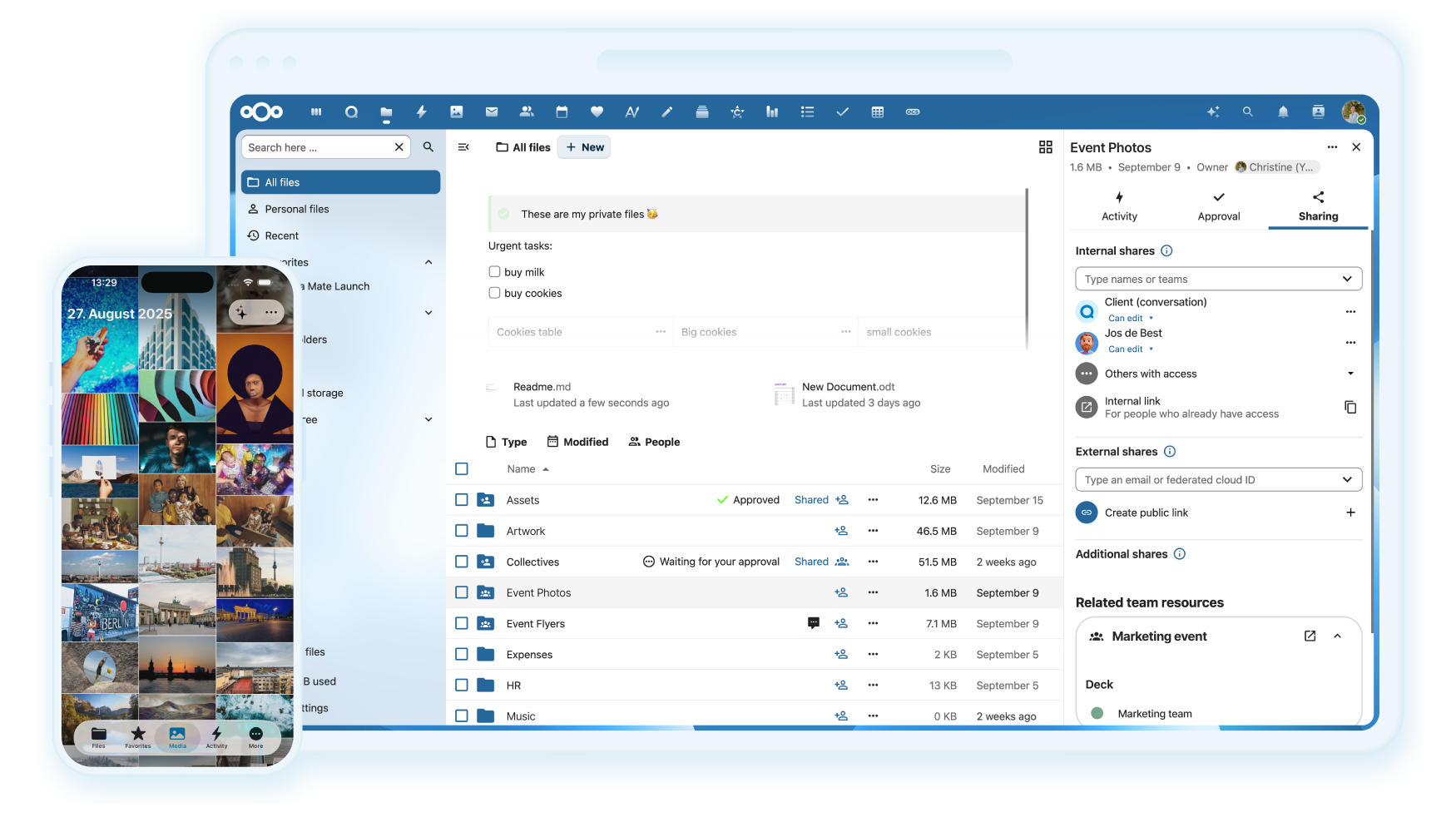
Nextcloud is the community-standard Drive replacement, with file sync, sharing, versioning, Collabora Online for real-time document editing, calendars, contacts, and a large app ecosystem. Docker deployment via the official nextcloud:latest image plus a database and Redis is a 15-minute setup.
Where it falls short: Collabora Online adds RAM pressure. On a mini PC with 8 GB, keep documents to smaller sizes or move to a NAS.
Pricing:
- Free: self-host on your own hardware
- Paid: no paid tier for self-hosting; hosted plans start at $5/mo
Platforms: Linux (Docker), Windows, macOS clients, iOS and Android apps
Download: Nextcloud
Bottom line: the anchor of any degoogled stack.
2. Immich, replacing Google Photos
Immich launched into 1.0 in late 2025 and it is the closest match to Google Photos we have used. It offers automatic phone backup, face recognition, timeline scrubbing, shared albums, and a search bar that actually works. The dev team ships weekly.
Where it falls short: face recognition and machine-learning search need a container with 4+ GB of RAM. A Raspberry Pi will not cut it.
Pricing:
- Free: everything, open source
- Paid: no paid tier
Platforms: Linux (Docker), iOS and Android apps
Download: Immich
Bottom line: our current top pick for a self-hosted photo replacement.
3. Vaultwarden, replacing Google Password Manager
Vaultwarden is a Rust reimplementation of the Bitwarden server, compatible with every official Bitwarden client (browser, mobile, desktop, CLI). It runs in a single container with under 100 MB of RAM and stays in sync across devices via the standard Bitwarden apps.
Where it falls short: no built-in TOTP audit like paid Bitwarden Premium. Use Aegis or Ente Auth as a companion.
Pricing:
- Free: everything, open source
- Paid: no paid tier
Platforms: Linux (Docker), any Bitwarden client
Download: Vaultwarden
Bottom line: the drop-in password manager for anyone leaving Google or LastPass.
4. SearXNG, replacing Google Search
SearXNG is a meta-search engine that queries dozens of upstream engines (Bing, Brave, DuckDuckGo, Qwant, Startpage, and more) and merges the results with no tracking on your end. Point your browser at your instance’s URL and set it as the default search engine.
Where it falls short: results quality depends on the engines you enable. Occasionally an upstream throttles you and results thin out for a few minutes.
Pricing:
- Free: everything, open source
- Paid: no paid tier
Platforms: Linux (Docker); the browser talks to the container
Download: SearXNG
Bottom line: the practical way to leave Google Search without going all-in on a single alternative.
5. Mailcow, replacing Gmail
Mailcow: dockerized is a full mail server stack with Postfix, Dovecot, SOGo, Rspamd, and a web UI. It handles inbound and outbound mail for your own domain and pairs cleanly with a mobile app of your choice. Signal-to-noise on the mailing list is high, which matters when a config surprises you.
Where it falls short: hosting mail is the hardest part of self-hosting. Expect a weekend for the first working deploy, including DKIM, SPF, DMARC, and a reverse DNS record with your VPS provider.
Pricing:
- Free: everything, open source
- Paid: no paid tier
Platforms: Linux (Docker); web, iOS, Android via IMAP/SMTP
Download: Mailcow
Bottom line: the community’s default self-hosted mail stack.
6. Radicale, replacing Google Calendar and Contacts
Radicale is a small Python CalDAV and CardDAV server. It stores calendars and contacts as flat files on disk (so backup is trivial), talks to iOS, Android (via DAVx5), and desktop clients directly, and does not need a database.
Where it falls short: no web calendar UI on its own. Pair it with Nextcloud or a mobile client for a friendlier interface.
Pricing:
- Free: everything, open source
- Paid: no paid tier
Platforms: Linux (Docker), Windows, macOS clients
Download: Radicale
Bottom line: the smallest replacement for Google Calendar that still just works.
Bonus: Ente Photos, end-to-end-encrypted photo alternative
Ente Photos is a hosted service with an end-to-end-encryption model and a self-host option. Even in the hosted version, the server never sees your photos unencrypted. The mobile apps handle background backup and family sharing cleanly.
Where it falls short: the hosted service has paid tiers past 5 GB. Self-hosting is possible but heavier than Immich.
Pricing:
- Free: 5 GB
- Paid: $2/mo for 50 GB, $7/mo for 200 GB
Platforms: iOS, Android, web, Windows, macOS, Linux desktop apps
Download: Ente
Bottom line: pick this over Immich if end-to-end encryption is a hard requirement.
How to pick the right combination
Start with Nextcloud and Vaultwarden. Those two alone replace Drive, Docs, Calendar, Contacts, and Passwords with almost no configuration cost.
Add Immich next if you have a phone camera roll worth backing up. This is what most family members notice first.
Add SearXNG once you have a domain and reverse proxy in place. It is a one-container add.
Save Mailcow for the moment you feel confident enough to run a mail server. If you would rather someone else keep it running, a $5/mo Mailbox.org or Fastmail plan lets you check that item off the list without the ops burden.
Radicale is the “small tool for a small job” pick when you want calendar sync without the full Nextcloud install.
FAQ
Do I need a domain to self-host these apps? For internal use, no. For mobile clients to reach the stack from outside your network, yes. A $10/year domain and Cloudflare or Traefik as a reverse proxy is the usual setup.
How much storage do I need to replace Google Photos? Estimate 3 to 5 GB per person per year for a heavy phone camera user. A 2 TB drive covers a family of four for a decade with room to grow.
Which is easier to run, Immich or Ente? Immich if you self-host it. Ente if you use their hosted service. Both apps feel comparable on the phone.
Are these apps end-to-end encrypted? Ente Photos is E2E by default. Bitwarden/Vaultwarden encrypts the vault client-side. Nextcloud has server-side encryption plus optional E2EE per folder. Immich and Mailcow are not E2E.
How much does the whole stack cost per month? Once the hardware is bought, close to zero. Power for a mini PC is a few dollars a month. A domain is $10 a year. Cloud backup for the important bits is $5-10 a month.