
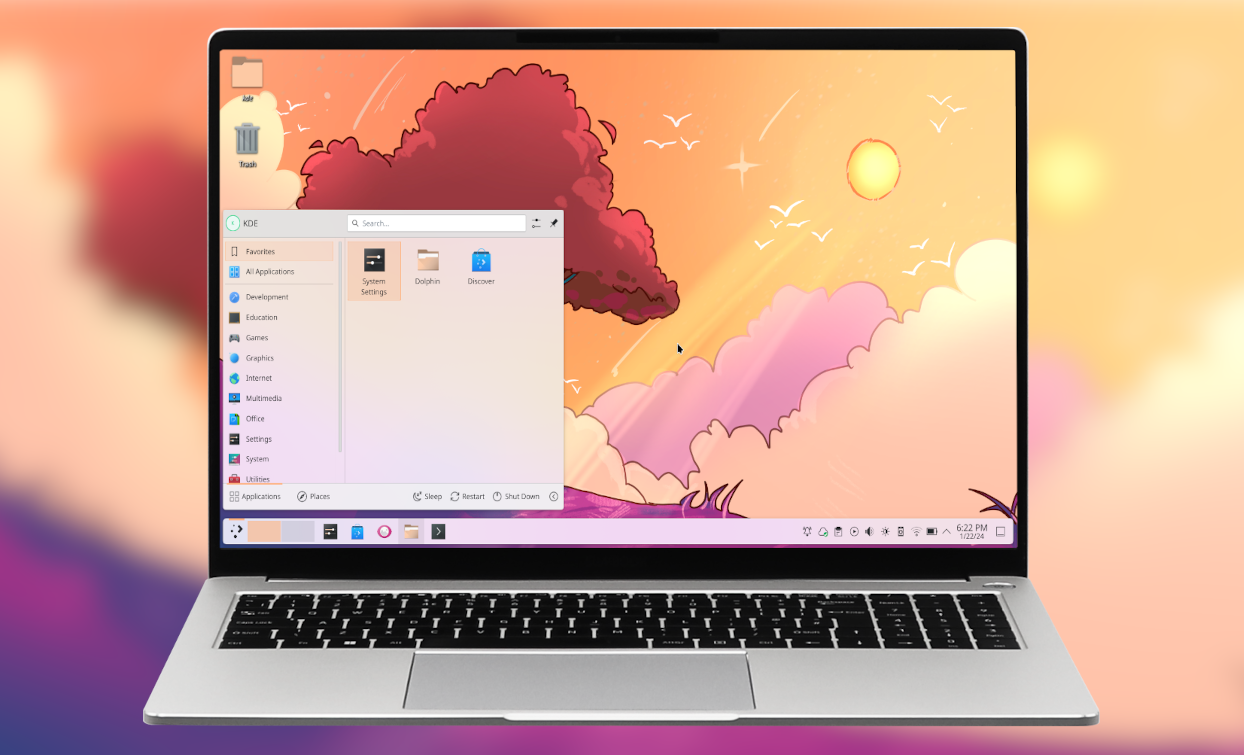
XDA-Developers ran a piece this month following one writer’s path from GNOME to COSMIC to KDE Plasma. The conclusion — that only one of the three felt right in the end — is the right reminder that desktop environment choice is personal. In 2026 the Linux desktop has more credible options than it has had in fifteen years. System76’s COSMIC reached stable on Pop!_OS, KDE Plasma 6 settled into a polished release cycle, and the tiling window managers crossed over into the mainstream.
We tested seven of the best apps for Linux desktop environments on desktop you can install on Fedora, Arch, or any major distro. The list covers the two giants, System76’s COSMIC, the classic lightweights, and Hyprland for users who want a tiling Wayland compositor with real polish. We focused on environments shipping stable releases in 2026 with real community traction.
What to look for in a Linux desktop environment
The category fragments along two axes: opinionation (GNOME’s “we made the choices”) versus configurability (KDE’s “you make the choices”), and traditional desktop versus tiling-first. Picks below favour environments that:
- Ship stable releases regularly without breaking core workflows on update
- Run on modest hardware. RAM and CPU footprints matter for older laptops and ARM devices
- Support Wayland (the X11 protocol is on the way out for new applications)
- Handle high-DPI displays, fractional scaling, and multi-monitor setups without bespoke configuration
- Are available as standard packages on Fedora, Arch, Ubuntu, and Debian. Niche-only environments are friction
- Have an active community for theme work and documentation
- Provide working accessibility features. Screen readers, contrast modes, and keyboard navigation matter
Quick comparison
| DE | Best for | RAM idle | Wayland | Standout |
|---|---|---|---|---|
| KDE Plasma | Configurable feature-rich desktop | Around 2.7 GB | Stable | Activities and customisation depth |
| GNOME | Opinionated polished desktop | Around 2.1 GB | Stable | Workspaces and overview |
| COSMIC | Modern Rust-built desktop | Around 1.5 GB | Stable | Tiling-and-floating hybrid |
| XFCE | Lightweight classic desktop | Around 1.4 GB | In progress | Configurable panel and themes |
| Cinnamon | Windows-familiar friendly desktop | Around 1.9 GB | Improving | Most familiar to Windows switchers |
| MATE | Traditional GNOME 2 desktop | Around 1.3 GB | Limited | Classic desktop metaphor |
| Hyprland | Tiling Wayland with eye candy | Around 1.0 GB | Native | Animations and tiling |
The 7 best Linux desktop environments for desktop
1. KDE Plasma — best configurable feature-rich desktop
KDE Plasma by the KDE community is the genre’s most configurable desktop. Plasma 6 (Wayland-first, released early 2024) brought meaningful polish to the long-running KDE project, the Activities feature is unique to Plasma (separate workspaces with separate widgets, wallpapers, and apps), and the System Settings depth lets you reshape every aspect of the desktop. The Plasma 6.3 and 6.4 releases through 2026 stabilised the Wayland path and improved HiDPI handling.
For users who want a desktop they shape to their workflow, Plasma is the unmatched pick. The breadth of KDE’s application suite (Dolphin file manager, Konsole terminal, KDE Connect, Krita, Kdenlive) is another draw.
Where it falls short: Highest RAM footprint of the major DEs. Configuration depth is overwhelming for new users. Some KDE applications still have rough edges on Wayland.
Cost:
- Free, fully open source (KDE Free Qt Foundation backed)
Platforms: Linux (Fedora KDE Spin, Kubuntu, Manjaro KDE, openSUSE Kalpa, KaOS, and most major distros).
Where to get it: kde.org · KDE Discover
Bottom line: Pick Plasma when configurability is the requirement. Start with the defaults; the depth is there when you need it.
2. GNOME — best opinionated polished desktop
GNOME is the most-used Linux desktop in 2026 (counting major distros that default to it: Fedora Workstation, Ubuntu, RHEL). The design philosophy is opinionated: dynamic workspaces, the Activities Overview, a minimal taskbar, and a curated app catalogue. GNOME 46 and 47 added scheduling work that reduced jitter, fractional scaling improvements, and a better triple-buffer behaviour for smoother frame pacing.
For users who want the choices made for them and a desktop that gets out of the way, GNOME is the cleanest pick. The GNOME Circle apps (Files, Maps, Console, Web, Music) ship with consistent design language.
Where it falls short: Customisation requires extensions (some of which break on major updates). Workflow assumes the GNOME way; users who fight it suffer. App catalogue is smaller than KDE’s.
Cost:
- Free, fully open source (GNOME Foundation backed)
Platforms: Linux (Fedora Workstation, Ubuntu, Debian, openSUSE Aeon, and most major distros).
Where to get it: gnome.org · GNOME Software / Flathub
Bottom line: Pick GNOME when you want the choices made for you and a desktop that gets out of the way.
3. COSMIC — best modern Rust-built desktop
COSMIC by System76 is the new contender. Built in Rust from scratch, COSMIC reached stable status on Pop!_OS 24.04 and now ships standalone on Fedora COSMIC Spin and a growing number of other distros. The hybrid tiling-and-floating window model is the signature feature (windows tile by default but can float; the model is the cleanest hybrid in the genre), and the Wayland-native architecture gives smoother multi-monitor and HiDPI handling than retrofitted DEs.
For users who want a modern desktop without the legacy of X11 and the GNOME/KDE codebases, COSMIC is the genuine alternative. The application suite (COSMIC Files, Terminal, Settings) is small but polished.
Where it falls short: Newest DE on this list; some rough edges remain. Smaller third-party app ecosystem. Documentation still maturing.
Cost:
- Free, fully open source (GPL-3.0)
Platforms: Linux (Pop!_OS, Fedora COSMIC Spin, openSUSE Tumbleweed COSMIC, Arch CachyOS COSMIC).
Where to get it: system76.com/cosmic · GitHub
Bottom line: Pick COSMIC when you want a modern desktop built fresh for Wayland. Tile-and-float hybrid is the signature.
4. XFCE — best lightweight classic desktop
XFCE is the lightweight veteran. Idle RAM stays around 1.4 GB on a modern system (much lower on older hardware), the panel-and-menu metaphor is the most configurable of the classic desktops, and the application suite (Thunar file manager, xfce4-terminal, Mousepad) is small and fast. XFCE 4.20 released in late 2024 with initial Wayland support; the full Wayland transition is in progress through 2026.
For users on older hardware, low-power devices, or who want a fast classic desktop, XFCE is the long-standing answer. The Xubuntu, Manjaro XFCE, and Linux Lite spins are the cleanest entry points.
Where it falls short: Wayland transition still in progress. Default theme is dated; tweaking takes time. Smaller community than GNOME and KDE.
Cost:
- Free, fully open source
Platforms: Linux (Xubuntu, Manjaro XFCE, Linux Lite, Fedora XFCE Spin).
Where to get it: xfce.org
Bottom line: Pick XFCE when light weight and a configurable classic desktop matter most.
5. Cinnamon — Windows-familiar friendly desktop
Cinnamon by Linux Mint is the desktop most likely to help a Windows refugee. The taskbar, the system tray, the start menu, the file manager (Nemo) — every metaphor is the one Windows users already know. Cinnamon ships as the flagship desktop on Linux Mint (the most-recommended beginner distro) and works well on Fedora, Ubuntu, and other major bases.
For users coming from Windows or for family-machine installs where familiarity matters, Cinnamon is the cleanest pick. The applet ecosystem and theme catalogue are deep without being overwhelming.
Where it falls short: Wayland support is improving but lags major DEs. Some animations feel dated. Not as polished on multi-monitor setups as KDE or GNOME.
Cost:
- Free, fully open source
Platforms: Linux (Linux Mint Cinnamon, Fedora Cinnamon Spin, Manjaro Cinnamon).
Where to get it: linuxmint.com · Cinnamon project
Bottom line: Pick Cinnamon when familiarity matters and the desktop should look like Windows without trying too hard.
6. MATE — traditional GNOME 2 desktop
MATE is the desktop that forked GNOME 2 in 2011 and kept the classic GNOME desktop alive into the present. The traditional two-panel layout, the simple application menu, and the suite of MATE-rebranded GNOME 2 apps (Caja file manager, MATE Terminal) give the most classic Linux desktop experience available in 2026. The footprint is the lowest of the full DEs on this list.
For users who specifically want the GNOME 2 metaphor — and for production deployments where stability over fashion is the goal — MATE is the right pick. Ubuntu MATE is the cleanest entry point.
Where it falls short: Limited Wayland support. Some MATE applications feel frozen in 2015. Smaller community than the giants.
Cost:
- Free, fully open source
Platforms: Linux (Ubuntu MATE, Fedora MATE-Compiz, Linux Mint MATE).
Where to get it: mate-desktop.org
Bottom line: Pick MATE when you specifically want the GNOME 2 metaphor in 2026.
7. Hyprland — tiling Wayland with eye candy
Hyprland by vaxerski is the tiling Wayland compositor that broke into the mainstream through 2024 and 2025. Technically not a full DE (no shipped file manager, settings panel, or app suite), Hyprland is the compositor; users assemble the rest (Waybar, Wofi or Rofi, Hyprlock, Dunst) into a personal stack. The signature is the animation system: smooth window transitions, blur effects, and a level of visual polish unusual in tiling window managers.
For users who want a tiling Wayland environment with serious eye candy, Hyprland is the most-discussed answer. The learning curve is real; the payoff is a workflow that fits your habits exactly.
Where it falls short: Not a complete DE; significant assembly required. Configuration is text-file-based (no GUI). Newcomers face a multi-day setup.
Cost:
- Free, fully open source (BSD-3-Clause)
Platforms: Linux (Arch, Fedora, Nix, openSUSE; ArcoLinux Hyprland, EndeavourOS Hyprland, CachyOS Hyprland are the cleanest entry points).
Where to get it: hyprland.org · GitHub releases
Bottom line: Pick Hyprland when tiling Wayland with animation polish is the workflow you want. Plan a weekend to set it up.
How to pick the right one
If configurability is the requirement and you’ll reshape the desktop to your habits, install KDE Plasma. Start with defaults and dial in gradually.
If you want the choices made for you and a desktop that gets out of the way, GNOME is the right pick. If a modern desktop built fresh for Wayland is the angle, COSMIC is the new contender from System76.
If light weight and a configurable classic desktop matter most, XFCE is the long-standing answer. If you’re switching from Windows and familiarity matters, Cinnamon is the easiest landing.
If you want the GNOME 2 metaphor preserved in 2026, MATE is the right pick. If tiling Wayland with animation polish is the workflow you want, Hyprland is the answer for users willing to invest the setup time.
The practical advice from XDA-Developers’ piece holds: don’t lock in. Install two or three on the same machine (Fedora and Arch both make it easy) and let the one that doesn’t get switched away from win the seat.
FAQ
What is the lightest Linux desktop environment?
Among the full DEs on this list, MATE has the lowest idle RAM footprint at around 1.3 GB, with XFCE close behind at 1.4 GB. LXQt (not covered here) is lighter still at around 1.2 GB. Hyprland alone runs below 1 GB but is not a full DE.
Which desktop environment is best for beginners?
Cinnamon (default on Linux Mint) is the most Windows-like and the most beginner-friendly. GNOME is opinionated but well-documented and ships on Ubuntu, which has the largest beginner community. KDE Plasma is feature-rich; some beginners find the configurability overwhelming.
Is COSMIC ready for daily use in 2026?
Yes. COSMIC reached stable on Pop!_OS 24.04 in late 2024 and has shipped consistent point releases through 2025-2026. Some rough edges remain in third-party app theming and a few corner-case features, but core daily use is solid.
Can I switch between desktop environments without reinstalling Linux?
Yes. On most distributions you install the desktop environment package (or DE-meta package) and select the session at the login screen. Fedora’s “spin” model is the cleanest for trying DEs without reinstall; Arch’s package model handles parallel installations well.
Do all these DEs support Wayland?
KDE Plasma, GNOME, COSMIC, and Hyprland are Wayland-native or Wayland-stable. XFCE and Cinnamon are transitioning to Wayland with partial support in 2026. MATE has limited Wayland support; X11 remains the safer choice on MATE.