Proxmox on ARM was always a squint-and-hope-it-works project. Canonical’s MicroCloud landed as a Pi-native alternative that clusters VMs, containers, and storage without the manual patchwork. That leaves a real choice for a home cluster on Raspberry Pi hardware, and the choice is no longer only between Docker on one Pi and giving up.
We ran seven orchestration tools across a mix of Pi 4, Pi 5, and a Radxa Rock 5B. Every pick below installs on ARM without kernel patches, clusters cleanly across at least three nodes, and survives a power blip. The differences are in the shape of the workload: containers only, VMs and containers, a single Kubernetes flavor, or a lighter service scheduler.
What to look for in a Pi cluster orchestrator
- Native ARM builds with no “unsupported” caveat in the docs.
- Cluster join in a single command; a home cluster should not need Terraform.
- Storage replication across nodes so a single failed SD card does not lose data.
- A path to VMs, not just containers, for the one Windows or FreeBSD service the household needs.
- Idle memory footprint that leaves headroom for the workload on 4 GB or 8 GB Pi nodes.
- A UI you can hand to someone else without a training session.
Quick comparison
| App | Best for | Platforms | Free plan | Starting price/mo | License |
|---|---|---|---|---|---|
| MicroCloud | The end-to-end cluster | Linux (ARM, x86) | Full app | Free | AGPLv3 |
| K3s | Kubernetes on low-power nodes | Linux (ARM, x86) | Full app | Free | Apache 2.0 |
| Incus | Containers plus VMs, no K8s | Linux (ARM, x86) | Full app | Free | Apache 2.0 |
| MicroK8s | Managed Kubernetes flavor | Linux (ARM, x86) | Full app | Free (with paid support) | Apache 2.0 |
| Portainer | UI layer for Docker/K8s | Linux, Windows, macOS | Community edition | ~$0.30/node/mo (Business) | Freemium |
| Docker Swarm | Simple container clustering | Linux (ARM, x86) | Full app | Free | Apache 2.0 |
| Nomad | Non-container workloads too | Linux (ARM, x86) | Community edition | Free | BSL 1.1 |
The apps
1. MicroCloud, best end-to-end cluster
MicroCloud stitches MicroOVN, MicroCeph, and Incus into a single opinionated cluster. Three commands turn a bag of Pis into a home cloud with distributed storage, software-defined networking, and a mix of VMs and system containers. On a fresh Pi 5 it stands up in under twenty minutes; the docs assume ARM from the start.
Where it falls short: requires Ubuntu Server on every node; if your household standardizes on Debian or Raspberry Pi OS, that is a switch. Recovery from a two-node failure still needs a docs read.
Pricing:
- Free: Full app.
- Paid: Not applicable.
Platforms: Linux (Ubuntu on ARM and x86).
Download: canonical.com/microcloud · GitHub
Bottom line: The reason to write this article. The first Pi cluster tool that treats ARM as a first-class target and covers storage, networking, and workloads in one place.
2. K3s, best for a lightweight Kubernetes
K3s is a certified Kubernetes distribution packaged as a single binary under 100 MB. It runs comfortably on a 4 GB Pi and joins new nodes with a token and a curl-piped installer. If the workload is already containers plus Helm charts, K3s is the shortest path to a real cluster.
Where it falls short: it is still Kubernetes, so the mental model that comes with it stays with it. There is a ceiling on how much you can abstract that away.
Pricing:
- Free: Full app.
- Paid: Not applicable.
Platforms: Linux (ARM, x86), Docker.
Bottom line: The default choice when the deployment target elsewhere is also Kubernetes.
3. Incus, best for containers plus VMs without Kubernetes
Incus is the LXD fork stewarded by the Linux Containers project. It runs system containers (a full Debian, not a single process) and full VMs from one CLI, and its clustering is straightforward: incus cluster add and you are done. On a Pi 5 with 8 GB it happily runs a few Debian containers and a Windows 11 ARM VM at the same time.
Where it falls short: no built-in dashboard; the community UI is fine but does not ship in the box. Storage-driver choice on ARM matters more than the docs let on.
Pricing:
- Free: Full app.
- Paid: Not applicable.
Platforms: Linux (ARM, x86).
Download: linuxcontainers.org/incus · GitHub
Bottom line: The best pick when your workload is a mix and Kubernetes is overkill.
4. MicroK8s, best for a supported Kubernetes flavor
MicroK8s is Canonical’s Kubernetes distribution installed as a snap. It clusters with microk8s add-node, ships with add-ons for MetalLB, Ingress, DNS, and Rook Ceph, and has a paid support path if the cluster grows into anything mission-critical.
Where it falls short: the snap runtime is polarizing; some Pi setups prefer to avoid snap altogether.
Pricing:
- Free: Full app.
- Paid: Paid support tiers for production use.
Platforms: Linux (Ubuntu on ARM, x86).
Download: microk8s.io · GitHub
Bottom line: The right K8s flavor when you want a curated add-on catalog and a fallback support option.
5. Portainer, best UI layer
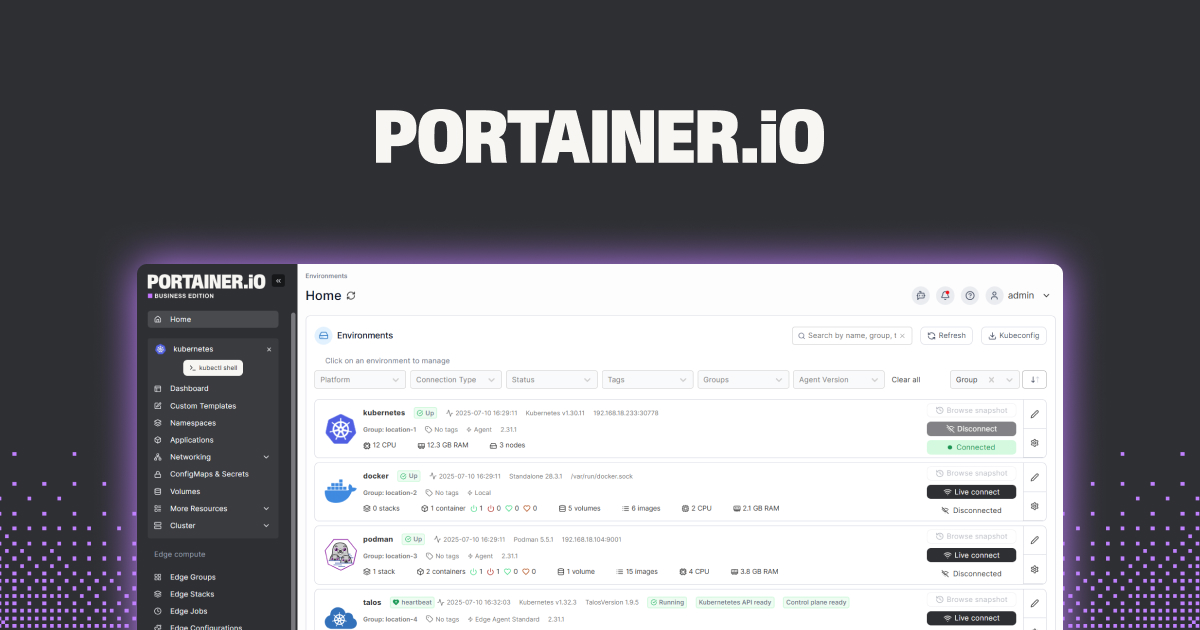
Portainer is not an orchestrator itself; it is a web UI that manages Docker, Docker Swarm, and Kubernetes clusters. The community edition covers most homelab needs, and pairing it with a K3s cluster gives non-CLI household members a way to restart a stuck service.
Where it falls short: the free tier does not include full RBAC or centralized settings; that is the paid tier’s job.
Pricing:
- Free: Community edition, most features.
- Paid: Business edition at a per-node fee for RBAC and multi-user features.
Platforms: Linux, Windows, macOS, Docker.
Download: portainer.io · GitHub
Bottom line: The UI that turns a K3s or MicroCloud install into something the rest of the house can use.
6. Docker Swarm, best minimal cluster
Docker Swarm is Docker’s built-in clustering mode. docker swarm init on one node and docker swarm join on the others gives you a cluster with rolling updates, secrets management, and overlay networking. No new binaries to learn.
Where it falls short: Swarm has been on maintenance mode for years; new features land elsewhere. The setup works, but the ecosystem energy moved to Kubernetes.
Pricing:
- Free: Full app.
- Paid: Not applicable.
Platforms: Linux (ARM, x86).
Download: docker.com · GitHub
Bottom line: The lightest way to cluster containers if you have already accepted that Docker is the future you are staying on.
7. Nomad, best for non-container workloads
Nomad by HashiCorp schedules containers, Java jars, raw binaries, and Windows exec workloads. That mix is where it stands out from Kubernetes-only tools: a Pi cluster that also runs a legacy service ends up neater under Nomad than under K3s.
Where it falls short: the ecosystem is smaller than Kubernetes’; every third-party integration you want may be missing.
Pricing:
- Free: Community edition.
- Paid: Enterprise features via HashiCorp.
Platforms: Linux (ARM, x86), Windows.
Download: nomadproject.io · GitHub
Bottom line: The right scheduler when the workload is not “just containers” and Kubernetes feels like a heavy import.
How to pick the right one
If you are starting from scratch and want the shortest path to “a Pi cluster that runs everything,” install MicroCloud on three Ubuntu Server Pi nodes. Storage, networking, and workload management ship in one package.
If your workflow at work is Kubernetes, put K3s on the same nodes and skip the learning gap. Add Portainer on top for the household.
If your workload is a mix of long-running system containers and one or two full VMs, Incus is the calmest tool on this list. It does the mix without pretending to be a data-center product.
If you want the Kubernetes learning curve softened with a curated add-on list, MicroK8s is the choice; if not, K3s is lighter.
Skip Docker Swarm for new setups. It still works, and if you inherit one it is fine to keep, but do not build something new on it in 2026.
Reach for Nomad only when a real workload on the cluster is not a container.
FAQ
How many Pis do I need to make a cluster meaningful?
Three. Two-node clusters cannot vote a quorum and lose data safely; three is where distributed storage starts working.
Do I need identical Pi hardware in a cluster?
Recommended, not required. Mixed models work; MicroCloud and MicroK8s tolerate it. Performance is bounded by the slowest member.
Can I run a home Kubernetes without any of this?
Docker Compose on a single Pi is enough for many households and is not embarrassing. Reach for a cluster when a single node’s failure is unacceptable.
What about power draw?
A three-Pi 4 cluster idles around 12 to 15 W total; a three-Pi 5 cluster closer to 18 to 22 W. Both dwarf a NUC’s efficiency for the same workload, but stay quiet and small.
Does MicroCloud replace Proxmox for me?
On a Pi, yes. On x86, Proxmox is still the more mature product; MicroCloud is where ARM finally gets the same shape of tool.