PhotoArt is one of those apps that does ten different things on the store page and asks for a subscription before you finish trying any of them. Magic Eraser, AI Face Swap, cartoon filters, double exposure, HD enhance, age changer, the list is real but most outputs are gated behind a credits system or a watermark on the free tier. The free trial is short, the weekly subscription auto-renews, and the in-app upsells fire after every save.
We tested 7 PhotoArt alternatives that handle the same jobs without the dark-pattern checkout. Each one trades the all-in-one bundle for a clearer pricing model or a much deeper toolset.
Quick comparison
| App | Best for | Free plan | Starting price | Platforms |
|---|---|---|---|---|
| Remini | AI enhance and restore | Yes, with daily credits | Pro around $9.99/mo | Android, iOS |
| FaceApp | Face transforms and aging | Yes, with limits | Pro around $4.99/mo | Android, iOS |
| ToonMe | Cartoon and avatar styles | Yes, ad-supported | VIP around $4.99/mo | Android, iOS |
| Lensa | AI avatars and portraits | Yes, limited | Premium around $7.99/mo | Android, iOS |
| Snapseed | Free pro photo editing | Fully free, no ads | Free | Android, iOS |
| Picsart | Broad AI editor and collage | Yes, ad-supported | Plus around $11.99/mo | Android, iOS, web |
| Canva | Templates and AI design | Yes, with limits | Canva Pro around $14.99/mo | Android, iOS, web |
Why people leave PhotoArt
The free trial converts into a subscription. PhotoArt defaults to weekly auto-renewal at full price. The cancel path is buried under several taps and the prompt arrives mid-edit.
Credits run out faster than expected. Most marquee AI features, face swap, cartoon, HD enhance, deduct credits per output. Free credits refill slowly. Pro upgrade is the only realistic path.
Watermark on free generative outputs. Even Pro is gated for some of the showcase effects. The Free tier watermark is large and centred.
One-tap effects, limited control. The cartoon and AI filters look great in the demo, average in practice, and offer little adjustment afterwards. ToonMe, Lensa, and FaceApp produce sharper results.
Generic AI cleanup is shallow. Magic Eraser handles simple removals well, but trips up around hair, fences, and crowded backgrounds. Photoroom and PicWish are better targeted tools.
The best PhotoArt alternatives
Remini, best for AI restore and HD enhance
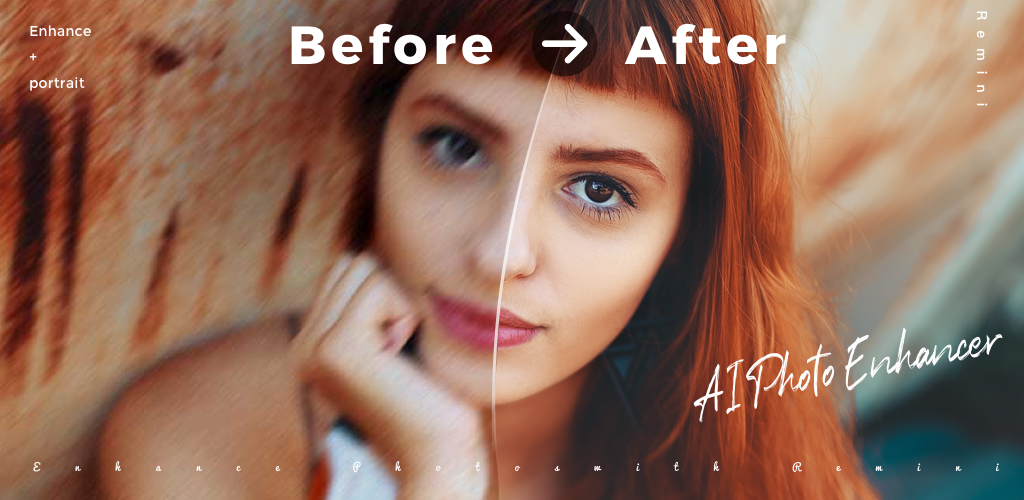
Remini is the leader for the AI Enhance feature PhotoArt is selling. Upscaling old or blurry photos to a clean, sharp result is what Remini was built for, and the model quality shows. The free tier ships daily credits, more than enough for occasional restorations.
Remini vs PhotoArt on the enhance job is decisive. Remini outputs are noticeably less plasticised than PhotoArt’s, and the credit system is more transparent.
Where it falls short: Pro tier is required for daily heavy use and for the better video enhance features. The free trial of Pro auto-converts.
Pricing:
- Free: Daily credits for enhance and restore
- Pro: around $9.99 a month or about $59.99 a year
- vs PhotoArt: Comparable monthly price for a deeper enhance model
Migrating from PhotoArt: Send old or blurry photos directly to Remini Enhance. The other PhotoArt features, face swap, cartoon, can move to ToonMe or FaceApp.
Download: Aptoide · Google Play
Bottom line: The first stop for any photo restoration job that PhotoArt cannot finish.
FaceApp, best for face transforms and aging
FaceApp is the original face-transformation app and still the most accurate. Aging, gender swap, hairstyle change, smile, and expression edits run on a model trained on millions of faces, and the outputs land in the uncanny valley far less often than PhotoArt’s.
FaceApp vs PhotoArt is the comparison most face-filter users care about. FaceApp wins on accuracy and finish. PhotoArt wins on bundle breadth.
Where it falls short: Pro is needed for most filters at full quality and for the video edit features. Some users have raised privacy concerns about cloud processing, which the company addresses in its policy.
Pricing:
- Free: Limited filters, ad-supported, photo only
- Pro: around $4.99 a month or about $39.99 a year
- vs PhotoArt: Cheaper Pro tier, deeper face-edit toolset
Migrating from PhotoArt: Open the same selfie in FaceApp. The age, gender, and hairstyle filters cover most of what PhotoArt’s face section does.
Download: Aptoide · Google Play
Bottom line: The right pick for anyone whose main use case is face filters.
ToonMe, best for cartoon and avatar styles
ToonMe does one job and does it well, turning a selfie into a cartoon, anime, or vector portrait. The style range covers Disney-style, 90s anime, vector flat, and several others, and the outputs are sharper than PhotoArt’s general cartoon filter.
ToonMe vs PhotoArt is straightforward. ToonMe is specialised, PhotoArt is generalised. For cartoon outputs alone, ToonMe wins.
Where it falls short: No editor beyond the style filters. Some styles are VIP-only. Free outputs carry a small watermark.
Pricing:
- Free: Several styles, ad-supported, watermark
- VIP: around $4.99 a month
- vs PhotoArt: Cheaper, much sharper cartoon styles
Migrating from PhotoArt: Use ToonMe for cartoon and avatar outputs. Keep PhotoArt only if you still need the other tools.
Download: Aptoide · Google Play
Bottom line: The cartoon-only specialist. Pair with FaceApp or Remini for the rest.
Lensa, best for AI avatars and portraits
Lensa ships the magic-avatar feature that defined a 2022 trend cycle and still ranks among the best at it. Upload a set of selfies, get back stylised portraits in dozens of looks. The face-retouch and skin tools are also strong for everyday selfies.
Lensa vs PhotoArt on AI portrait quality is not close. Lensa’s avatar model is trained for portraits specifically. PhotoArt’s generic AI filter is broad but shallow by comparison.
Where it falls short: Avatar packs are paid one-offs on top of the subscription. The retouch tools can over-smooth on default settings.
Pricing:
- Free: Limited daily uses, light retouch
- Premium: around $7.99 a month or about $39.99 a year
- vs PhotoArt: Pricier upfront for avatars, much higher output quality
Migrating from PhotoArt: Upload a batch of selfies to Lensa for avatar packs. Use the retouch tools day-to-day in place of PhotoArt’s Face Retouch.
Download: Aptoide · Google Play
Bottom line: The right pick for AI portrait packs.
Snapseed, best for free pro editing with no ads
Snapseed is Google’s free editor and the most underused tool on Android. Curves, Selective, Healing, and Lens Blur are still ahead of most paid mobile editors for everyday colour, exposure, and detail work. No ads, no subscription, no watermark.
Snapseed vs PhotoArt is the comparison no marketing copy wants. Snapseed wins on the core editing job for nothing.
Where it falls short: No AI generation, no cartoon, no face swap. The interface has not been refreshed in years.
Pricing:
- Free, fully unlocked, no ads
- vs PhotoArt: Free wins on price, loses on AI features
Migrating from PhotoArt: Use Snapseed for the exposure, colour, and sharpness pass. Use Remini or ToonMe for the AI work PhotoArt was doing.
Download: Aptoide · Google Play
Bottom line: The free anchor for anyone replacing PhotoArt with a stack of focused tools.
Picsart, best for an all-in-one editor with real depth
Picsart is the closest single-app replacement for the bundle PhotoArt is selling. Editor, collage, stickers, AI background removal, AI generation, and a community of stickers and templates. The free tier is ad-supported but does not watermark exports.
Picsart vs PhotoArt on overall depth is decisive. Picsart has been iterated for over a decade. PhotoArt is a thin shell over similar tools.
Where it falls short: The Plus and Gold tiers gate the better AI tools and the premium content. The app has grown heavy on older devices.
Pricing:
- Free: Editor, collage, stickers, ad-supported
- Plus: around $11.99 a month for AI tools and no ads
- vs PhotoArt: Pricier monthly, deeper editor, no watermark on free tier
Migrating from PhotoArt: Reopen the same photos in Picsart. The AI cutout, sticker library, and effects all map cleanly across.
Download: Aptoide · Google Play
Bottom line: The true all-in-one swap.
Canva, best for AI design and shareable templates
Canva treats your photo as an input to a finished design, a card, a Reel cover, a poster. Magic Edit, background remover, AI image generation, and a template catalogue sit on top of the photo. The free tier covers most use cases.
Canva vs PhotoArt is the right comparison for anyone making something to share rather than just decorating a personal photo.
Where it falls short: The background remover is Pro only. The AI generation tools are metered.
Pricing:
- Free: Template catalogue, basic editor, limited AI
- Canva Pro: around $14.99 a month for bg remover, Magic Studio, brand kit
- vs PhotoArt: Pricier, much broader scope
Migrating from PhotoArt: Upload your photos to Canva, pick a template, drop the photo in, apply the AI tools where needed.
Download: Aptoide · Google Play
Bottom line: The pick for anyone building content, not just editing photos.
How to choose
Pick Remini if your main use of PhotoArt was the HD enhance and restore tools. Pick FaceApp for face filters and aging. Pick ToonMe if cartoon and avatar styles were the draw. Pick Lensa for AI portrait packs.
Pick Snapseed as the free baseline editor for everyday work. Pick Picsart if you want one app that does most of what PhotoArt promised, properly. Pick Canva if you make content for an audience.
Stay on PhotoArt only if you genuinely use the specific cartoon and effects packs and can tolerate the credit system.
FAQ
Is PhotoArt free?
PhotoArt offers a free tier with watermarks and a credit-limited free trial of Pro. The full feature set requires a recurring subscription, usually weekly or yearly.
What is the best free PhotoArt alternative?
Snapseed is fully free with no ads, no watermark, and no subscription. For the AI features specifically, Remini’s free daily credits cover most personal use without paying.
Which app has the best AI face swap?
FaceApp produces the most natural face transformations and ToonMe the sharpest cartoon swaps. PhotoArt’s face swap is generic by comparison.
Can I cancel a PhotoArt subscription?
Yes, through Google Play subscriptions or Apple ID subscriptions, depending on the store you bought through. Cancel at least 24 hours before the next renewal to avoid the next charge.
What is the best PhotoArt alternative for restoring old photos?
Remini is the strongest pick for restoring blurry, faded, or low-resolution photos. The output quality on faces is closer to a professional restoration than any general AI editor.