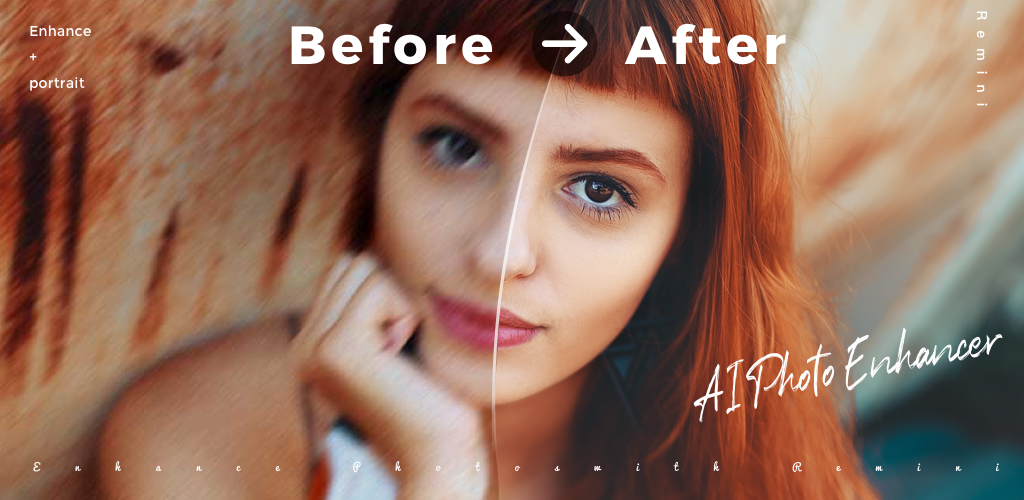
The trick to AI photo retouching in fashion and beauty is not the tool, it is the restraint. Editors want flyaway hair off the shoulder, a wrinkle in the fabric smoothed, a scuff on the shoe removed, and everything else left alone. Every app on this list can do those jobs on Android. The ones we recommend are the ones that resist the temptation to over-smooth skin, plasticise faces, or “enhance” a mole out of existence. We tested eight AI retouching apps for Android on fashion sets, beauty portraits, and product-on-model shots.
What to look for in a fashion and beauty retoucher
- Selective retouching. Brush-only fixes beat one-tap “beautify” every time.
- Fabric-aware healing. Wrinkles and pattern breaks should not smear the print.
- Skin texture preservation. The best apps blur without killing pores.
- Hair edge control. Flyaways come off cleanly without eating the outline of the hair.
- Non-destructive editing. Save presets and undo mid-edit. Fashion work needs iteration.
- Export at print resolution. Anything that caps output at 2K is out for editorial work.
- Batch mode. Retouching a lookbook of 40 images requires batch export.
Quick comparison
| App | Best for | Free plan | Starting price | Rating |
|---|---|---|---|---|
| Facetune | Portrait retouching | Yes (limited) | Around $8 per month | 4.6 on Play Store |
| Adobe Lightroom | Colour grading + selective edits | Yes (limited) | Around $10 per month | 4.5 on Play Store |
| Snapseed | Manual healing with selective control | Yes, no ads | Free | 4.5 on Play Store |
| Picsart | Broad editing + AI enhance | Yes | Around $10 per month | 4.5 on Play Store |
| YouCam Perfect | Skin and hair retouching | Yes | Around $30 per year | 4.7 on Play Store |
| Retouch Pro | Object and blemish removal | Yes (trial) | Around $6 per month | 4.6 on Play Store |
| PhotoRoom | Product cutouts + editorial backdrops | Yes | Around $10 per month | 4.7 on Play Store |
| Airbrush | Portrait smoothing done tastefully | Yes | Around $8 per month | 4.6 on Play Store |
The 8 best AI photo retouching apps for fashion and beauty on Android
1. Facetune, best for portrait retouching without going too far
Facetune built its reputation on selfie retouching, but the pro tier has matured into a real editorial tool. The Smooth brush treats skin without erasing texture, the Details brush pulls back hair edges, and the Reshape tool corrects fit without warping fabric behind it. New AI healing (2025 release) removes flyaway hair without eating the head silhouette.
Where it falls short: Free tier locks out most tools people actually want. Some AI presets still push toward “too smooth” for editorial work.
Pricing:
- Free: Limited access
- Paid: Around $8 per month or lower annual
Platforms: Android, iOS
Download: Google Play Aptoide
Bottom line: Default for portrait retouching. Skip if you only need one edit and do not want a subscription.
2. Adobe Lightroom, best for colour grading with selective edits
Adobe Lightroom on Android is not primarily a retouching tool, but its Healing brush plus selective edits (masks by object, sky, subject) cover 80% of fashion editing without ever opening Photoshop. The AI subject and hair masks are the ones fashion editors rely on for local colour work. Presets sync across devices.
Where it falls short: Object removal is limited compared to dedicated retouch apps. Full retouching still lives in Photoshop.
Pricing:
- Free: Basic editing
- Paid: Around $10 per month with Creative Cloud Photography
Platforms: Android, iOS, Windows, macOS
Download: Google Play Aptoide
Bottom line: Pick Lightroom for colour and selective edits. Pair with Facetune or Retouch Pro for pure retouching.
3. Snapseed, best free manual healing tool
Snapseed (Google’s) is still the best free photo editor on Android, and its Healing tool is quietly excellent for wrinkle and blemish removal. Selective adjustments (control points) let you brighten or warm one region without touching the rest. No ads, no paywall.
Where it falls short: No AI subject masks. Healing on large areas needs multiple passes.
Pricing:
- Free: Fully free, no ads
- Paid: None
Platforms: Android, iOS
Download: Google Play Aptoide
Bottom line: Best free option. Skip only if you need automated AI masks.
4. Picsart, best broad editor with AI Enhance
Picsart covers cutout, background swap, AI enhance, and touchup in one app. For a fashion shoot where you need to try a new backdrop in five minutes, Picsart moves faster than opening two apps. The Retouch tab handles skin, brows, teeth, and hair with brush-only controls.
Where it falls short: The AI Enhance tab pushes toward oversaturation. Turn intensity down.
Pricing:
- Free: Ad-supported
- Paid: Around $10 per month for Gold
Platforms: Android, iOS
Download: Google Play Aptoide
Bottom line: Best all-rounder. Skip if you want a single-purpose tool.
5. YouCam Perfect, best for skin and hair retouching
YouCam Perfect is Perfect Corp’s photo counterpart to YouCam Makeup. The skin tools are tuned for portrait retouching (blemish, tone, glow), and the AI hair tools cover colour change, flyaway removal, and volume adjustment without turning hair into a helmet.
Where it falls short: Some tools nag toward subscriptions. Batch export is limited on the free tier.
Pricing:
- Free: Ad-supported
- Paid: Around $30 per year for Premium
Platforms: Android, iOS
Download: Google Play Aptoide
Bottom line: Pick YouCam Perfect for skin and hair. Skip if you only need object removal.
6. Retouch Pro, best dedicated object removal
Retouch Pro does one thing: remove things from photos. Tap or brush the object, wait a second, and it fills the area with a plausible extension of what was around it. For fashion, this covers stray hairs on shoulders, a rogue sticker on a shoe, or a passer-by in the background.
Where it falls short: Not a full retouching suite. No skin or colour tools.
Pricing:
- Free: Trial with export watermark
- Paid: Around $6 per month or lower annual
Platforms: Android, iOS
Download: Google Play
Bottom line: Pick Retouch Pro if object removal is the whole job. Skip for anything else.
7. PhotoRoom, best for product cutouts and editorial backdrops
PhotoRoom is the app fashion resellers on Depop, Vinted, and Etsy actually use to get their listing photos looking editorial. AI cutout is fast and clean around hair, and the backdrop library covers plain colours, texture backdrops, and lifestyle scenes. Batch mode lets you process a whole lookbook in one pass.
Where it falls short: Not a retouching tool per se. No skin work.
Pricing:
- Free: Watermarked exports
- Paid: Around $10 per month for Pro
Platforms: Android, iOS, Web
Download: Google Play Aptoide
Bottom line: Pick PhotoRoom for cutouts and backdrops. Skip if you only edit portraits.
8. Airbrush, portrait smoothing done tastefully
Airbrush is Pixocial’s portrait retoucher and takes a lighter touch than most on this list. Default preset intensities are subtle, texture is preserved by default, and the “Natural” mode makes it hard to over-retouch.
Where it falls short: Feature depth is smaller than Facetune’s. Some tools locked behind Premium.
Pricing:
- Free: Ad-supported basic tools
- Paid: Around $8 per month
Platforms: Android, iOS
Download: Google Play Aptoide
Bottom line: Pick Airbrush if you know Facetune’s defaults go too far for your taste. Skip if you need pro-level controls.
How to pick
- If you shoot portraits and edit skin/hair: Facetune or Airbrush, plus Snapseed for free manual touch-ups.
- If you shoot fashion editorial: Lightroom for colour + Retouch Pro for object cleanup.
- If you sell fashion on marketplaces: PhotoRoom for cutouts, plus Snapseed or Facetune for touch-up.
- If you only ever remove one thing at a time: Snapseed (free) or Retouch Pro (paid, more powerful).
- If your workflow is chaotic and you want everything in one app: Picsart.
FAQ
What is the best free AI photo retouching app for fashion?
Snapseed is the best free option overall. It has no ads, no paywall, and healing tools that hold up on editorial work.
Which app best preserves skin texture?
Airbrush by default and Facetune with intensity dialed down. Both let you fine-tune the smoothing without going plastic.
Can I retouch a whole lookbook in batch on Android?
PhotoRoom handles batch cutouts. Lightroom presets can be applied to a whole album at once. Facetune batch is limited.
Do these apps work offline?
Snapseed and Retouch Pro work offline. Most others need internet for the AI features (Enhance, Cutout, Backdrop).
Which is closest to Photoshop’s Content-Aware Fill on Android?
Retouch Pro is the closest for object removal. For everything else, Photoshop’s mobile app (separate) is still the direct equivalent.