
Running Docker on Proxmox is not a one-size-fits-all decision, and picking the wrong stack costs you an evening you would rather have spent on the actual services. Some people run a Debian VM with Docker inside. Some run Docker directly in an unprivileged LXC container. Some use a Docker LXC template. Each has real tradeoffs on IO overhead, backup strategy, and PCIe passthrough for GPU work. The right pick depends on your hardware and what the containers are actually doing.
These seven tools handle the “manage containers inside your chosen shape” half of the problem. Pair them with the shape that fits your box (VM for isolation, LXC for density, bare metal for GPU-heavy workloads), and you save a lot of yak shaving.
What to look for in a Docker-on-Proxmox management tool
- Multi-node support if you run more than one Proxmox host with containers on each.
- Compose file editing in the UI, not just a viewer.
- Stack templates for common services (Immich, Jellyfin, Nextcloud, Home Assistant).
- Live logs and terminal access to running containers.
- Automatic updates with rollback, ideally scheduled.
- Backup integration that plays nice with Proxmox Backup Server.
- LDAP or SSO if you share the box with family or team.
Quick comparison
| App | Best for | Platforms | Free plan | Starting price/mo | Rating |
|---|---|---|---|---|---|
| Portainer | All-round management | Linux, Windows, Mac | Community Edition free | Business from around $2.03 per node | 4.7 on GitHub |
| Dockge | Compose stack management | Linux | Free open source | Free | 4.8 on GitHub |
| Komodo | Multi-server orchestration | Linux | Free open source | Free | 4.6 on GitHub |
| Docker Compose | The reference CLI tool | Linux, Windows, Mac | Free | Free | Bundled with Docker |
| Watchtower | Automatic container updates | Linux | Free open source | Free | 4.5 on GitHub |
| Yacht | Template-driven deploys | Linux | Free open source | Free | 4.3 on GitHub |
| Lazydocker | Terminal UI for Docker | Linux, Windows, Mac | Free open source | Free | 4.8 on GitHub |
The apps
1. Portainer, best overall
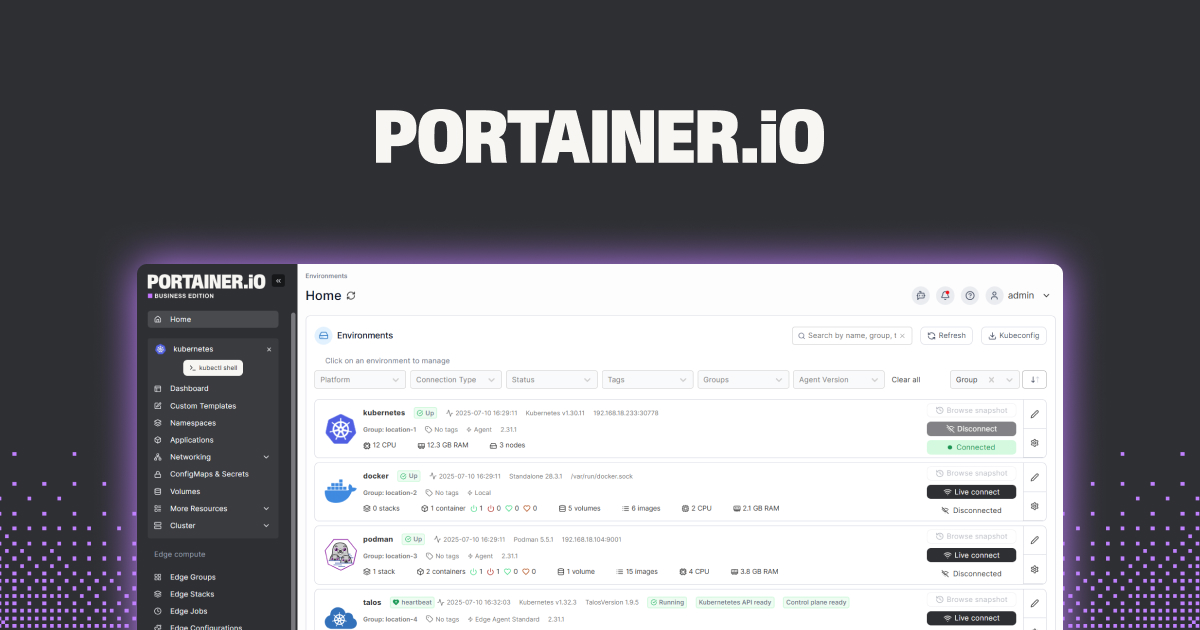
Portainer is the reference web UI for Docker and remains the safest recommendation for a Proxmox home lab. It runs inside a container, points at any Docker socket (local, remote, or Swarm), and gives you a clean UI for containers, stacks, volumes, and networks. Community Edition is free and covers everything a home user needs.
Where it falls short: Some advanced RBAC features are Business Edition only. The UI can feel busy on first launch.
Pricing:
- Community Edition: Free forever.
- Business Edition from around $2.03 per node per month for RBAC, SSO, and support.
Platforms: Linux (container), Windows, Mac (also containerized).
Download: portainer.io · GitHub
Bottom line: The first pick if you want a full-featured UI without a paid tier and you plan to grow into multi-node.
2. Dockge, best for Compose stacks
Dockge by Louis Lam, the same developer behind Uptime Kuma, is a lightweight Compose stack manager. It reads and writes compose files directly on disk in a folder you control, which means your stacks stay portable, version-controlled, and understandable even if Dockge goes away.
Where it falls short: Single-node only. No RBAC. No image build UI.
Pricing:
- Free open source.
- No paid tier.
Platforms: Linux (container).
Download: GitHub
Bottom line: The pick when your setup is one Proxmox host, docker-compose files, and you want a UI that respects your file structure.
3. Komodo, best for multi-server orchestration
Komodo (formerly Monitor) is the newer generation multi-server Docker manager. It runs a central server and lightweight agents on each Docker host, so you get one dashboard for containers running across several Proxmox nodes. Written in Rust, the resource footprint is tiny.
Where it falls short: Younger project, docs are catching up. Some UI flows still feel rough compared to Portainer.
Pricing:
- Free open source.
- No paid tier.
Platforms: Linux (server plus agents).
Download: GitHub
Bottom line: The right pick when you outgrow a single Proxmox host and want unified control.
4. Docker Compose, best baseline
Docker Compose is the reference declarative tool. There is nothing web about it. You write YAML, you run docker compose up -d, you commit the file to a git repo, you sleep well. For anyone who prefers text over UI or plans to move to Kubernetes eventually, this is where you start.
Where it falls short: No UI. Multi-host requires Compose over SSH, which is spartan.
Pricing:
- Free, bundled with Docker.
- No paid tier.
Platforms: Linux, Windows, Mac.
Download: docs.docker.com
Bottom line: Every Proxmox Docker setup should start here. Add a UI later if you want one.
5. Watchtower, best for automatic updates
Watchtower is not a management UI, it is a running container that watches your other containers and updates them when a new image lands. Set it once, forget it, and get email or Discord notifications on each cycle. Pairs well with Portainer, Dockge, and Komodo.
Where it falls short: Auto-update can break stacks with breaking changes. Pin critical services to specific tags rather than latest.
Pricing:
- Free open source.
- No paid tier.
Platforms: Linux.
Download: GitHub
Bottom line: Install it alongside whatever UI you pick.
6. Yacht, best template-driven deploys
Yacht takes the “app store” idea and applies it to Docker. Templates for common self-hosted apps let you deploy Immich, Vaultwarden, Jellyfin, and dozens more with a few clicks, then edit the resulting stack normally. Popular in the r/selfhosted community.
Where it falls short: Development pace slowed in 2024. Fewer contributors than Portainer or Dockge.
Pricing:
- Free open source.
- No paid tier.
Platforms: Linux (container).
Bottom line: Great for beginners who want templates. Migrate to Dockge or Portainer if the project stalls further.
7. Lazydocker, best terminal UI
Lazydocker by Jesse Duffield gives you a keyboard-driven terminal UI for Docker. Perfect for SSH into a Proxmox host to check logs, restart a service, or spot a runaway container without opening a browser. Follows the same conventions as Lazygit.
Where it falls short: Terminal only, no remote UI, no team features. Not built for shared management.
Pricing:
- Free open source.
- No paid tier.
Platforms: Linux, Windows, Mac.
Download: GitHub
Bottom line: The right tool for admins who live in SSH sessions.
How to pick the right one
- If you want one UI for everything: Portainer.
- If you write compose files and want them respected: Dockge.
- If you run more than one Proxmox host with Docker: Komodo.
- If you prefer text over UIs: Docker Compose alone, plus Lazydocker for spot checks.
- If you want containers to update themselves: add Watchtower to any of the above.
- If you deploy from templates and hate YAML: Yacht.
- If you SSH more than you browse: Lazydocker.
FAQ
Should I run Docker in a VM or an LXC on Proxmox?
VM is safer and portable, at a small IO cost. LXC is denser and near-native, at the cost of sharing the host kernel and needing nesting enabled. For most home labs a Debian VM with Docker inside is the least-surprising path. For dense arm64 or heavy IO workloads, LXC with Docker is faster.
Can I run Portainer inside an LXC container?
Yes, provided Docker runs inside that LXC container. The keyctl and nesting features must be enabled in the container config. The Proxmox community wiki has a Docker-in-LXC guide worth following.
What about Docker Swarm on Proxmox?
Swarm still works, but multi-node Compose orchestration with Komodo or the Portainer Business Edition has largely replaced it for home lab use. Kubernetes on Proxmox via K3s is the other path for those who want it.
How do I back up Docker volumes on Proxmox?
The cleanest path is to keep all bind mounts under a single directory, snapshot that directory nightly with Proxmox Backup Server (VM-level backup handles this automatically), and let Watchtower handle image updates. Skip the built-in Docker volumes for anything you care about.
Is Portainer Community Edition really free forever?
Yes. The Community Edition license is BSD-3, no artificial node caps, no time bombs. The Business Edition adds RBAC, LDAP, and support, which most home users do not need.
