Leaving every home lab container running 24/7 is a quiet tax on power bills, fan noise, and the room the mini PC lives in. Stock Docker has no scheduler of its own, so the moment we want a container up only from 7pm to midnight, or an rclone job at 3am, we reach for a helper. This list covers the best apps for scheduling Docker containers on desktop and small-server hosts in 2026, focused specifically on start, stop, and cron-run duties on Windows, macOS, and Linux. We stayed with tools that are actively maintained, work with plain docker-compose, and (with one exception) cost nothing to run at home.
What to look for in a Docker scheduler
A good scheduler does one small thing well. Before picking, check these five points.
- Cron syntax you already know. Standard five-field cron plus Quartz-style seconds and
@every 10mshortcuts cover almost every real schedule. - Compose and label friendly. The tool should read Docker labels or a config file next to
docker-compose.yaml, so schedules live in version control with the stacks they belong to. - Respect for restart policies. Auto-stopping a container is only useful if
restart: unless-stoppeddoes not fight you at boot. Look for tools that flip the state cleanly. - Log visibility. A scheduled job that fails silently at 3am is worse than no job at all. Web UI logs, Discord or Gotify hooks, or plain stdout to
docker logsall count. - Small footprint. The scheduler is the piece that has to be up when everything else is down. Under 50MB RAM and a single static binary is the target.
Quick comparison
| App | Best for | Runs as | License | Cost |
|---|---|---|---|---|
| Ofelia | Docker-native cron by labels | Container | MIT | Free |
| Chadburn | Ofelia fork with live label reload | Container | MIT | Free |
| systemd + Compose | Zero extra dependencies on Linux | Host service | LGPL | Free |
| Cronicle | Web UI for scheduled shell and Docker jobs | Container | MIT | Free |
| Portainer + SleeperStack | Full container GUI plus scheduled start/stop | Container | Zlib / MIT | Free (CE) |
| Kestra | Multi-step workflows that trigger containers | Container | Apache 2.0 | Free (OSS) |
The apps
1. Ofelia, best overall docker-native scheduler
Ofelia is the tool most self-hosters land on once they outgrow host cron. It runs as a single container, reads schedules from labels on the containers it should act on, and supports four job types: job-exec (run a command inside a running container), job-run (spin up a temporary container, run, exit), job-local (run on the Ofelia host), and job-service-run (Swarm). Combine job-run with the docker CLI image and Ofelia becomes a start/stop scheduler, cron-triggering docker start mycontainer at 7pm and docker stop mycontainer at midnight. Schedules use standard cron plus Quartz seconds and @every shortcuts, and every run streams to docker logs.
Where it falls short: Development on the upstream mcuadros/ofelia repository has slowed since 2024, which is what drove the Chadburn fork. Label changes still require a restart of the Ofelia container to pick up new jobs, and there is no first-party web UI.
Pricing:
- Free, MIT-licensed, source on GitHub.
Platforms: Linux, macOS, Windows (via Docker Desktop). The container itself is linux/amd64 and linux/arm64.
Download: Project site · GitHub
Bottom line: Pick Ofelia if the stacks it schedules rarely change and you want the smallest possible surface area.
2. Chadburn, best actively maintained free option
Chadburn is a community fork of Ofelia (by way of rdelcorro/ofelia) that fixes the two paper cuts most people hit on the original. It watches Docker events, so starting, stopping, or relabeling a container updates its schedule without a Chadburn restart. It also drops the requirement that Chadburn itself have a dummy job just to keep running. Config sources are additive: an INI file and container labels merge, which suits teams that keep global jobs in a repo and per-stack jobs in each compose file.
Where it falls short: Smaller community than Ofelia, so fewer blog posts and example configs to lean on. The web UI is minimal (a status page) rather than a full dashboard.
Pricing:
- Free, MIT-licensed, source on GitHub.
Platforms: Linux, macOS, Windows (via Docker Desktop). Same multi-arch images as Ofelia.
Download: Project site · GitHub
Bottom line: The default choice for anyone starting fresh in 2026, since it inherits Ofelia’s design without the stale-issue tracker.
3. Systemd timers with Docker Compose, best zero-extra-container approach
On any Linux host, systemd already ships with the scheduler most homelabbers need. A pair of files, stack.service (with ExecStart=docker compose up -d and ExecStop=docker compose down) plus stack.timer (with OnCalendar=Mon..Fri 19:00), turns an entire compose stack into something the OS starts and stops on a schedule. Because systemd is running anyway, there is nothing new to install, monitor, or update. Logs flow into journalctl -u stack.service, which most admins already read for other reasons.
Where it falls short: Linux only. There is no equivalent on Windows or macOS beyond scheduled tasks or launchd, both of which are clumsier for containers. Managing more than a dozen timers by hand gets tedious; a config-file scheduler beats it past that scale.
Pricing:
- Free, ships with every mainstream Linux distribution.
Platforms: Linux only.
Download: Project site · Docker Compose docs
Bottom line: The right answer when the host is Linux, the schedule is simple, and adding another container feels like ceremony.
4. Cronicle, best web UI for scheduled jobs
Cronicle is a multi-server task scheduler with a browser UI, retry policies, and real-time log tailing. It is not Docker-specific, which is exactly the point: jobs are shell commands, so docker start, docker stop, docker compose restart, or docker run --rm alpine sh -c '...' all work as first-class scheduled actions. The dashboard shows next-run times, live output, and a run history that survives restarts, which makes 3am failures easy to reconstruct in the morning.
Where it falls short: No label-based configuration. Every schedule lives in Cronicle’s UI or config file, so drift between the scheduler and the compose repo is on you to prevent. The default single-server setup uses local filesystem storage, which is fine for a homelab and awkward for a cluster.
Pricing:
- Free, MIT-licensed, source on GitHub.
Platforms: Linux, macOS, Windows (via Docker Desktop or Node.js).
Download: Project site · GitHub
Bottom line: Best pick when someone other than the sysadmin needs to see whether last night’s job ran.
5. Portainer with SleeperStack, best if the GUI already exists
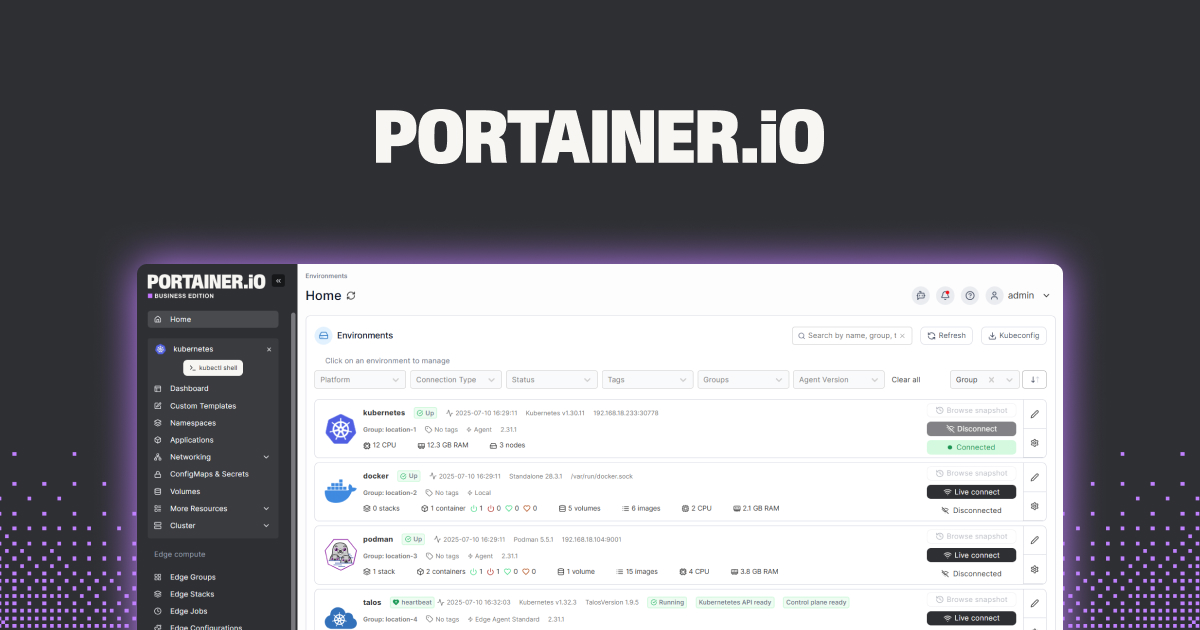
Portainer Community Edition is the web dashboard most self-hosters already have installed for start, stop, restart, log tailing, and stack editing across Docker, Swarm, and Kubernetes. It does not schedule container lifecycle events on its own. Pairing it with SleeperStack, a small companion container that reads Portainer labels and issues start or stop calls on a schedule, fills the one gap and keeps the point-and-click workflow. Portainer Business adds Edge Compute for offline sites (first five nodes free), but that is unrelated to the local scheduling job.
Where it falls short: Two moving parts instead of one. If Portainer or the Docker socket restarts, SleeperStack has to reconnect cleanly; test that once before trusting it with an overnight window.
Pricing:
- Portainer CE: free, source-available (Zlib license).
- Portainer Business: free for the first 5 nodes, paid per-node after that.
- SleeperStack: free, MIT-licensed.
Platforms: Linux, macOS, Windows (Docker Desktop). Portainer supports arm64 for Raspberry Pi hosts.
Download: Project site · GitHub
Bottom line: The pragmatic choice for households where more than one person needs to see and control the containers.
6. Kestra, best power-user workflow orchestrator
Kestra is a full workflow engine that speaks YAML, and one of its first-class task types is io.kestra.plugin.docker.Run. That means a scheduled Kestra flow can start a container, wait for exit, capture the logs, branch on the result, and then start something else. For a household with a media stack, an rclone backup, a Home Assistant snapshot, and a nightly Restic prune, the orchestration is often more valuable than the schedule itself. Kestra is free and open-source under Apache 2.0, with a paid Pro tier at $25 per month for worker groups and RBAC that most homelabs will not need.
Where it falls short: Kestra is a workflow engine first and a scheduler second. It expects Postgres (or an embedded H2 for testing), and its memory footprint (roughly 512MB warm) is an order of magnitude above Ofelia’s. Overkill for a single cron-style container.
Pricing:
- Open-source edition: free, Apache 2.0.
- Kestra Cloud Pro: from $25 per month.
- Enterprise: custom pricing.
Platforms: Linux, macOS, Windows (Docker Desktop). Requires Postgres in production.
Download: Project site · GitHub
Bottom line: Pick Kestra when the scheduling problem is really a workflow problem in disguise.
Tools people confuse with schedulers, and what they actually do
Four names come up in every homelab thread on this topic but do not belong on the list above.
- Watchtower watches image registries and updates running containers when a new tag lands. It restarts, it does not schedule. Use it alongside Ofelia, not instead of it.
- Diun is Watchtower without the auto-update: it notifies when a new image is available and leaves the running container alone. Complementary, not a scheduler.
- Dockge (by Louis Lam of Uptime Kuma) is a Compose stack editor and deployer with a clean web UI, start/stop buttons, and a built-in terminal. Excellent for daily driving Compose; no cron.
- Yacht is another lightweight web UI for Docker, template-focused. Same story: manual controls, no scheduler.
- Autoheal watches Docker health checks and restarts containers that report unhealthy. It reacts to state, it does not act on time.
Any of the five pair well with Ofelia or Chadburn: use Dockge to write the stack, add Ofelia labels, let Watchtower keep the images fresh.
How to pick the right one
If the host is a Linux mini PC and the schedule is one or two stacks going up in the evening and down at bedtime, use systemd timers. There is nothing to install, nothing to update, and one systemctl status call answers every debugging question.
If more than one container needs a schedule, or the schedules should live next to the compose files in a git repo, run Chadburn. Ofelia is fine if you already have it working; there is no reason to switch just for switching’s sake, but new deployments in 2026 should start with the fork.
If the person on call for a broken 3am job is not the sysadmin, install Cronicle. The web UI, run history, and retry policies are worth the extra container.
If the household already lives in Portainer and nobody wants a second UI, add SleeperStack and keep the workflow intact. If the “schedule” is really “run three things in a specific order and email me if step two fails,” reach for Kestra. And if the goal is really just to keep container images fresh, that is Watchtower or Diun, not any tool on the list above.
FAQ
What is the best free Docker container scheduler?
For most people, Chadburn is the best free choice in 2026. It is MIT-licensed, runs as a single container, reads schedules from Docker labels next to the containers they act on, and picks up label changes without a restart. Ofelia is the same design and equally free; Chadburn is the actively maintained fork.
Can Docker schedule containers to start and stop automatically?
Not by itself. Docker’s built-in restart policy only decides what to do after a container exits; it has no time-of-day logic. To start and stop containers on a schedule, pair Docker with a scheduler like Ofelia, Chadburn, Cronicle, or systemd timers.
Does Portainer have a built-in container scheduler?
No. Portainer Community Edition and Business Edition both offer manual start, stop, and restart controls plus one-shot execution of stacks, but neither has a cron-style scheduler. To add scheduling, pair Portainer with SleeperStack or run Ofelia or Chadburn alongside it.
Is Watchtower a container scheduler?
No. Watchtower watches Docker registries for new image tags and updates running containers when one appears. It has no cron syntax and cannot start or stop a container on a time-of-day schedule. Use it in addition to a scheduler like Ofelia, not as a replacement.
How do you save power on a home lab Docker host?
The two biggest wins are shutting down containers you only need for a few hours a day (media stacks, dev environments, backup targets) and letting the host itself sleep between scheduled windows. A scheduler like Chadburn or a pair of systemd timers handles the first; wake-on-LAN plus a systemctl suspend timer handles the second.
Do these tools work on Windows and macOS?
Yes. Ofelia, Chadburn, Cronicle, Portainer, Dockge, and Kestra all ship as Linux containers that run happily on Docker Desktop for Windows and macOS. The one exception is systemd, which is Linux only; on Windows, Task Scheduler with docker compose commands is the closest equivalent, and on macOS, launchd plays the same role.