Docker Compose lives in a text file, and for a while that is charming. Then the homelab grows past ten services and every restart, log tail, and env change is another cd into another folder. A recent XDA piece described what happens when you finally give Compose a front end, and Dockhand is one of the small apps in that space. If Dockhand does not fit, this roundup covers seven Dockhand alternatives for Windows, macOS, and Linux that keep Compose files as the source of truth while pulling the day-to-day work into a browser.
Quick comparison
| App | Best for | Free plan | Starting price | Standout |
|---|---|---|---|---|
| Portainer | Full container platform with fine-grained access | Community edition free | Business plan around $200/yr for small teams | Multi-host, role-based access, stacks from Git |
| Dockge | Compose-file-first UI with a live editor | Yes, open source | Free | Edits the compose file directly, no hidden state |
| Yacht | Template-driven container deployments | Yes, open source | Free | One-click templates for common apps |
| Komodo | Multi-server homelab manager | Yes, open source | Free | Central control of multiple Docker hosts |
| Lazydocker | Terminal UI for containers | Yes, open source | Free | Full TUI, keyboard-driven, no browser |
| CasaOS | Full home-server OS with a Compose store | Yes, open source | Free | App store, dashboard, backup tools |
| Runtipi | App store for a single homelab host | Yes, open source | Free | One-click installs with default Compose files |
Why people leave the text-file-only Compose workflow
The complaints repeat across Reddit’s r/selfhosted and the homelab Discord servers.
The cd-and-restart loop
Every change means opening a terminal, changing to the right folder, editing a file, and running docker compose up -d. A GUI cuts that loop from a minute to a click.
Log tailing friction
Watching a misbehaving container’s logs from the CLI is fine when there is one container. When there are twenty, a browser tab that lets you click into the right one is faster.
Environment editing mistakes
A single missing quote in a .env file breaks a stack silently until you notice at 11 pm. A UI that validates or highlights the file surfaces the mistake up front.
Stack visibility
CLI users end up writing shell aliases to see what is running across compose folders. A dashboard shows every stack, its status, and its restart count in one glance.
Hand-off to a housemate
If someone else in the house also touches the homelab, a browser UI is the difference between them helping and them waiting for you.
Portainer, best for a full container platform
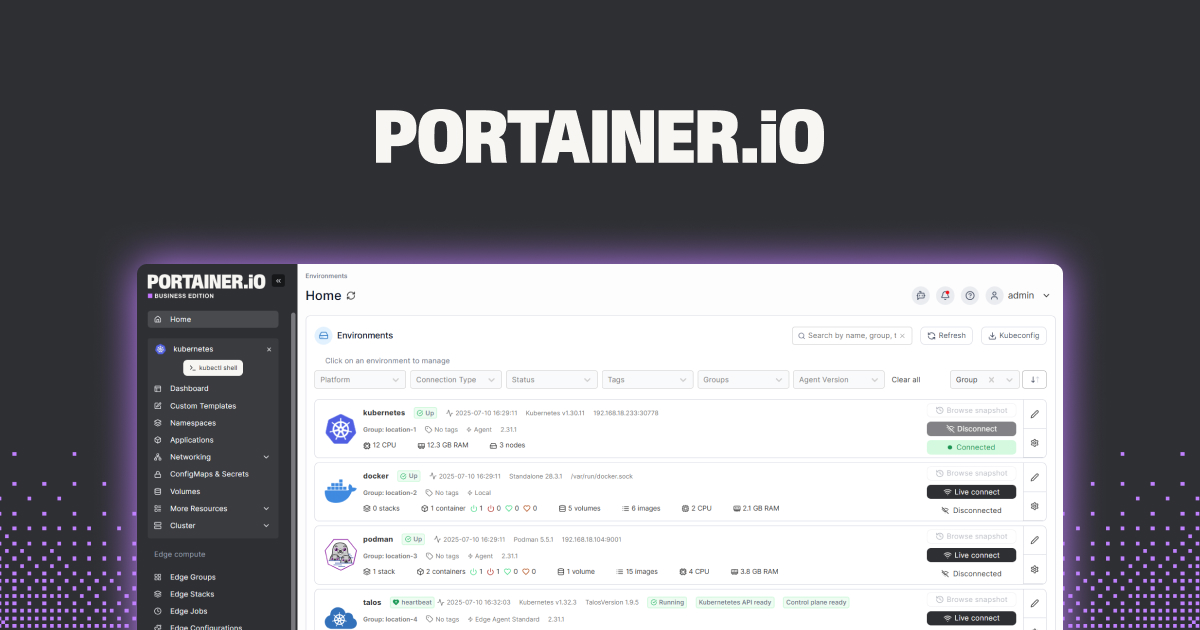
Portainer is the incumbent. It manages Docker, Swarm, and Kubernetes, offers role-based access, and can deploy stacks straight from Git. Homelab users mostly stay on the community edition and never touch the paid tier.
Where it falls short: the interface abstracts Compose behind a UI-created stack, which some purists dislike. The business tier is where niceties like multi-user access controls live.
Pricing:
- Free: community edition covers a single admin on multiple hosts.
- Paid: business plan around $200/yr for small teams.
- vs Dockhand: heavier feature set, less compose-file-centric.
Migrating from Dockhand: import each Compose file as a Portainer stack. Environment values transfer as stack variables.
Bottom line: the safe default for anyone who wants one tool for the next five years.
Dockge, best for a compose-file-first UI
Dockge treats the docker-compose.yaml as the source of truth and never hides it. Every stack is a compose folder on disk, editable in the UI, editable in a terminal, and always in sync. That is exactly what the “give my Compose files a front end” article describes.
Where it falls short: no multi-host management yet, and the feature set is intentionally narrow. It is not a Portainer replacement.
Pricing:
- Free: open source, no tiers.
- Paid: none.
- vs Dockhand: very similar goal, wider community, more polished UI.
Migrating from Dockhand: point Dockge at the same compose folder. Nothing to convert.
Bottom line: the closest philosophical match to Dockhand, and the pick most homelab users land on.
Yacht, best for template-driven deployments
Yacht ships a growing library of templates for common self-hosted apps, so a Jellyfin or Vaultwarden stack goes up in a few clicks with sensible defaults. Under the hood it still writes Docker configuration you can inspect and edit.
Where it falls short: the project moves slower than Dockge or Portainer, and templates for rarer apps lag behind.
Pricing:
- Free: open source, no tiers.
- Paid: none.
- vs Dockhand: adds a template layer, less strict about compose-file-as-truth.
Migrating from Dockhand: re-create each stack from a template or from a compose paste-in. Templates skip the copy step for common apps.
Bottom line: the pick when the goal is spinning up new apps quickly, not managing existing ones.
Komodo, best for multi-server homelabs
Komodo manages Docker across multiple hosts from a single UI. Add a machine, install the agent, and its containers show up in the central dashboard along with everything else. It is Portainer-shaped but Compose-native and free at every tier.
Where it falls short: the UI is newer than Portainer’s and shows it. Documentation is improving.
Pricing:
- Free: open source, no tiers.
- Paid: none.
- vs Dockhand: multi-host, which Dockhand is not aiming for.
Migrating from Dockhand: add each host to Komodo, import Compose files as stacks.
Bottom line: pick this when the homelab spans more than one machine.
Lazydocker, best for a terminal-first UI
Lazydocker is a full-featured TUI for Docker. It shows containers, images, volumes, and logs in a keyboard-driven interface that runs anywhere a terminal runs. It complements a browser UI rather than replacing it.
Where it falls short: no team access, no dashboards, and no multi-host view. It is a single-user power tool.
Pricing:
- Free: open source, no tiers.
- Paid: none.
- vs Dockhand: terminal instead of browser, everything else different.
Migrating from Dockhand: nothing to migrate. Install and run.
Download: GitHub
Bottom line: the second tool every Docker user should install, whichever browser UI they pick.
CasaOS, best for a full home-server OS
CasaOS wraps a Compose UI inside a full home-server distribution with a friendly dashboard, an app store, and backup features. It is what you install when the goal is a home server, not a container GUI on an existing OS.
Where it falls short: it wants to own the machine. Installing on top of an existing setup is not the sweet spot.
Pricing:
- Free: open source, no tiers.
- Paid: none.
- vs Dockhand: much broader scope.
Migrating from Dockhand: import Compose files through the CasaOS UI or install apps fresh from the store.
Bottom line: pick this if you want a homelab appliance more than a Compose GUI.
Runtipi, best for a single-host app store
Runtipi is a compact self-hosting platform with one-click installs and default Compose files behind every app. It is CasaOS without the full-OS ambition.
Where it falls short: single-host only, and stacks outside the app store need a little manual work.
Pricing:
- Free: open source, no tiers.
- Paid: none.
- vs Dockhand: adds an app-store layer over Compose.
Migrating from Dockhand: reinstall from Runtipi’s app store where available, keep custom Compose stacks in a linked folder.
Bottom line: the friendliest onboarding for a first homelab.
How to choose
- Pick Dockge if the reason you left the CLI is “I want a UI that respects my Compose file.”
- Pick Portainer if you want a mature, feature-rich platform and are willing to work around some Compose abstraction.
- Pick Yacht for templates that spin up common apps.
- Pick Komodo if the homelab spans multiple machines.
- Pair any of the above with Lazydocker for a terminal power tool.
- Pick CasaOS or Runtipi if you are building a homelab from scratch and want an app store, not just a manager.
FAQ
Is Dockhand still maintained? Small self-hosted projects come and go. Check the project repository for recent commits before adopting it as the daily driver, and pick a more actively maintained alternative if commits have slowed.
Which Dockhand alternative respects my Compose files most? Dockge. It edits the compose file directly and stores nothing behind the scenes that is not on disk.
Do I need Portainer if my homelab has one machine? No. Portainer is fine on one machine, but Dockge or CasaOS gives you 90 percent of what a single-host homelab needs with a lighter footprint.
Can I use a Compose GUI and the CLI at the same time? Dockge and Komodo were designed for this. Portainer works too, though stacks it creates through the UI have some UI-owned state.
What is the best free option? Dockge, Yacht, Komodo, Lazydocker, CasaOS, and Runtipi are all free and open source. Dockge is the fastest install-to-first-stack experience.