RPCS3 shipped an update that reads PS3 titles straight from the physical disc, and a lot of players are dusting off shelves of Blu-ray cases they thought were shelfware. The catch is that RPCS3 only covers the PS3. Anyone whose console memories skip across generations wants a PS2 chapter, a PSP chapter, a PS1 chapter, and increasingly a PS4 chapter too. That is where the alternatives come in.
We tested seven console emulators on Windows, macOS, and Linux that fill the gaps around RPCS3. Some cover other PlayStation generations, some cover competing consoles from the same era, and a couple are worth running purely to compare how their teams solve the same preservation problems in different ways.
Why RPCS3 fans hunt for more emulators
RPCS3 is excellent at the one job it has, and that job has clear edges:
- It only runs PS3 software. Sony’s back catalogue on PC needs a shelf of separate emulators, one per generation.
- Some titles still need custom patches. RPCS3’s compatibility list is deep but not universal. A handful of games rely on user patches or specific configs that ship outside the main installer.
- The PSP library is portable, and RPCS3 does not touch it. Fans who played God of War: Chains of Olympus on a PSP go to PPSSPP, not RPCS3.
- PS4 is the next mountain. Early PS4 emulation on PC is where PS3 emulation was around 2018 — playable in pieces, worth watching, not yet a replacement for a real console.
- Cross-generation collections mix consoles. Someone chasing the full Metal Gear or Ratchet & Clank arc needs PS1, PS2, and PS3 emulators lined up side by side.
The alternatives below split into two groups: other PlayStation generations, and same-era competing consoles that share the RPCS3 audience.
Quick comparison
| Emulator | Console | Platforms | Cost | Standout feature |
|---|---|---|---|---|
| PCSX2 | PlayStation 2 | Windows, macOS, Linux | Free, open-source | Widescreen patches and per-game presets in the QT UI |
| PPSSPP | PSP | Windows, macOS, Linux | Free (Gold on desktop is a donation) | Higher-than-native rendering, texture replacement |
| DuckStation | PlayStation 1 | Windows, macOS, Linux | Free, open-source | PGXP geometry correction for stable polygons |
| shadPS4 | PlayStation 4 | Windows, Linux, macOS (early) | Free, open-source | Fast-moving PS4 compatibility gains through 2025-2026 |
| Play! | PlayStation 2 | Windows, macOS, Linux | Free, open-source | Portable, low-overhead second opinion on PCSX2 |
| Dolphin | GameCube and Wii | Windows, macOS, Linux | Free, open-source | Netplay, high-res texture packs, mature save states |
| Xenia | Xbox 360 | Windows (Canary forks on Linux) | Free, open-source | Only actively developed Xbox 360 emulator on PC |
The 7 best RPCS3 alternatives
PCSX2 — best for the PS2 catalogue
PCSX2 is the mature choice for PlayStation 2 emulation on the desktop. The Qt-based UI that landed in the 1.7 branch cleaned up per-game settings, widescreen patches, and controller mapping, and the compatibility list now covers the overwhelming majority of the retail PS2 library. Vulkan and Direct3D 12 backends both hold steady frame times on modest hardware, and the memory-card manager makes cross-save transfers painless.
Where it falls short: BIOS files still have to come from a real PS2, which is a legal ask most players know but not all newcomers expect. A few notoriously heavy titles (Shadow of the Colossus, Black) push mid-range CPUs harder than you would guess.
Pricing: Free and open-source.
Migrating from RPCS3: The QT interface, per-game profiles, and controller flow feel familiar out of the box. Save states behave the same way.
Download: PCSX2 on pcsx2.net
Bottom line: The default answer for anyone who wants the PS2 half of the PlayStation catalogue on PC.
PPSSPP — best for the PSP library
PPSSPP is the reference PSP emulator. Henrik Rydgard’s project renders the handheld’s library at desktop resolutions, applies texture replacement packs cleanly, and keeps controller mapping simple across keyboard, gamepad, and touch input. Most retail titles run at native speed on any laptop from the last decade, and the internal render scale unlocks the PSP catalogue at 1440p or 4K without hacks.
Where it falls short: A short list of titles still needs the JIT tuned or specific graphics workarounds. The desktop build asks for a donation for PPSSPP Gold, but the free build is functionally identical.
Pricing: Free. PPSSPP Gold is a paid tier that supports development.
Migrating from RPCS3: Configuration surfaces are shallower than RPCS3’s, which makes it easier to set up and harder to tune when a game misbehaves.
Download: PPSSPP on ppsspp.org
Bottom line: The PSP half of the PlayStation library, and the emulator that made a handheld feel like a home console.
DuckStation — best for PlayStation 1
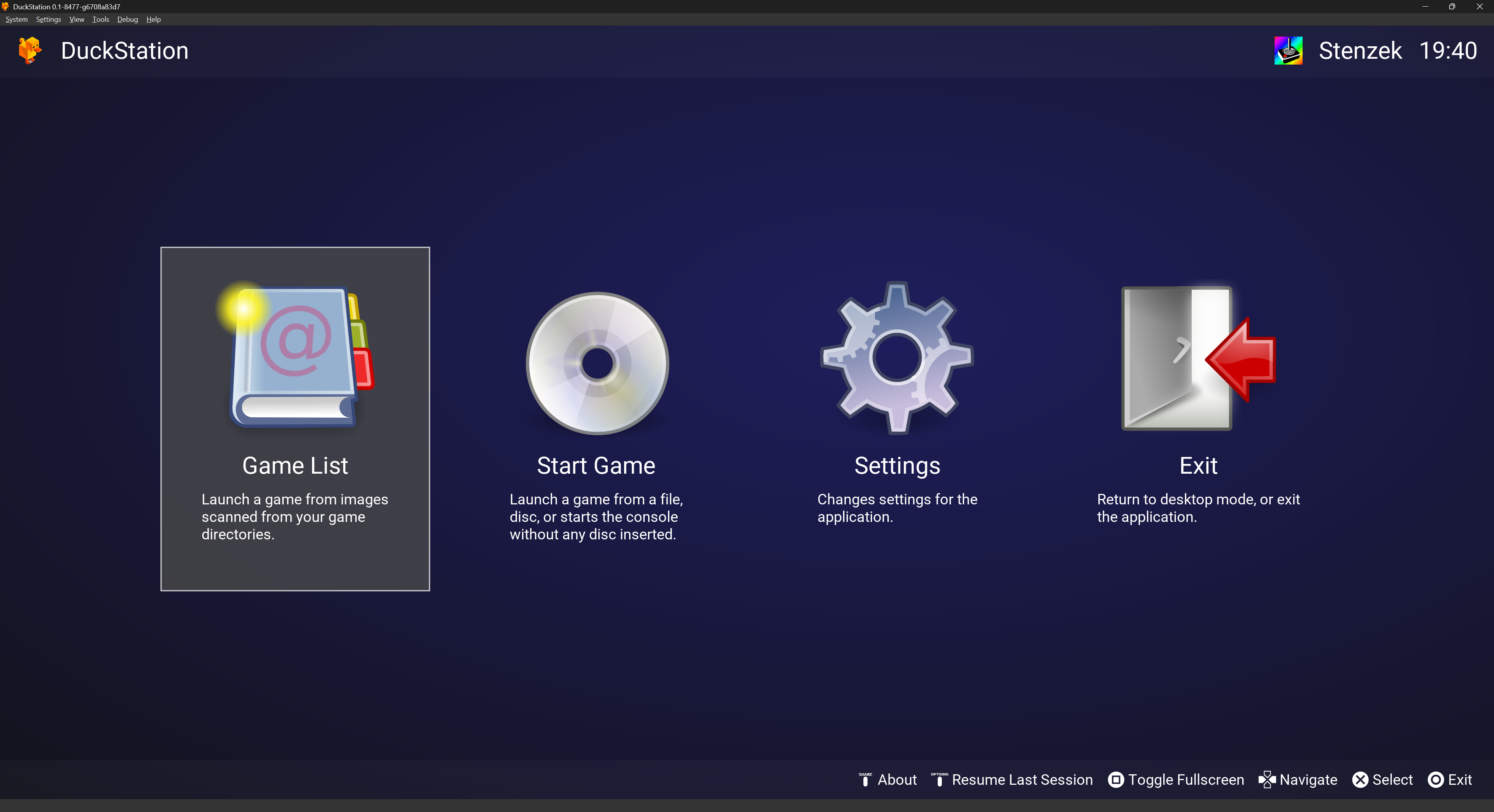
DuckStation is the modern default for PS1 emulation. Stenzek’s emulator ships PGXP geometry correction that stops the classic PlayStation polygon wobble, upscales textures cleanly, and supports controllers and light-gun setups without extra plugins. The Big Picture UI and per-game overrides make it comfortable on a couch build.
Where it falls short: A few obscure titles rely on legacy plugin behavior that DuckStation intentionally does not carry over. The GitHub project moved to a slower cadence after 2024 licensing changes, though releases still ship.
Pricing: Free and open-source.
Migrating from RPCS3: Per-game settings, save states, and the memory-card model line up closely with the RPCS3 mental model.
Download: DuckStation on duckstation.org
Bottom line: The first pick for PS1 emulation on any desktop, especially with an upscaler in play.
shadPS4 — best for early PS4 emulation
shadPS4 is where PS4 emulation on PC turned into something people actually play through 2025 and into 2026. The team behind it has been publishing weekly Nightly builds, and the compatibility list now includes commercial titles running past their intro sequences and into full gameplay loops. It is closer to RPCS3 in 2015 than RPCS3 in 2026, which is exactly the point of following it right now.
Where it falls short: Compatibility is still narrow. Many titles boot but do not finish. macOS support is early and Linux gets more attention than Windows in some patches.
Pricing: Free and open-source.
Migrating from RPCS3: The UI patterns and configuration language are recognizable to any RPCS3 user, which lowers the learning curve significantly.
Download: shadPS4 on shadps4.net
Bottom line: The right emulator to install if you want to watch a PS4 emulator grow up in real time.
Play! — best second opinion on PS2
Play! is the alternative PS2 emulator worth knowing about. Jean-Philippe Desroches has built it as a lightweight portable app that runs on Windows, macOS, and Linux, and its priorities differ from PCSX2 in ways that occasionally matter. When a specific title runs badly under PCSX2, Play! is the first thing to try before rolling back BIOS files or hunting community patches.
Where it falls short: Overall compatibility trails PCSX2, and the UI is thinner than what long-time PCSX2 users expect. Some games still need per-title tweaks that PCSX2 has automated.
Pricing: Free and open-source.
Migrating from RPCS3: Configuration surface is smaller, which cuts both ways. Save states behave predictably.
Download: Play! on purei.org
Bottom line: Keep it alongside PCSX2 for the titles the mainline emulator handles poorly.
Dolphin — best for the console generation next to PS2 and PS3
Dolphin is not a PlayStation emulator, and that is why it belongs here. Anyone who owned a PS2 or PS3 often also owned a GameCube or a Wii, and the same taste in games (Metroid Prime, Wind Waker, Xenoblade Chronicles) tends to show up in a PS3 fan’s library. Dolphin runs both consoles cleanly, ships netplay, supports high-resolution texture packs, and has one of the most polished configuration UIs in emulation.
Where it falls short: Motion-control games need real Wiimotes or Bluetooth-pass-through hardware to play the way Nintendo shipped them. The Wii U is not covered.
Pricing: Free and open-source.
Migrating from RPCS3: The interface is different, but every core mechanic (per-game configs, save states, controller profiles) maps cleanly.
Download: Dolphin on dolphin-emu.org
Bottom line: The obvious next stop for RPCS3 users who also want the Nintendo half of the 2000s.
Xenia — best for the Xbox 360 side of the same era
Xenia is the only actively developed Xbox 360 emulator. If RPCS3 is the pick for Sony’s seventh-generation library, Xenia is the mirror pick for Microsoft’s. The Master and Canary branches together cover an increasing slice of the retail catalogue, including exclusives like Blue Dragon and Lost Odyssey that never made it to a PlayStation. Vulkan support is the branch that has moved fastest through 2025 and 2026.
Where it falls short: Compatibility is still uneven title by title, and the emulator’s home is Windows. Linux and macOS run community forks of Canary rather than first-party builds.
Pricing: Free and open-source.
Migrating from RPCS3: The layout differs, but the configuration flow (title-specific configs, plugin-free rendering backends) is familiar.
Download: Xenia on xenia.jp
Bottom line: Install it to see the other half of the seventh-generation console library that RPCS3 does not touch.
How to choose
The right RPCS3 alternative depends on which shelf of games you are trying to bring back:
- Pick PCSX2 first if your PS3 love actually started with a PS2. Widescreen patches and high-resolution rendering make the whole library play like it always deserved to.
- Pick PPSSPP for God of War: Chains of Olympus, Persona 3 Portable, Monster Hunter Freedom Unite, and the rest of the handheld canon.
- Pick DuckStation for anything from Sony’s first generation, especially the RPGs where PGXP geometry correction stops the classic polygon wobble.
- Pick shadPS4 if you want to follow PS4 emulation the same way you followed RPCS3 in its early years. It is not a replacement for a real PS4 yet, and that honesty is a feature.
- Pick Play! as a second opinion when PCSX2 disagrees with a specific PS2 title.
- Pick Dolphin if your late-2000s memories include the Wii and the GameCube alongside your PS3.
- Pick Xenia if you want the seventh-generation Xbox exclusives that never made it to a PlayStation.
- Stay on RPCS3 for the PS3 catalogue itself. None of these emulators replace it — they extend it.
Most players end up with three or four installed at once. That is fine. Each one owns a specific console, and none of them get in each other’s way.
FAQ
Is RPCS3 the best PS3 emulator?
Yes. It is also effectively the only actively maintained PS3 emulator with meaningful compatibility. The alternatives above cover other consoles rather than compete with RPCS3 on its own turf.
Can I run these emulators on a Steam Deck?
Most of them, yes. PCSX2, PPSSPP, DuckStation, and Dolphin all ship native Linux builds and run cleanly on Steam Deck. RPCS3 and Xenia are more demanding and depend on the specific title. shadPS4 runs on Deck for a subset of titles but is still early enough that expectations should stay low.
Are these emulators legal?
The emulators themselves are legal to download and use. The game files (ISOs, ROMs, PKGs) and BIOS files are covered by copyright, and legal use generally means dumping software from hardware you own. Each project’s documentation covers this in detail.
Do any of these emulate PS5?
No. There is no meaningful PS5 emulator on PC in 2026. The console is too new, its custom hardware is too specific, and the encryption on its software is still intact. shadPS4 is the closest active project in the modern PlayStation line, and it targets PS4.
Which emulator has the lowest hardware requirements?
DuckStation for PS1 and PPSSPP for PSP will both run on almost any laptop from the last decade. PCSX2 is the middle. RPCS3, shadPS4, and Xenia all want a modern multi-core CPU and a dedicated GPU to feel comfortable.