XDA argued this week that Jellyfin’s setup complexity is why Plex still charges seven dollars a month and gets away with it. That is the honest read. Jellyfin ships the same features, but every install involves Docker, reverse proxies, plugin choices, and a metadata scan that can eat a whole evening. The fix is not to write Jellyfin off, it is to automate the parts that keep new users away. Here are the best desktop apps for Jellyfin setup automation in 2026.
What matters when automating a Jellyfin setup
A new Jellyfin server touches five moving pieces: the container runtime, the storage layout, the reverse proxy, the metadata source, and the update cadence. The wins come from automating each piece rather than one grand orchestration script. The tools below cover:
- Container-first install so upgrades are one image pull
- Compose or Ansible for reproducible configs across machines
- Library pre-scans and transcode conditioning so the first play is instant
- Automatic indexer refresh so new content shows up without a manual scan
- HTTPS-by-default reverse proxy for LAN and remote access
- Scheduled updates that don’t wake you up at 3 a.m.
Quick comparison
| App | Best for | License | Runs on | Standout feature |
|---|---|---|---|---|
| Jellyfin | The server itself | GPL | Windows, macOS, Linux, Docker | Free, no account |
| Portainer | Container UI | Freemium | Docker, Kubernetes | Visual stack editor |
| Docker Compose | Reproducible stack | Apache 2 | Anywhere Docker runs | One YAML file per server |
| Ansible | Config across machines | GPL | Linux, macOS control node | Idempotent playbooks |
| Tdarr | Auto transcoding | Custom | Windows, Linux, Docker | Codec health checks |
| Prowlarr | Indexer manager | GPL | Docker, Windows, Linux | Feeds Radarr/Sonarr |
| Traefik | Reverse proxy | MIT | Docker, Linux | Auto HTTPS |
| Watchtower | Container updater | Apache 2 | Docker | Auto image pull |
The apps
1. Jellyfin — the server itself
Jellyfin is the free, open-source media server the rest of this stack automates. Runs natively on Windows and macOS, best on Linux via Docker. Hardware transcoding works on Intel Quick Sync, AMD VCE, and NVIDIA NVENC once the drivers are set.
Where it falls short: the first-run wizard leaves a lot of tuning implicit, and metadata plugin choice is not obvious.
Pricing:
- Free: GPL, no premium tier, no account
Platforms: Windows, macOS, Linux, Docker
Bottom line: the reason to automate the rest of the stack.
2. Portainer — best container UI
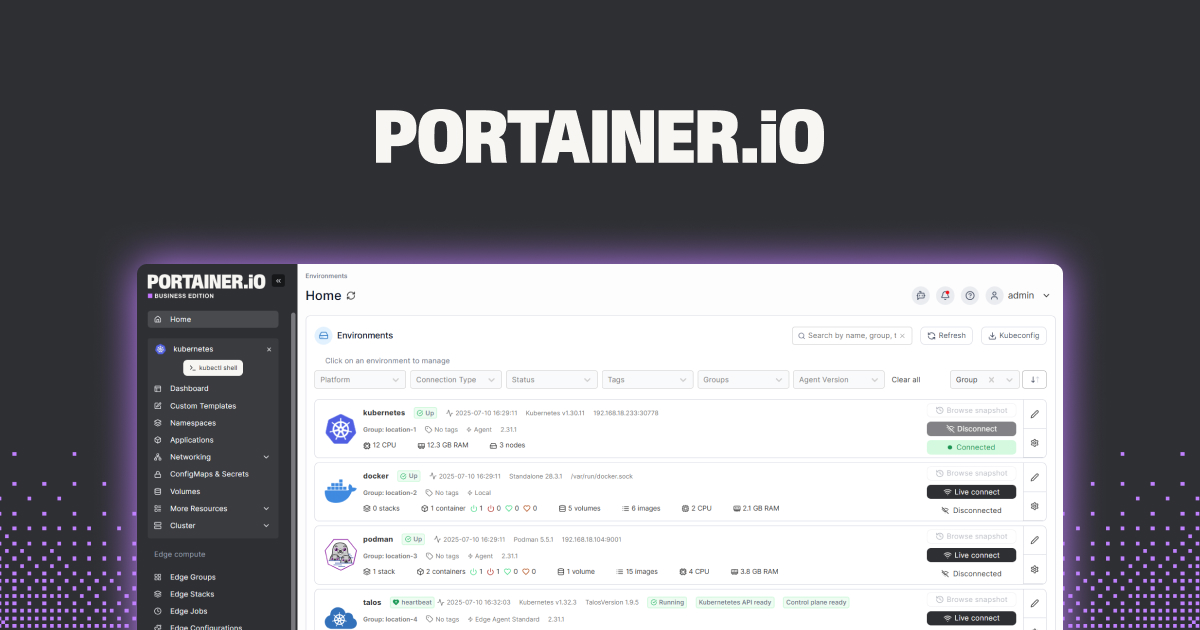
Portainer puts a browser UI on top of Docker or Kubernetes. Stacks (Compose files) get a visual editor, containers get one-click restart, and the environment variables you forget are surfaced in one panel. New users get an ops layer without touching a terminal.
Where it falls short: the free Community Edition caps at three environments, and some advanced features have moved to Business.
Pricing:
- Free: Community Edition (three environments)
- Paid: Business tier for larger installs
Platforms: Windows, macOS, Linux (Docker), Kubernetes
Bottom line: the friendliest way to see and edit a Jellyfin stack without SSH.
3. Docker Compose — best reproducible stack
Docker Compose turns a full Jellyfin stack (server, transcoder, reverse proxy, indexer) into one YAML file. Version it in git, and every new machine boots the same setup with docker compose up -d. This is where automation actually starts.
Where it falls short: it is a spec, not a UI, so plan on either Portainer on top or an editor with YAML linting.
Pricing:
- Free: bundled with Docker Desktop and Docker Engine
Platforms: Windows, macOS, Linux
Bottom line: the base layer for any automated Jellyfin deployment.
4. Ansible — best cross-machine config
Ansible applies the same config to one Jellyfin box or a fleet of them. Playbooks are declarative and idempotent, so re-running them is safe. If you rebuild your home server every year, a playbook cuts hours out of the process.
Where it falls short: learning YAML plus Ansible modules takes an afternoon, and the debug loop on a failing task is slower than a shell script.
Pricing:
- Free: GPL
Platforms: Linux, macOS control node; targets any SSH-reachable host
Bottom line: when your Jellyfin server outgrows one machine, this is the tool.
5. Tdarr — best auto transcoding
Tdarr watches your library and re-encodes anything that fails a rule you set (bitrate, codec, container). Result: no more surprise 4K H.264 files that eat CPU on transcode. Runs on the same server or on separate nodes.
Where it falls short: the rules engine has a real learning curve, and misconfigured plugins can re-encode files down in quality.
Pricing:
- Free: fully featured
- Paid: Tdarr Pro adds enterprise features (not needed for home use)
Platforms: Windows, Linux, Docker (nodes on macOS)
Bottom line: the pre-conditioner that makes Jellyfin playback instant.
6. Prowlarr — best indexer manager
Prowlarr manages every indexer you use (Usenet or torrent trackers) in one place, and syncs them to Radarr, Sonarr, Lidarr, and Readarr. Your Jellyfin library grows automatically as new episodes drop.
Where it falls short: setup for private indexers still asks for API keys one at a time.
Pricing:
- Free: GPL
Platforms: Windows, Linux, macOS, Docker
Bottom line: the auto-refresh layer that keeps Jellyfin’s library growing.
7. Traefik — best reverse proxy
Traefik is the reverse proxy that plays best with Docker. It reads your Compose file, discovers new services automatically, and requests Let’s Encrypt certificates without a manual dance. HTTPS for LAN and remote access, zero-touch.
Where it falls short: the first configuration file is dense, and Traefik’s docs assume you know how routers and middleware chain.
Pricing:
- Free: MIT
- Paid: Traefik Enterprise for cluster deployments
Platforms: Docker, Linux, Windows
Bottom line: the HTTPS layer, once configured, that never asks you again.
8. Watchtower — best container updater
Watchtower watches your running containers and pulls new images on a schedule. Point it at your Jellyfin stack, and updates land during a nightly window without you touching SSH.
Where it falls short: blindly updating everything can break a plugin you rely on, so scope it to the containers you trust.
Pricing:
- Free: Apache 2
Platforms: Docker on Windows, Linux, macOS
Download: Watchtower | GitHub
Bottom line: the updater that turns Jellyfin from “I need to babysit this” into “it just runs.”
How to pick the right one
If you just want a working Jellyfin server tonight, install Portainer, load a Docker Compose stack for Jellyfin, and stop there. If you plan to rebuild the server or run multiples, add Ansible. If storage or transcodes hurt, add Tdarr. If you want the library to grow itself, add Prowlarr with Radarr and Sonarr. If Jellyfin needs to be reachable from outside the LAN, add Traefik. Add Watchtower last, once the stack is stable, so updates land automatically. Do not add every tool day one; add them as the pain shows up.
FAQ
Is Jellyfin really harder to set up than Plex?
Out of the box, yes. Plex bundles remote access, mobile clients, and a metadata scanner in one installer. Jellyfin ships the same features spread across containers, plugins, and configuration files.
What is the fastest way to set up Jellyfin?
Install Docker, drop a proven Compose file (Jellyfin, hardware transcode passthrough, and Traefik) into a folder, and run docker compose up -d. First scan takes an hour on a mid-size library. After that, it is a background service.
Can I automate Jellyfin plugin installs?
Partly. Jellyfin’s plugin catalog is API-accessible, and Ansible playbooks or an init script can pre-install plugins. Configuration inside each plugin still requires the web UI on first setup.
Do I need a reverse proxy for Jellyfin?
Only if you want HTTPS on the LAN or access from outside your home network. LAN-only setups run fine on plain HTTP on the default port.
Is Portainer free for a home Jellyfin server?
Yes. The Community Edition covers up to three environments and is free forever. A single home server counts as one environment.